Description
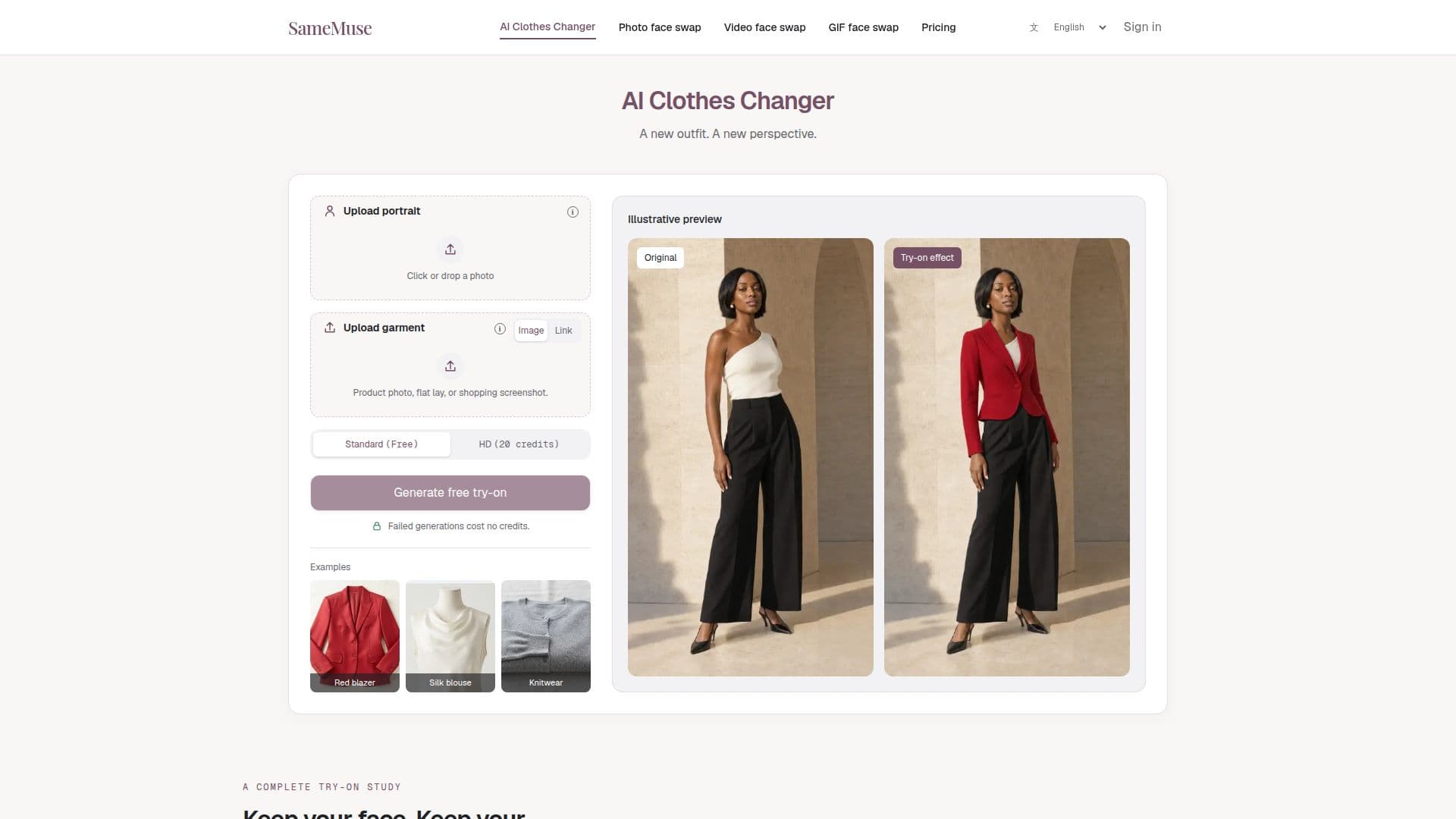
SameMuse provides an AI Clothes Changer, a private virtual try-on tool designed to help users visualize how garments look on them before buying. Users can upload a personal photo and a clothing reference image, such as a product photo, flat lay, or even a shopping screenshot, to generate a private AI outfit preview. This process aims to assist in judging the color, shape, and overall styling of an outfit on one's own body.
Read More
The tool prioritizes identity continuity, ensuring that the user's face, pose, body proportions, and background remain consistent in the generated preview. The clothing reference then supplies the color, cut, and visible product details. SameMuse emphasizes that the preview is a visual approximation for styling decisions, not a substitute for exact measurements or sizing information, encouraging users to consult retailer size charts for precise fit details.
The workflow is straightforward, requiring no photo-editing experience, layers, masks, or prompt writing. Users simply upload their photo and the garment image or paste a public product link. The generation process typically takes about a minute. SameMuse supports various image formats including JPG, PNG, WEBP, HEIC, and HEIF, with a maximum size of 15MB. For optimal results, clear full-body or waist-up photos are recommended for the person, and clear garment images for the clothing reference.
Privacy is a core aspect of SameMuse; all uploaded person photos, garment images, and generated results are automatically deleted after seven days and are explicitly not used for training AI models. The platform offers different generation qualities: Standard and HD. The first Standard try-on is free and does not require an account. For more generations, HD quality, and pinned results, users can sign in with Google. Failed generations do not consume credits, allowing users to retry without additional charges.
SameMuse offers flexible pricing through credit packs and a monthly plan. Standard try-ons cost 10 credits, while HD try-ons cost 20 credits. One-time Starter and Value packs provide credits that never expire, while the Monthly plan offers a recurring credit allowance that resets each month. This structure allows users to pay for the looks they need, whether for occasional use or more frequent comparisons. The tool is ideal for comparing different style directions, color palettes, or silhouettes on the same person photo, helping users make confident shopping decisions.
- CategoryImage Generation & Editing
- Pricing ModelFreemium
- DeploymentCloud
- PlatformsWeb
SameMuse's Core Features
Private AI virtual try-on
Upload personal photos for previews
Upload garment images or shopping screenshots
Reference-based AI clothes previews
Automatic image deletion after seven days
First Standard preview free
Supports JPG, PNG, WEBP, HEIC, HEIF images up to 15MB
Accepts public product links for garments
Generates results in about one minute
Standard and HD preview qualities available
Failed generations cost no credits
Images not used for model training
Maintains identity, pose, and body proportions
Focuses on color, shape, and styling decisions
No photo-editing experience required
How to use SameMuse?
Upload Photo: Select a clear full-body or waist-up photo of yourself.
Add Garment: Upload a product image, shopping screenshot, or paste a public product link for the clothing item.
Generate Preview: Choose between Standard or HD quality to create your private AI outfit preview.
Review Result: Inspect the generated image to judge the color, shape, and styling of the garment on your photo.
Make Decision: Use the visual approximation to narrow down shopping or styling choices before purchasing.
SameMuse's Use Cases
- Virtual Clothing Try-On
- Style Comparison
- Shopping Decision Aid
- Outfit Planning
- Visualizing Garment Fit
- Color Palette Testing
- Screenshot to Try-On
- Personal Styling Exploration