Description
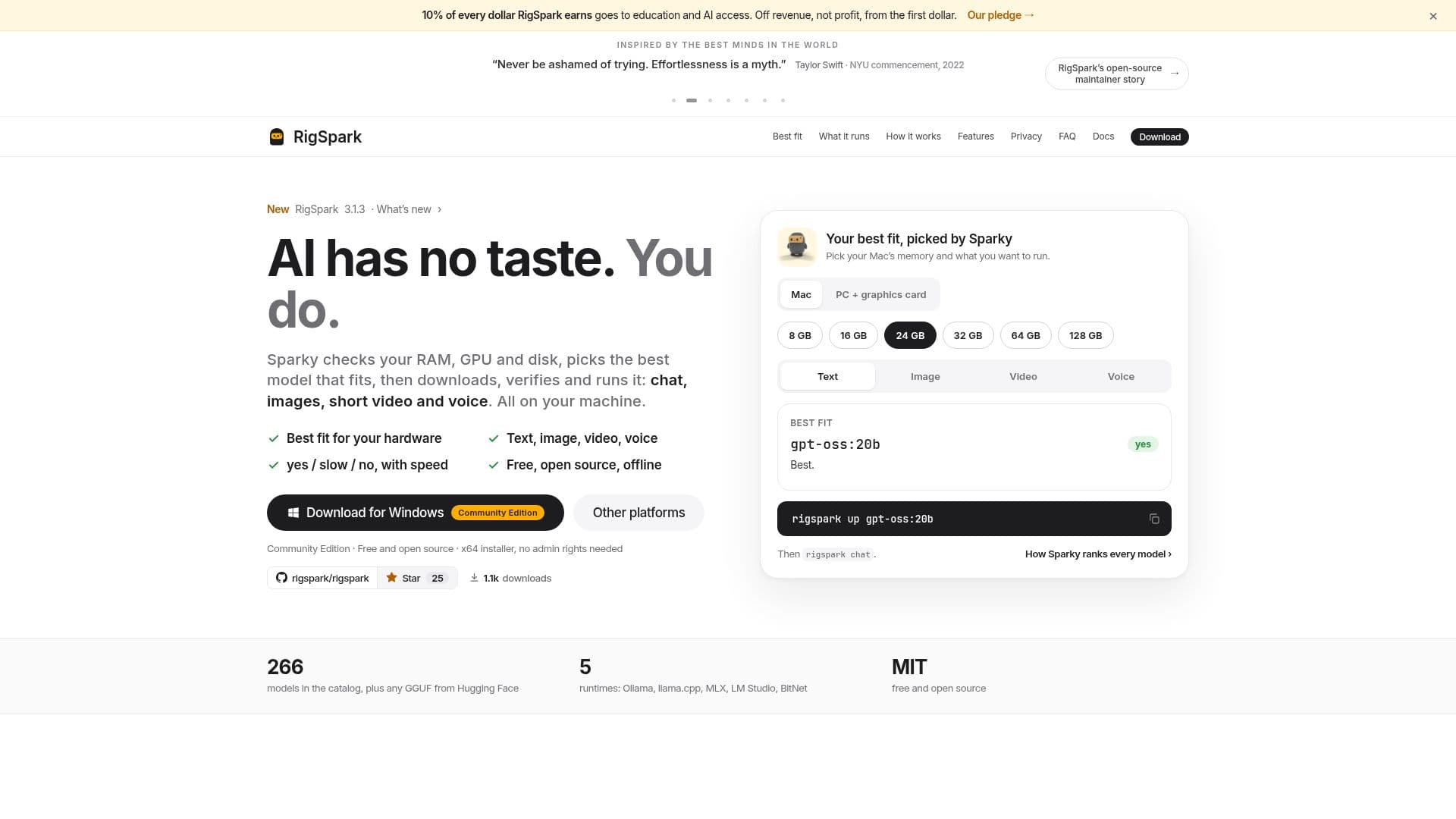
RigSpark is a comprehensive, free, and open-source application designed to help users run various AI models locally on their personal computers. It intelligently assesses your system's hardware, including RAM, GPU, and disk space, to determine which local Large Language Models (LLMs), image, video, or voice models your machine can efficiently support. Before any downloads, RigSpark provides clear "yes," "slow," or "no" verdicts for each model, complete with estimated tokens per second, allowing users to make informed decisions and avoid incompatible downloads.
Read More
The tool offers a hardware-aware command-line interface (CLI), a terminal UI, and a browser workspace. It not only recommends models but also handles the entire lifecycle: downloading, SHA-256 verification, serving, and facilitating local interaction. For image and video generation, RigSpark integrates with your local ComfyUI instance, fetching and verifying weights for models like FLUX.1 schnell and Wan 2.1, ensuring all processes remain on your machine without sending data to the cloud.
RigSpark supports a wide range of runtimes, including Ollama, llama.cpp, MLX, LM Studio, and BitNet, providing flexibility for different hardware configurations, especially Apple Silicon Macs which benefit from MLX integration. It includes features like context-window aware sizing, portable chat memory for migrating between models, and the ability to use agents and skills with local instruction blocks. The application maintains a verified local catalog of over 266 models, plus support for GGUF models from Hugging Face.
Privacy is a core tenet of RigSpark; its recommendation and diagnostic tools make no network calls, relying solely on a local catalog. Model servers and the browser workspace bind exclusively to 127.0.0.1, ensuring all data and interactions remain on your machine. RigSpark is available for macOS and Windows, with command-line versions for Linux and Docker, making local AI accessible and transparent for a broad user base. The project also pledges 10% of its revenue to education and AI access.
- CategoryMLOps & Model Deployment
- Pricing ModelFree
- DeploymentLocal
- PlatformsmacOS, Windows, Linux, Docker
RigSpark's Core Features
Hardware-aware model recommendations (RAM, GPU, Disk)
"Yes / Slow / No" verdicts with estimated tokens per second
Local LLM serving and chat capabilities
Local image generation via ComfyUI integration
Local short video generation via ComfyUI integration
Local voice model support (spoken replies, dictation, songs)
SHA-256 verification of downloaded model weights
Support for 5 runtimes: Ollama, llama.cpp, MLX, LM Studio, BitNet
Offline catalog of over 266 models plus Hugging Face GGUF support
Context-window aware model sizing and KV-cache memory math
Portable chat memory migration between models
Agents and skills with local markdown instruction blocks
Loopback-only browser workspace (binds to 127.0.0.1)
AI Hardware Score (0-100) and bottleneck diagnosis
Free and open-source with MIT license
How to use RigSpark?
Install RigSpark: Download and run the installer for macOS or Windows, or use command-line options for Linux/Docker.
Get Recommendations: Run `rigspark recommend` to analyze your hardware and see which LLMs will run best.
Check a Specific Model: Use `rigspark can-run <model>` to verify compatibility for a single model.
Download and Serve: Execute `rigspark up <model>` to download, verify, and serve a chosen model locally.
Chat with Models: Start a conversation with your local LLM using `rigspark chat`.
Generate Images/Videos: Switch to Image or Video in `rigspark gui` or use `rigspark generate image/video --prompt "..."` with your local ComfyUI.
RigSpark's Use Cases
- Local LLM Chat
- Hardware Compatibility Check
- Offline AI Development
- Personal Content Generation
- AI Model Experimentation
- Educational AI Exploration
- Privacy-Focused AI Use