Description
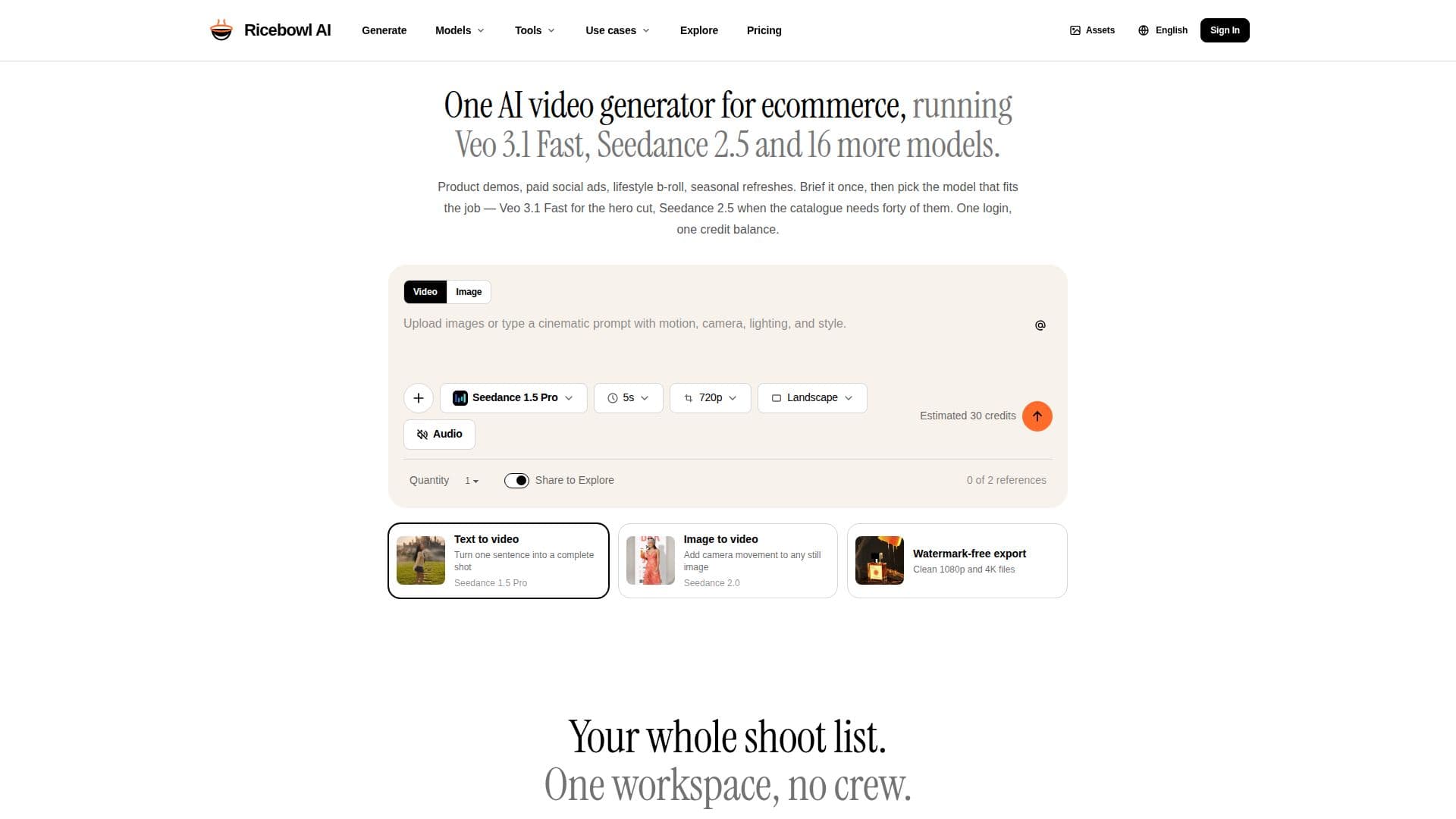
Ricebowl AI is an AI video generator built specifically for ecommerce. Instead of starting from a blank prompt, it takes the product photos and briefs a store already has and outputs the formats retail publishes, exporting 16:9 for product pages and 9:16 for paid social, up to 4K with no watermark on any plan.
Read More
The workspace runs Veo 3.1 Fast and Pro, Seedance 2.5, Kling 3, and more than a dozen other models, each priced per clip so a single hero film and a full catalogue are both affordable. Text-to-video lets users brief a shot in plain language and get four variants to choose from, while image-to-video animates an existing packshot while keeping the product recognizable, aided by reference images that preserve color, label, and silhouette.
Clips run roughly five to thirty seconds depending on the model, in landscape or portrait. New accounts get 30 free credits, and the credit cost of every model and duration is shown before generating, so spending tracks what is actually produced.
- CategoryAI Video Generators
- Pricing ModelFreemium
- DeploymentCloud
- PlatformsWeb
Ricebowl AI's Core Features
Product-photo-to-video built for ecommerce
Runs Veo 3.1 Fast/Pro, Seedance 2.5, Kling 3, and 16+ models
Exports 16:9 and 9:16 up to 4K with no watermark
Text-to-video returning four variants per prompt
Image-to-video that keeps the product recognizable
Reference images to preserve color, label, and silhouette
Per-clip credit pricing shown before generation
30 free credits for new accounts
How to use Ricebowl AI?
Upload or brief: Start from a product photo or describe the shot in plain language.
Pick a model: Choose Veo 3.1, Seedance 2.5, or another model based on the job and shown price.
Set format: Select duration, resolution, and 16:9 or 9:16 aspect ratio.
Generate: Produce the clip, with four takes on text-to-video.
Export: Download up to 4K with no watermark.
Ricebowl AI's Use Cases
- Product page videos
- Paid social ads
- Catalogue coverage
- Seasonal refreshes