
Description
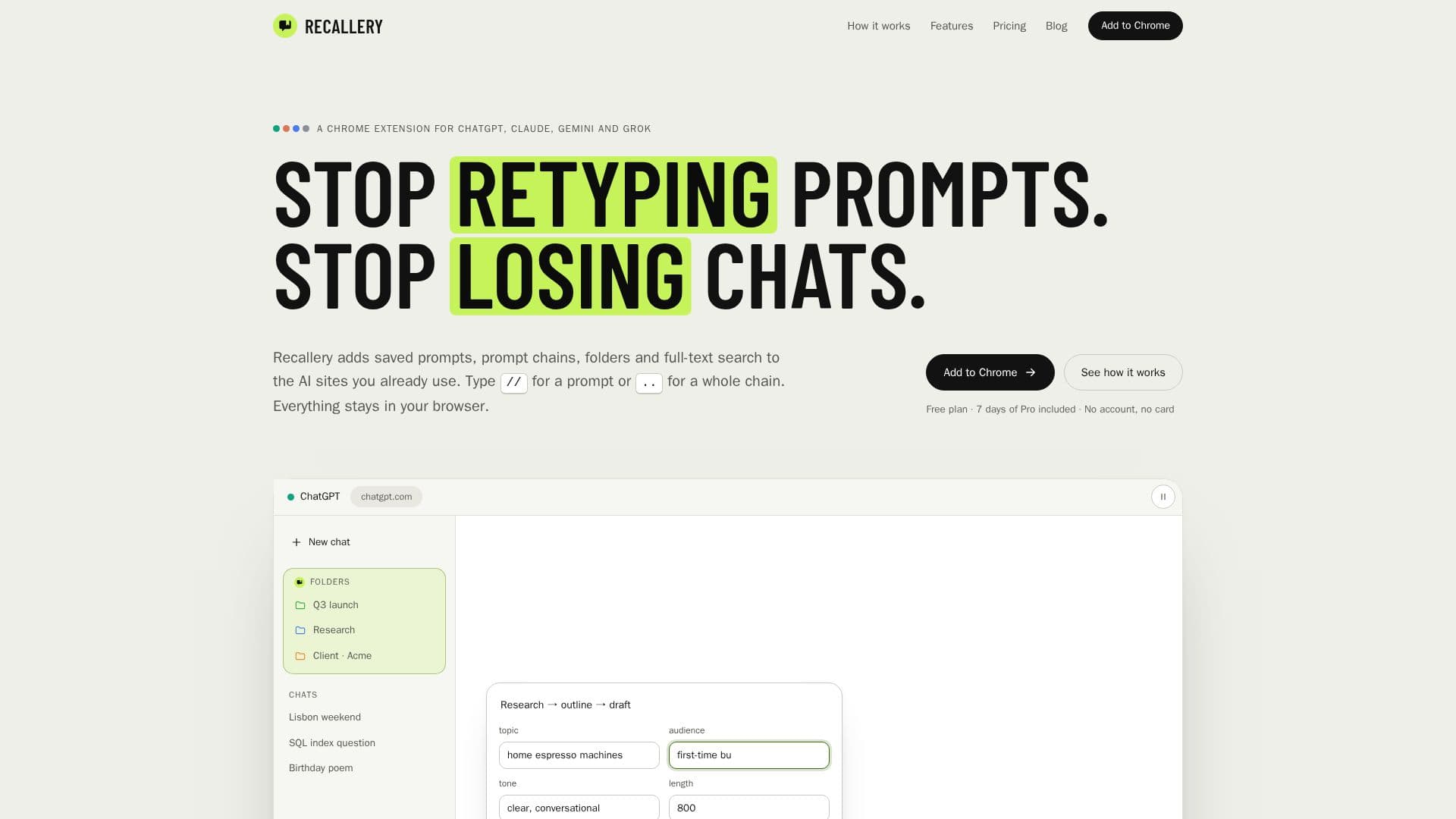
Recallery is a versatile Chrome extension designed to significantly improve the user experience on popular AI chat platforms, including ChatGPT, Claude, Gemini, and Grok. It addresses common pain points such as retyping prompts and losing track of conversations by introducing powerful organizational and productivity features.
Read More
The core functionality of Recallery revolves around prompt management and chat organization. Users can save prompts with fill-in variables, which can be inserted into the message box by typing `//`. This feature streamlines repetitive tasks and ensures consistency in prompt usage. Beyond single prompts, Recallery supports prompt chains, allowing users to define a sequence of prompts that execute automatically, one after the other, once the previous AI reply is complete. This is initiated by typing `..` in the message box and is ideal for multi-step workflows like research, outlining, or drafting.
For chat organization, Recallery introduces folders directly into the sidebar of each supported AI site. These folders are nested, color-coded, and can hold chats from any of the integrated AI platforms, providing a unified system for managing diverse conversations. Users can drag chats into folders, star important ones to keep them at the top, and even hide filed chats from the site's default list. The extension also offers full-text search capabilities across every message in all four integrated AIs, with results highlighting the searched terms and scrolling to the relevant message.
Privacy is a key aspect of Recallery's design. It operates on a local-first principle, meaning all chats, folders, prompts, and search indexes remain within the user's browser. There is no account creation, no analytics data collection, and no information is sent to external servers. The Pro license check is also performed offline on the user's device. Recallery supports exporting chats in various formats (Markdown, PDF, HTML, text, JSON) and allows users to continue conversations in a different AI, bringing context from one chat into another. Additional features include bookmarks, smart tags, a command palette for keyboard shortcuts, and bulk chat management options.
- CategoryPrompt Engineering Tools
- Pricing ModelFreemium
- DeploymentBrowser extension
- PlatformsChrome
Recallery's Core Features
Save prompts with fill-in variables
Run prompt chains with sequential execution
Add context from any chat, even from different AIs
Full-text search across all chats in ChatGPT, Claude, Gemini, Grok
Organize chats into nested, colored folders in sidebars
Export chats to Markdown, PDF, HTML, text, or JSON
Bookmark specific messages with notes
Continue conversations in another AI platform
Clean up and delete chats in bulk
Automatic smart tagging of chats (Coding, Writing, Research)
Command palette for keyboard access to actions
Save selected text from a chat as a new prompt
Starter library of ready-made prompts and chains
Optional reply-finished sound notification
Backup and restore user data (folders, prompts, chains, bookmarks)
How to use Recallery?
Install Extension: Add the Recallery Chrome extension to your browser.
Enable AI Sites: Open the Recallery icon in Chrome's toolbar and switch on the desired AI sites (ChatGPT, Claude, Gemini, Grok).
Save Prompts: Type `//` in the message box to access saved prompts or save new ones with fill-in variables.
Run Prompt Chains: Type `..` in the message box to select and run a multi-step prompt chain.
Organize Chats: Drag chats into custom folders created in the sidebar of your AI platforms.
Search History: Use the full-text search feature to find specific messages across all your integrated AI chats.
Add Context: Type `@@` to bring context from another conversation into your current chat.
Manage Data: Utilize backup and restore options for your library and export chats as needed.
Recallery's Use Cases
- Streamline Prompt Usage
- Automate Multi-Step Workflows
- Organize AI Conversations
- Retrieve Past Information
- Maintain Context Across AIs
- Archive Important Messages
- Export Chat Data
- Bulk Chat Management
- Personalized Tagging