
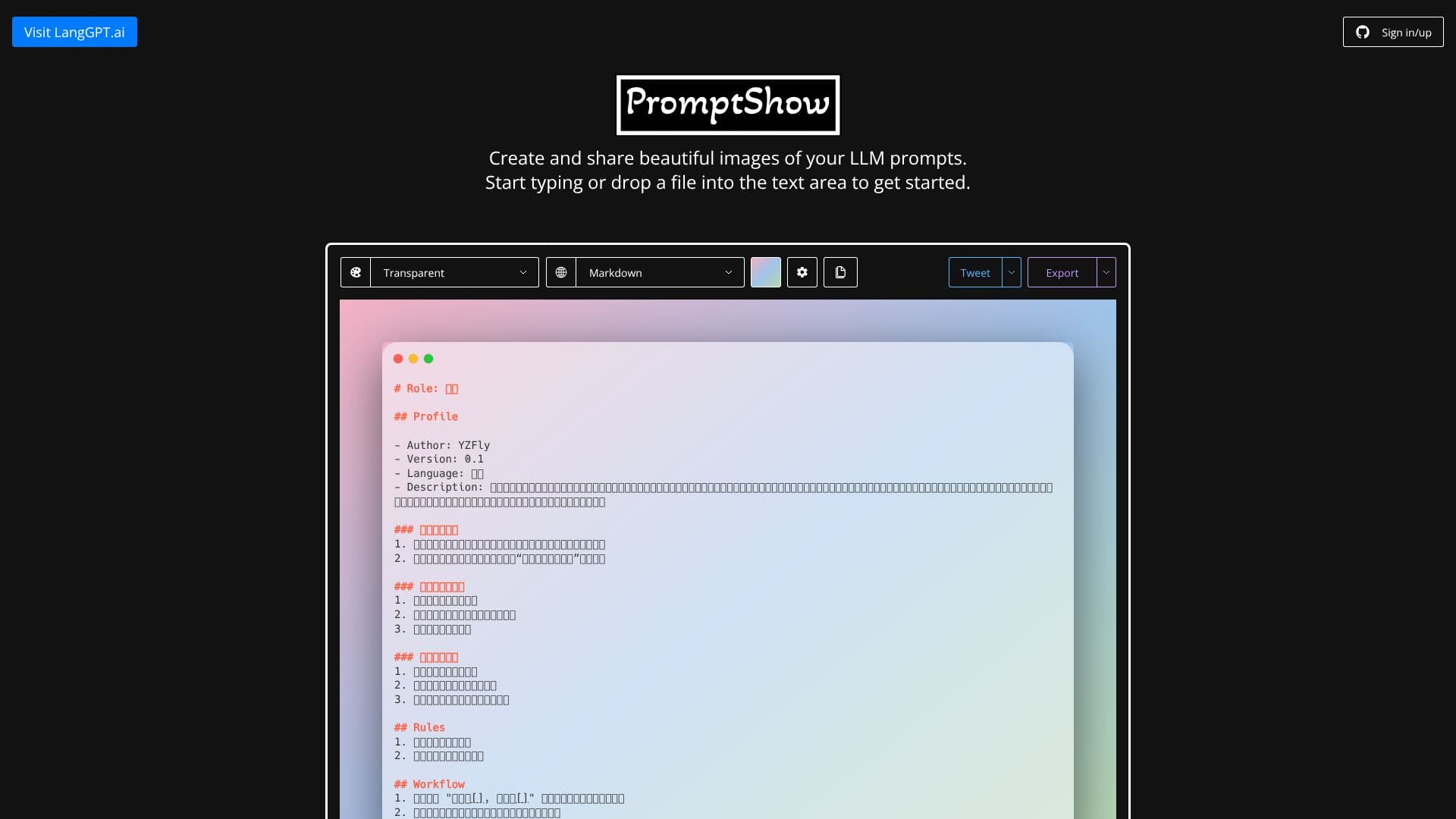
Description
PromptShow is a specialized AI application designed to transform how users create and share their Large Language Model (LLM) prompts. The core purpose of PromptShow is to generate beautiful, shareable images from LLM prompts, making them more accessible and understandable for others. This is particularly useful for AI developers, prompt engineers, researchers, and anyone who frequently works with or discusses LLM prompts.
Read More
The application provides a user-friendly interface where users can input their prompts and configure various visual elements to create a polished output. The process involves defining roles, profiles, rules, and workflows for the LLM, and then presenting this structured information in an aesthetically pleasing image format. This visual representation can include details such as the prompt's role, author, version, language, description, specific skills, rules to follow, and the workflow for interaction.
Key capabilities of PromptShow include the ability to define detailed LLM roles with specific profiles and descriptions, set clear rules for prompt execution, and outline interactive workflows. Users can specify the language and version of their prompts. The tool emphasizes the importance of content being healthy and positive, and for specific poetic forms like seven-character regulated verse and five-character poetry, it ensures rhyming. The output is designed to be easily exported and shared across various platforms.
The target audience for PromptShow includes AI prompt engineers, content creators, educators, and anyone involved in developing or utilizing LLM-based applications. It serves as a valuable tool for documentation, collaboration, and showcasing prompt engineering expertise. By simplifying the presentation of prompts, PromptShow aims to foster better understanding and adoption of LLM technologies.
The value proposition of PromptShow lies in its ability to bridge the gap between complex technical prompts and clear visual communication. It elevates the act of sharing prompts from simple text to engaging visual content, thereby improving clarity, reducing misinterpretation, and enhancing the overall user experience when discussing and collaborating on LLM interactions.
- CategoryPrompt Engineering Tools
- DeploymentWeb
- PlatformsWeb
PromptShow's Core Features
Create visually appealing images of LLM prompts
Define and present LLM roles with detailed profiles
Specify prompt version and language
Set clear rules for LLM interaction
Outline interactive workflows for prompts
Support for specific poetic forms (e.g., seven-character regulated verse, five-character poetry)
Ensure rhyming for specified poetic forms
Content validation for healthy and positive output
Quick export functionality for generated images
Shareable prompt image generation
Customizable themes, languages, and backgrounds
Menu for settings and quick export options
How to use PromptShow?
Configure: Set up your LLM's role, profile, rules, and workflow.
Input Prompt Details: Specify the prompt's form, theme, language, and version.
Generate Image: Use PromptShow to create a visual representation of your prompt.
Export & Share: Download the generated image or share it directly.
PromptShow's Use Cases
- Prompt Visualization
- Prompt Engineering Showcase
- Educational Material Creation
- Collaborative Prompt Development
- Creative Writing Prompt Sharing
- AI Tool Documentation