
Description
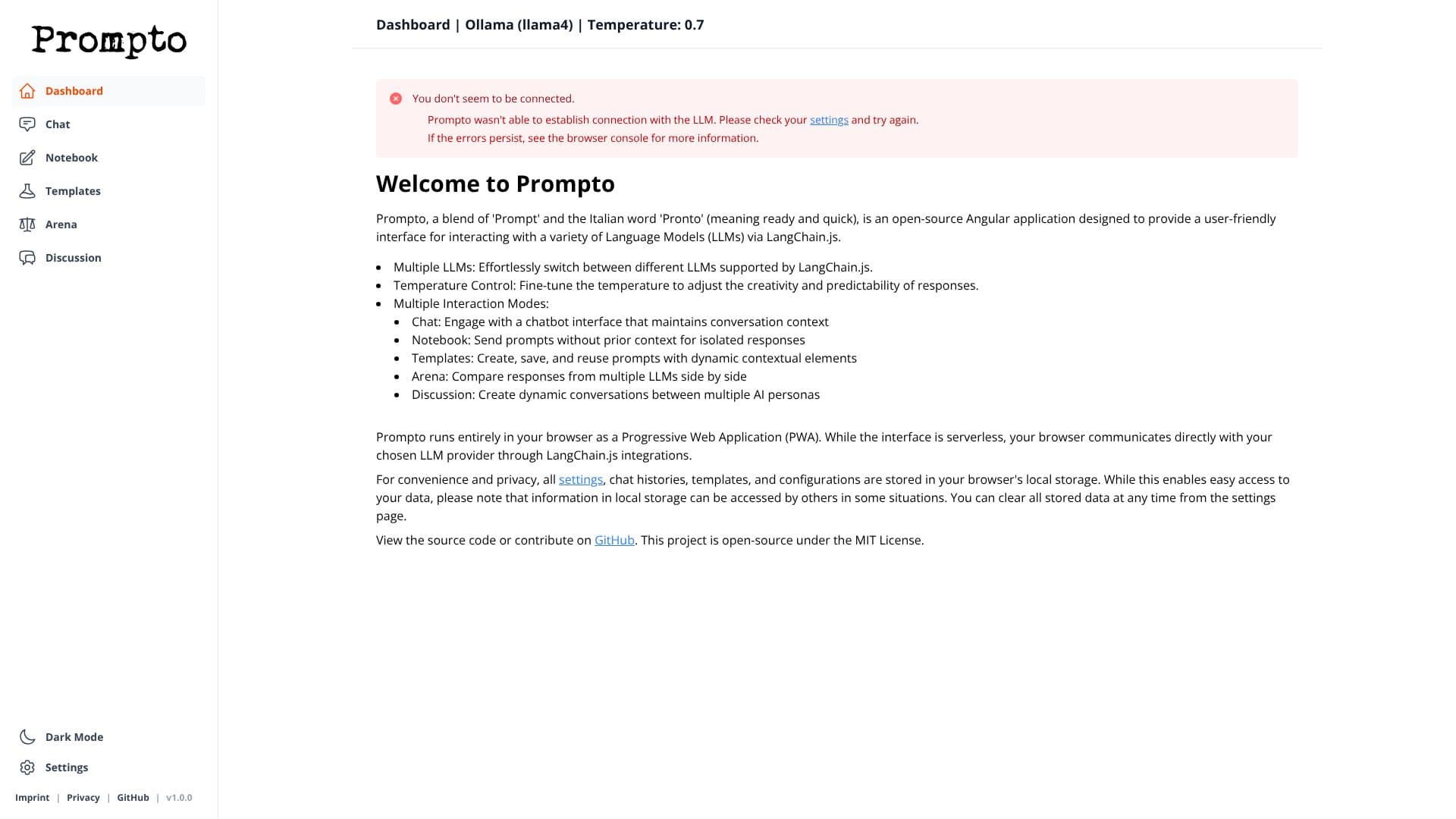
Prompto, a name derived from 'Prompt' and the Italian word 'Pronto' meaning ready and quick, is an open-source Angular application designed to make interacting with Large Language Models (LLMs) simple and efficient. It provides a user-friendly interface for engaging with various LLMs supported by LangChain.js, running entirely within your browser as a Progressive Web Application (PWA).
Read More
The application facilitates seamless communication with LLMs via LangChain.js integrations. Users can effortlessly switch between different LLMs, fine-tune response creativity and predictability using temperature control, and choose from multiple interaction modes. These modes include a chat interface that maintains conversation context, a notebook mode for isolated prompts, and a template system for saving and reusing dynamic prompts.
Prompto also features an 'Arena' mode for side-by-side comparison of responses from multiple LLMs, and a 'Discussion' mode to create dynamic conversations between different AI personas. For enhanced privacy and convenience, all settings, chat histories, templates, and configurations are stored locally in the browser's local storage. While this ensures easy access, users are advised that local storage data can be accessed by others in certain situations and can be cleared from the settings page.
The project is open-source, available under the MIT License, with its source code accessible on GitHub. This serverless interface empowers users to leverage LLMs directly from their browser without requiring server-side infrastructure, making it an accessible tool for developers and AI enthusiasts alike.
- CategoryPrompt Engineering Tools
- Pricing ModelOpen Source
- DeploymentBrowser-based (PWA)
- PlatformsWeb
Prompto's Core Features
Open-source Angular web application
User-friendly interface for LLM interaction
Integration with LangChain.js
Supports multiple LLMs
Adjustable temperature control for LLM responses
Multiple interaction modes: Chat, Notebook, Templates, Arena, Discussion
Chat mode maintains conversation context
Notebook mode for isolated prompts
Template system for saving and reusing prompts
Arena mode for comparing LLM responses
Discussion mode for multi-AI persona conversations
Progressive Web Application (PWA) for browser-based operation
Serverless interface
Local storage for settings, histories, and configurations
MIT License
How to use Prompto?
Configure LLM connection: Set up your LLM provider details.
Select Interaction Mode: Choose between Chat, Notebook, Templates, Arena, or Discussion.
Input Prompt: Enter your text prompt into the interface.
Adjust Settings: Modify temperature or other parameters as needed.
Engage with LLM: Send your prompt and receive responses.
Save and Reuse: Utilize the Templates feature for recurring prompts.
Compare Responses: Use the Arena mode to evaluate different LLMs.
Manage Data: Clear local storage from the settings page if necessary.
Prompto's Use Cases
- LLM Chat Interface
- Prompt Engineering
- LLM Response Comparison
- AI Persona Simulation
- Template-based Prompting
- Isolated Prompt Testing