Description
Pollo AI positions itself as the ultimate AI video and image creation platform, aiming to empower users to generate visual content at the speed of thought. The platform offers a suite of tools designed to streamline the creative process, from initial concept to final output.
Read More
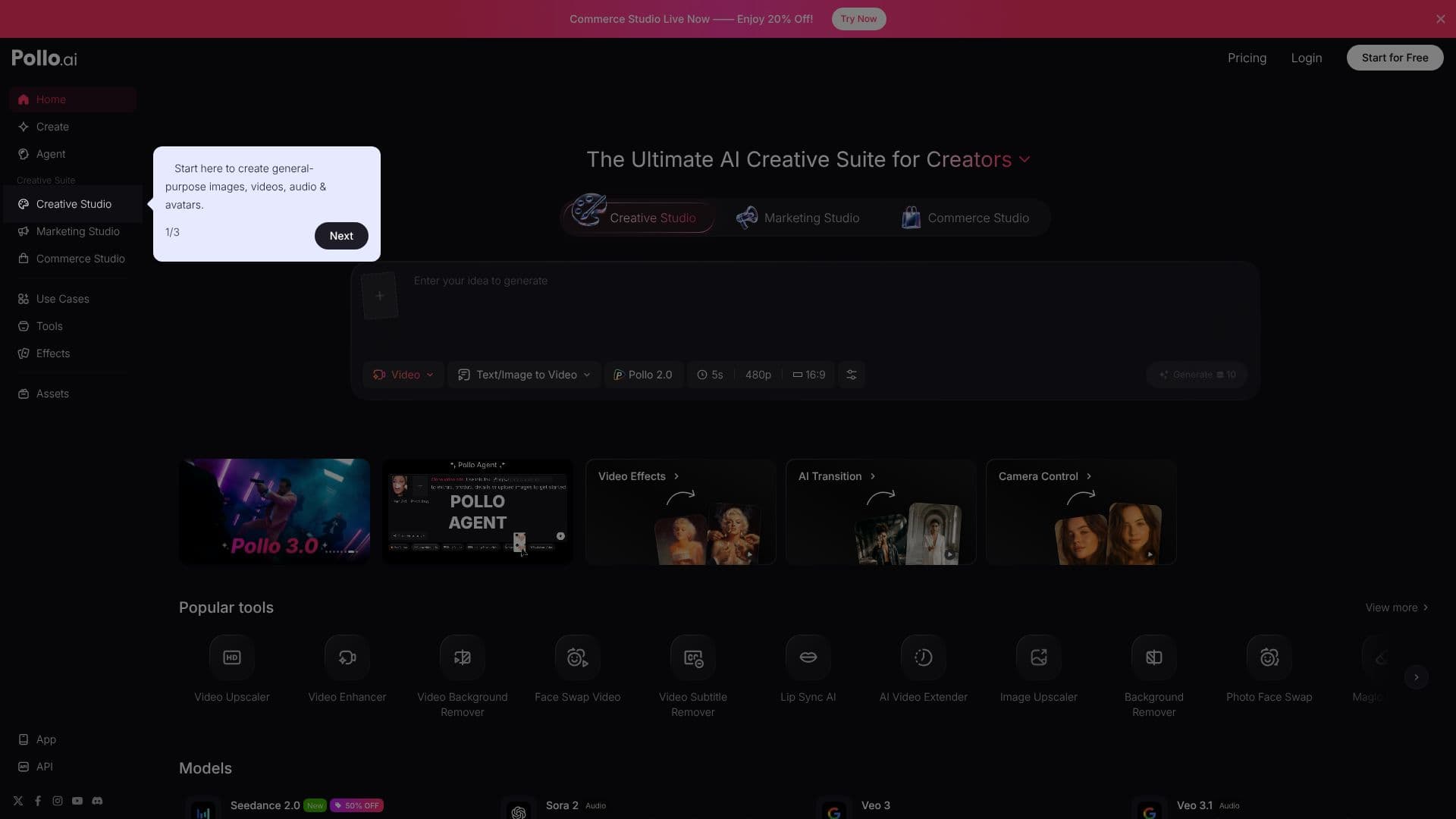
At its core, Pollo AI features an AI Agent that can take user visions or provided assets and links to generate video and image content. Users can input text prompts to create videos or images, with options for different resolutions and aspect ratios. The platform supports text-to-video generation, text-to-image generation, and even image-to-video capabilities.
Beyond basic generation, Pollo AI provides advanced features such as an Avatar creator for generating dialogue-driven videos, video upscaling, enhancement tools, and AI-powered editing features like transitions, camera control, and object removal. The platform also includes specialized tools like Lip Sync AI, Face Swap Video, and AI Video Extender, catering to a wide range of creative needs.
Pollo AI supports various models, including Seedance 2.0, Sora 2, Veo 3, Kling V3, and HappyHorse 1.0, each offering distinct visual and audio capabilities. The platform emphasizes ease of use, allowing users to generate marketing videos, animate pictures, and create realistic visuals with natural audio synchronization. The Marketing Studio feature is designed to quickly turn products into ready-to-use marketing videos.
The target audience for Pollo AI likely includes content creators, marketers, designers, and individuals looking to produce high-quality visual content without extensive technical expertise. The platform's all-in-one nature and diverse feature set aim to provide a powerful yet accessible solution for AI-powered visual media production.
- CategoryAI Video Generators
- Pricing ModelFreemium
- DeploymentCloud
- PlatformsWeb
Pollo AI Video & Image's Core Features
AI Video Generation from Text
AI Image Generation from Text
Text/Image to Video Conversion
Text to Image Generation
AI Agent for Content Creation
Avatar Creation for Dialogue Videos
Video Upscaling and Enhancement
AI Video Editing Tools
Face Swap Video Functionality
Lip Sync AI
Object Removal from Video
Marketing Studio for Video Creation
Support for Multiple AI Models
How to use Pollo AI Video & Image?
Access Platform: Navigate to the Pollo AI website.
Select Tool: Choose the desired creation tool (e.g., Video, Image, Agent).
Input Prompt/Assets: Enter text prompts or upload relevant images/videos.
Configure Settings: Adjust parameters like resolution, aspect ratio, and model.
Generate Content: Initiate the AI generation process.
Refine and Download: Edit the output as needed and download the final video or image.
Pollo AI Video & Image's Use Cases
- Marketing Video Creation
- Social Media Content
- Explainer Videos
- Content Animation
- Personalized Avatars
- Visual Concept Prototyping