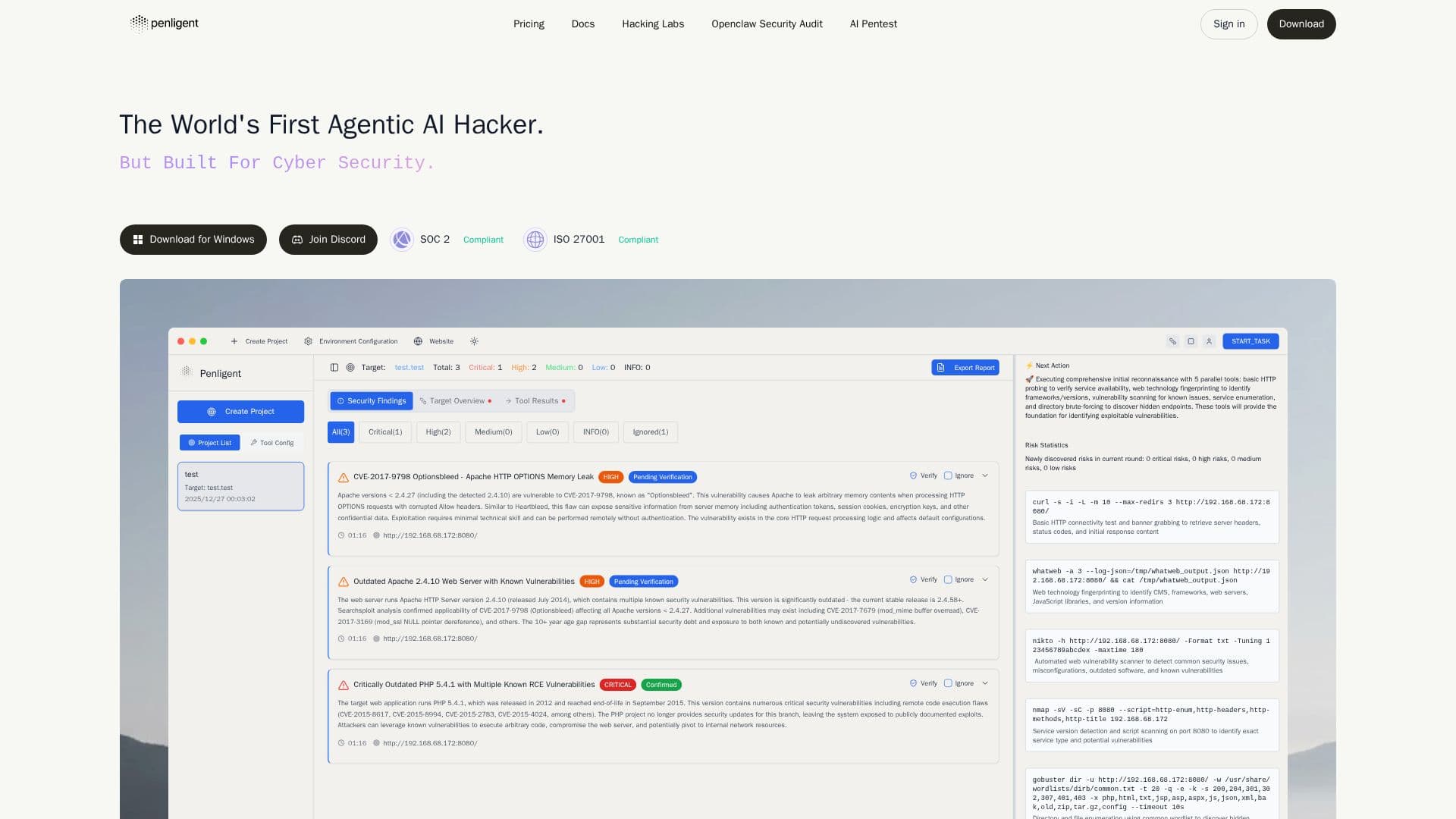
Description
Penligent is an innovative AI-powered penetration testing tool designed to streamline the security assessment process. It requires no expert knowledge, allowing users to conduct comprehensive scans for Common Vulnerabilities and Exposures (CVEs), uncover vulnerabilities, validate issues, and produce reliable reports with simple natural language prompts and a single click.
The tool orchestrates real penetration testing tools, performs traffic analysis, verifies vulnerabilities, and generates audit-ready security reports. Penligent is particularly beneficial for security teams aiming to test web applications, APIs, business logic, and AI agents through an evidence-driven workflow.
Penligent's AI engine supports over 200 industry tools, making it easy for security engineers, pentesters, and red teams to launch and manage tools effectively. It scans for the latest CVEs and generates one-click Proof of Concept (PoC) exploit scripts, turning findings into verified impacts with guided, step-by-step execution.
The platform is designed to be user-friendly, with no complex setup required, allowing users to start in minutes. It prioritizes what breaks real workflows, not just what scanners flag, providing artifacts, steps, and traceable proof for every finding. Users can edit prompts, lock scope, and customize actions for their environment.
Penligent is available on multiple platforms, including Windows, macOS, and Linux, with specific installation instructions for each. The tool is aligned with the NIST Cybersecurity Framework, ensuring comprehensive coverage of security functions such as Identify, Protect, Detect, Respond, and Recover. This alignment helps customers strengthen their cybersecurity defenses while maintaining transparency and accountability.
Penligent AI Pentest Tool's Core Features
AI-powered penetration testing
Natural language prompts
One-click vulnerability scanning
Real tool orchestration
Traffic analysis
Audit-ready security reports
Supports 200+ industry tools
Guided step-by-step execution
Customizable actions
NIST CSF alignment
How to use Penligent AI Pentest Tool?
Configure: Set up your testing environment
Use: Initiate scans with natural language prompts
Optimise: Customize actions and lock scope for your needs
Report: Generate audit-ready security reports
Penligent AI Pentest Tool's Use Cases
- Web App Testing
- API Security
- Business Logic Testing
- AI Agent Testing
- Security Reporting