
Description
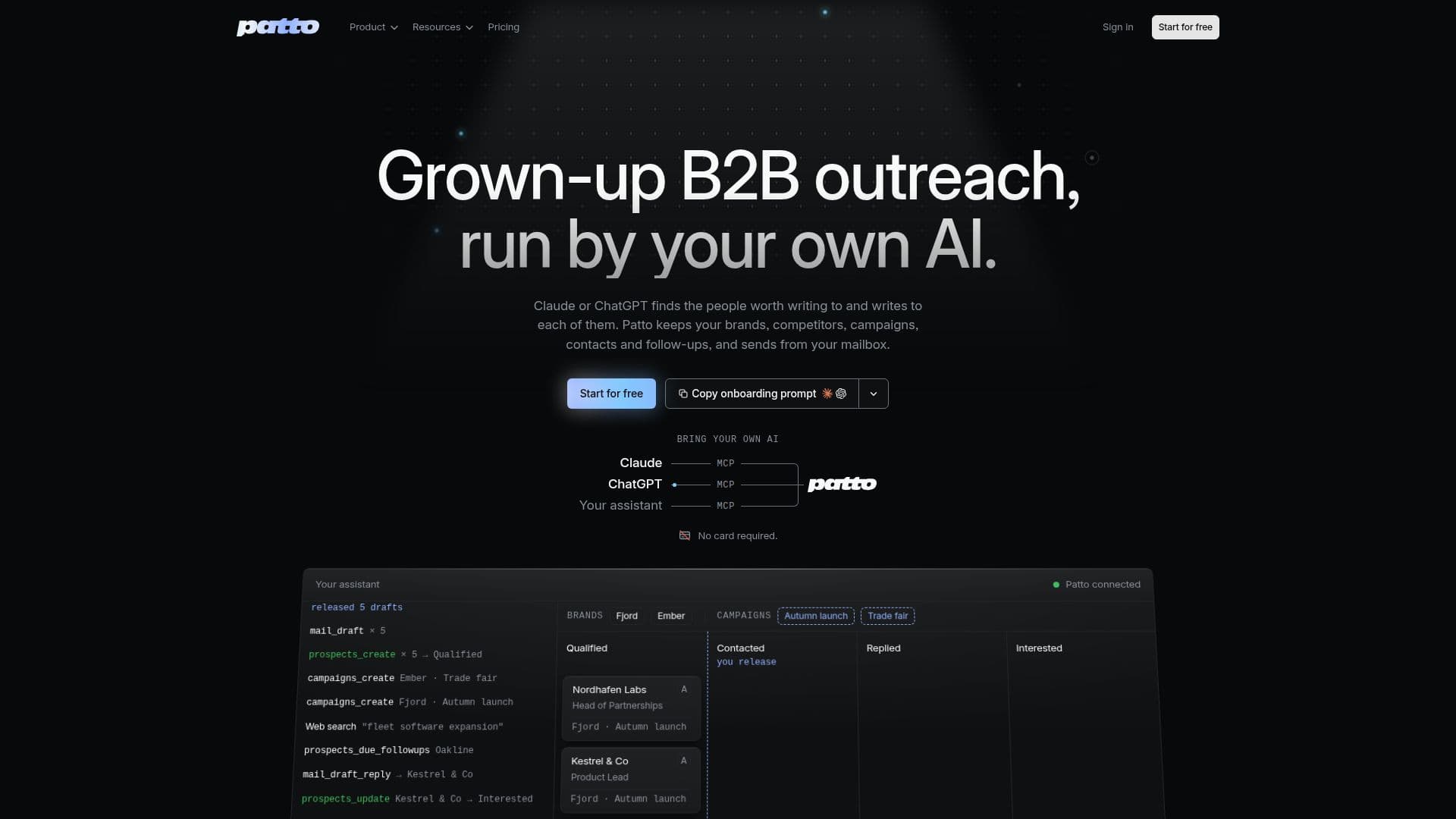
Patto offers a robust infrastructure designed to empower your AI assistant with comprehensive outreach and campaign management capabilities. It provides the necessary tools for your AI to manage contacts, execute campaigns, handle follow-ups, and send emails through your own mailboxes. The platform ensures that every message has a clear reason, allowing your assistant to build on past interactions and maintain context.
Read More
Key functionalities include storing organizations, contacts, prospect stages, follow-up dates, and recorded interactions. This rich context is accessible to your AI assistant for informed decision-making and subsequent conversations. Patto enables the creation of structured campaigns, where your assistant can turn a plan into a full outreach effort, linking prospects and drafts based on a shared brief. It also records replies and outcomes, allowing future campaigns to leverage insights from previous ones.
Patto streamlines email communication by reading replies as they arrive and enabling your assistant to draft responses within the original thread. These drafts can be reviewed and released by you or, on paid plans, by the assistant itself, ensuring all outgoing messages adhere to your brand's sending rules and leave through your designated mail account. The system supports multi-brand management, allowing each brand to have its own sender identity, mailbox, and campaigns, while sharing contacts and organizations across the board.
Unlike tools that offer another AI, Patto integrates with your chosen MCP-compatible assistant (such as Claude or ChatGPT), utilizing its existing writing model and context. This means you are charged for the workspace and infrastructure, not for text generation, with your AI provider's own pricing and usage limits still applying. All contacts, campaigns, and recorded activity are persistently stored in Patto, ensuring nothing is lost when a chat session ends and allowing your assistant to retrieve working context in new conversations.
The platform emphasizes control and compliance, allowing you to choose who releases each draft and enforcing strict sending rules, such as opt-out management, recipient cooldowns, and sending limits. Every action and message is logged for accountability, providing a defensible record for clients, management, and internal review. Patto is hosted in Germany under GDPR, with data processing agreements included with every plan, ensuring data privacy and security. It supports various mailboxes, including IMAP/SMTP and Microsoft 365, and offers a straightforward connection process for your AI assistant without requiring developer expertise.
- CategoryAI Agent Builders
- Pricing ModelFreemium
- DeploymentCloud
- PlatformsWeb
Patto's Core Features
Contact and Organization Management
Campaign Creation and Management
Automated Follow-up Scheduling
Draft Review and Controlled Sending
Multi-Brand Outreach Coordination
Reply Management and In-Thread Drafting
Integration with MCP-Compatible AI Assistants (Claude, ChatGPT)
Persistent Storage of Outreach Data
Activity Logging and Audit Trails
GDPR Compliant Data Hosting in Germany
Configurable Sending Rules and Limits
Opt-out and Bounce Management
CSV Export of Contacts and Prospects (Pro plan)
CSV Import of Lists into Campaigns (Pro plan)
Microsoft 365 Mailbox OAuth Support (Standard plan)
How to use Patto?
Create Account: Sign up for Patto using your Google account or email address.
Add Brand & Mailbox: Set up your brand identity and connect your sending mailbox (IMAP/SMTP, Microsoft 365, or Patto-managed).
Connect Assistant: Add the Patto connector URL to your chosen MCP client (e.g., Claude, ChatGPT) and approve access.
Define Campaign: Brief your AI assistant to research prospects and create a new outreach campaign within Patto.
Draft Messages: Allow your AI assistant to draft initial messages and follow-ups based on campaign objectives.
Review & Release: Review drafted messages in the app and release them, or enable assistant release on a paid plan.
Track & Follow-up: Monitor replies, record interactions, and let your AI assistant manage subsequent follow-ups.
Export Data: On Pro plan, export contacts and prospects as CSV for further analysis.
Patto's Use Cases
- Link Building
- Sales Prospecting
- PR Outreach
- Campaign Performance Analysis
- Event Meeting Booking
- Partner Recruitment
- Customer Re-engagement
- Dead Link Repair