Description
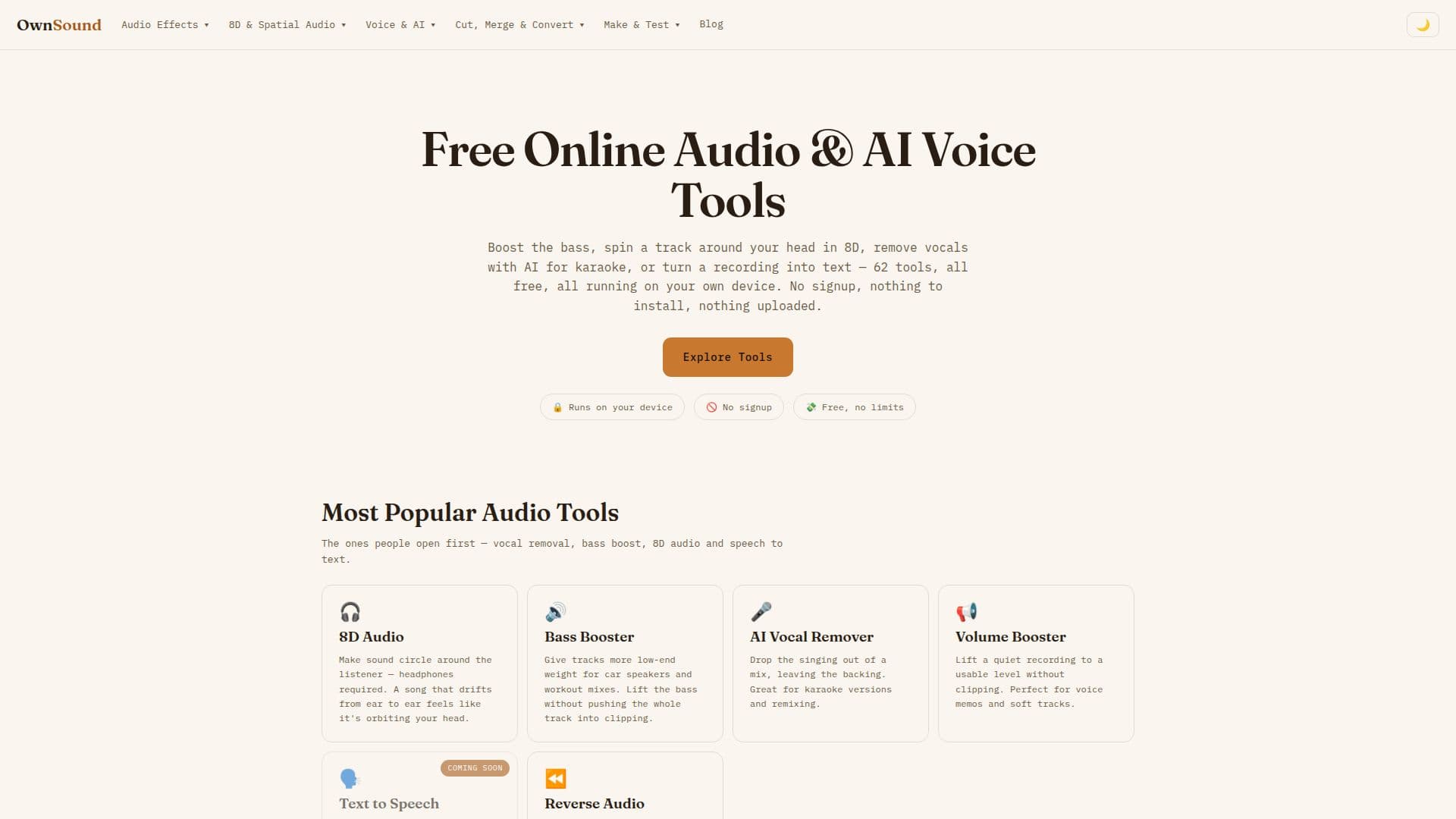
OwnSound provides a comprehensive suite of 62 free online audio and AI voice tools designed for musicians, video editors, podcasters, and general users. The platform distinguishes itself by performing all audio processing locally within the user's browser, eliminating the need for sign-ups, file uploads, or software installations. This approach ensures user privacy, as no audio data ever leaves the device, and allows OwnSound to offer all its tools completely free of charge, without subscriptions, watermarks, or per-file limits.
Read More
The collection includes a wide array of functionalities, from essential audio effects like EQ, reverb, bass boosting, and speed adjustments, to advanced AI-powered capabilities. Key AI tools include an AI Vocal Remover that separates singing from backing tracks, an AI Stem Splitter that breaks songs into vocals, drums, bass, and other instruments for remixing, and AI Speech to Text, which transcribes audio into written text using Whisper, supporting over 99 languages and SRT subtitle export. Other popular tools facilitate 8D audio creation, volume boosting, audio trimming, merging, and format conversion.
OwnSound supports various audio formats such as MP3, WAV, FLAC, AAC, and OGG, with output typically in WAV for lossless quality, making results compatible with most editors and social apps. While lighter tools like bass boost and 8D audio work well on mobile devices, the more intensive AI tools, such as vocal removal, stem splitting, and speech to text, are optimized for desktop or laptop use due to their higher memory and processing requirements. The platform is an independent project, built to offer a free and private alternative to cloud-based audio editors that often come with hidden costs or privacy concerns. It is supported by minimal advertising to cover operational costs.
- CategoryAI Audio Editors
- Pricing ModelFree
- DeploymentBrowser-based
- PlatformsWeb
OwnSound's Core Features
62 Free Online Audio Tools
AI Vocal Remover
AI Stem Splitter (vocals, drums, bass, other)
AI Speech to Text (99+ languages, SRT export)
8D Audio Creator
Volume Booster
Bass Boost Tool
Audio Trimming, Merging & Conversion
EQ & Reverb Effects
Runs Locally on Device (browser-based)
No Signup Required
No File Uploads to Servers
No Subscriptions or Watermarks
Supports MP3, WAV, FLAC, AAC, OGG
Output in WAV for Lossless Quality
How to use OwnSound?
Access Tool: Open the OwnSound website in your browser.
Select Tool: Choose from 62 available audio or AI voice tools.
Upload Audio: Drop your audio file into the selected tool interface.
Process Locally: The tool processes the audio directly on your device.
Download Result: Download the processed audio file, often in WAV format.
OwnSound's Use Cases
- Karaoke Track Creation
- Audio Remixing
- Podcast & Video Captions
- Voice Memo Enhancement
- Immersive Audio Experience
- Music Learning
- Social Media Content
- Audio File Management