Description
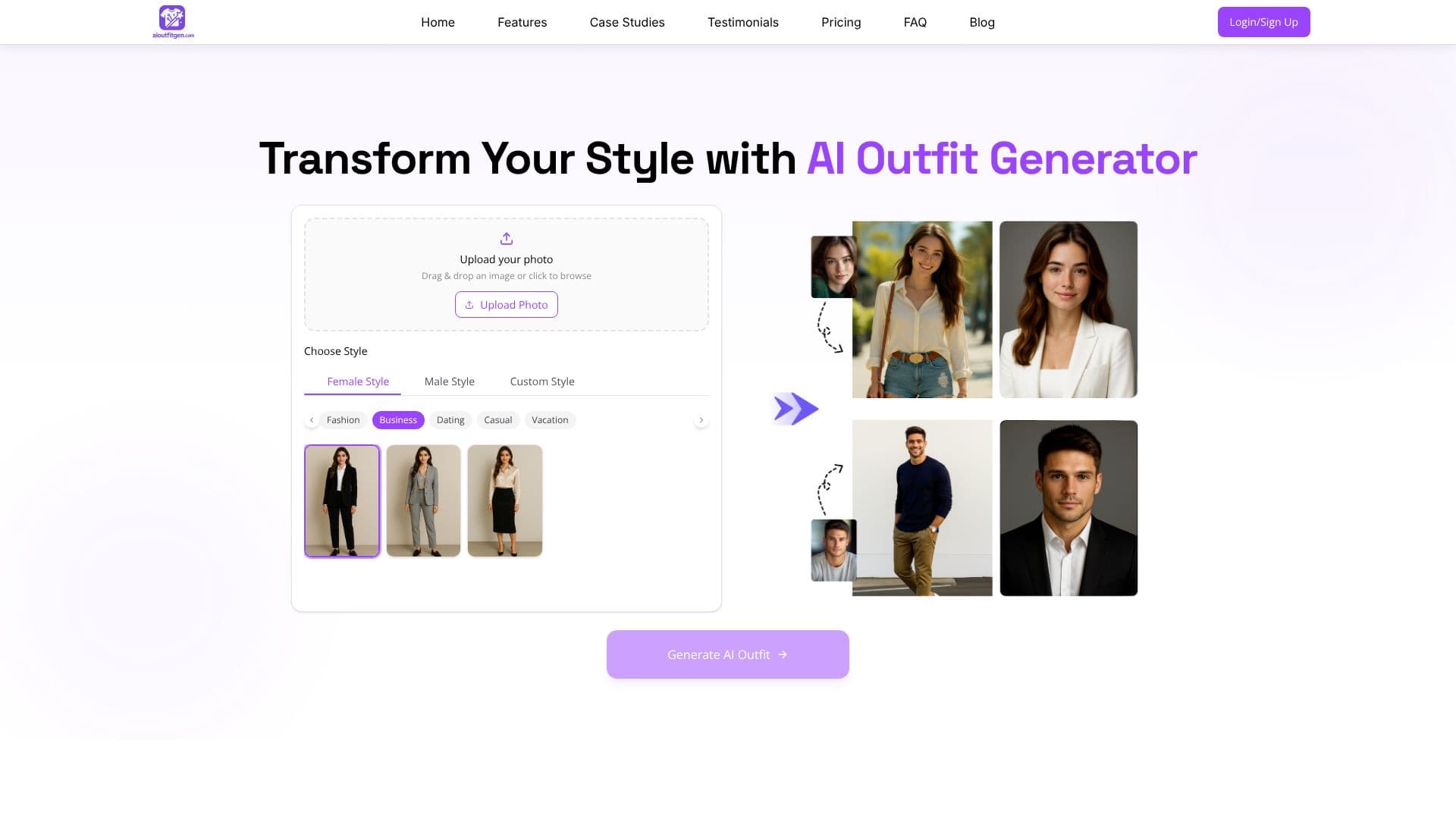
OutfitAI lets you see yourself in different outfits without a fitting room. You use it directly in a browser at aioutfitgen.com; it is not a mobile app, despite what older listings for it said. You drag and drop a photo, or browse for one, and the site does the rest.
Read More
The process runs in three steps. First you upload a clear, well-lit photo of yourself. Then you choose a style category, Female, Male or Custom, and an occasion such as Fashion, Business, Dating, Casual or Vacation. The AI analyzes your photo and generates a new image of you wearing the selected outfit. Results appear with a before/after slider so you can compare the generated look against your original photo.
OutfitAI also offers personalized outfit suggestions based on the style and occasion you pick, rather than only a single fixed look, and lets you adjust colors and patterns on a generated outfit or mix elements from different results. It works across body types and both full-body and upper-body photos, though the site notes full-body photos give a complete outfit view.
Pricing is one-time rather than a subscription. A Premium plan at $1 generates 5 images with HD download, faster generation, commercial use rights and watermark removal. An Ultimate plan at $10 generates 100 images and adds priority support and early access to new features. Both plans include HD image download, and the site frames these as one-time upgrade purchases rather than a recurring charge.
The FAQ section on the site addresses common questions directly: it confirms you can upload your own photos, that both full-body and upper-body shots work though full-body images allow a complete outfit view, and that the outfit library spans casual wear, business attire, formal dresses, activewear and seasonal or trending styles that the site says it keeps updating.
OutfitAI is aimed at everyday shoppers who want to compare looks before buying, plan a wardrobe around an event, or explore styles they would not otherwise try in a store. It depends on photo quality for realistic results and is a visualization tool, not a retailer; it does not sell the clothes it generates, and it does not have a separate mobile app beyond the web experience.
- CategoryAI Photo Editors
- Pricing ModelFreemium
- DeploymentCloud
- PlatformsMobile
OutfitAI's Core Features
Photo upload by drag-and-drop or file browser
Style categories: Female, Male and Custom
Occasion presets: Fashion, Business, Dating, Casual and Vacation
Before/after slider to compare the original and generated photo
Personalized outfit suggestions based on style and occasion
Color and pattern adjustment on generated outfits
HD image downloads, faster generation and commercial use on paid plans
Runs entirely in the browser, no app install required
How to use OutfitAI?
Upload a photo: Add a clear, well-lit photo of yourself facing the camera.
Pick a style: Choose Female, Male or Custom, then an occasion like casual or business.
Generate the outfit: OutfitAI analyzes the photo and produces a new version of you in the outfit.
Compare results: Drag the before/after slider to check the generated image against the original.
Refine or download: Adjust colors and patterns and regenerate, or download the HD image.
OutfitAI's Use Cases
- Pre-purchase preview
- Wardrobe planning
- Style exploration