
Description
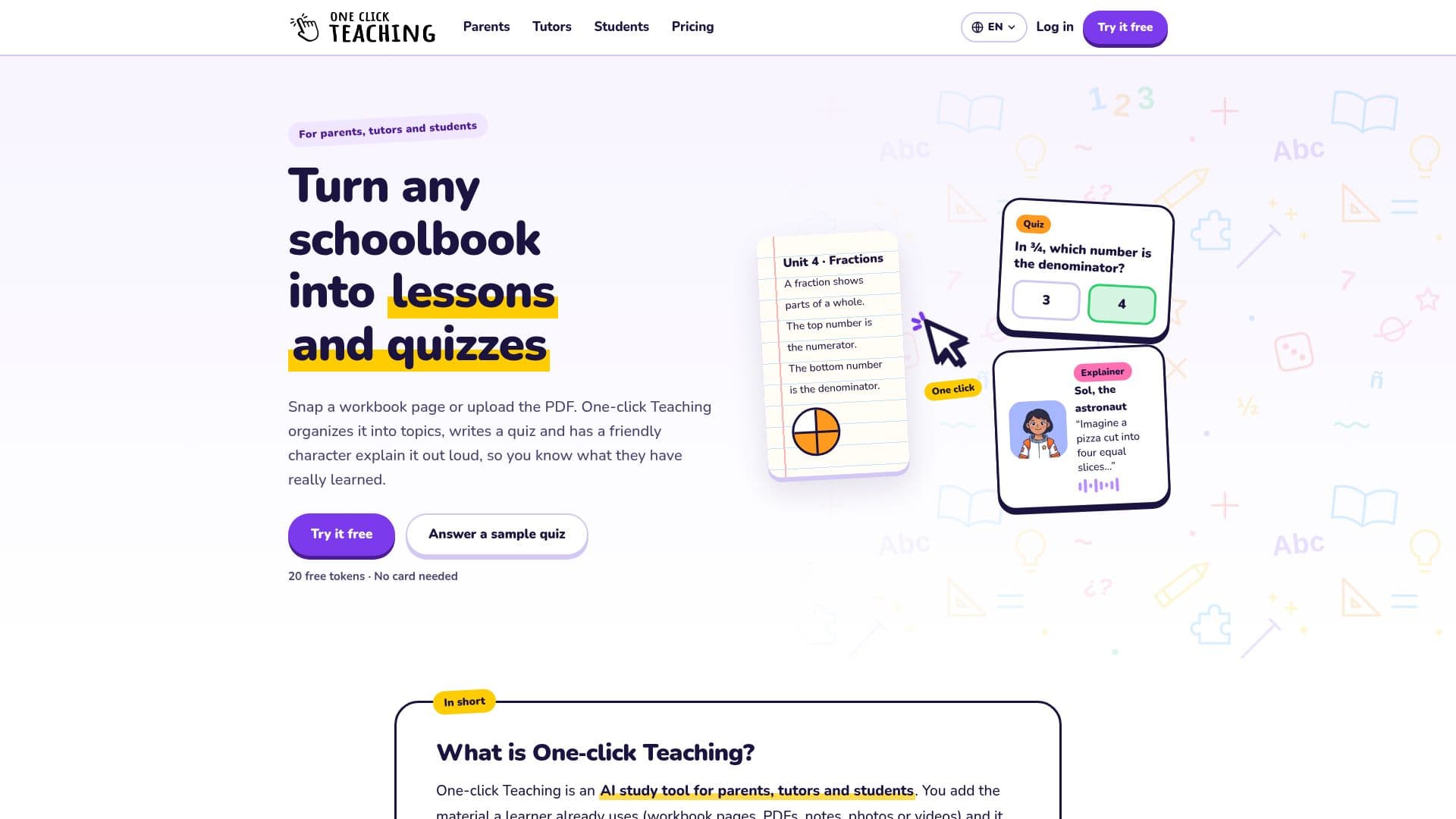
One-click Teaching is an innovative AI study tool designed to streamline the learning process for parents, tutors, and students. It takes the educational materials a learner already uses—including workbook pages, PDFs, class notes, documents, web pages, and videos—and converts them into organized topics, practice tests, and engaging audio or video explainers. This personalized approach ensures that learning content is directly relevant to the student's curriculum and pace.
Read More
The platform offers a private space for each learner, allowing for individualized progress tracking and content management. Users can easily upload materials, which the system then processes to build a comprehensive knowledge base. This includes structuring topics in a logical order, complete with editable notes and suggestions. From this organized content, users can generate various types of practice tests, including multiple-choice, true/false, and open questions, or create audio/video explainers featuring diverse characters like a teacher or an astronaut.
One of the key advantages of One-click Teaching is its flexibility and accessibility. It caters to all ages and subjects, from primary school to university level, as content is generated from user-provided materials rather than a fixed curriculum. Learners can access tests and explainers via a simple link, without needing an account or email, on any device, or even print tests as PDFs. The platform also includes a calendar feature to track tests, practices, classes, and breaks, with the option to add dates manually or by scanning school notes.
Privacy is a core aspect of One-click Teaching; repositories and knowledge bases are visible only to the owner and invited team members. When sharing courses or tests with other adults, personal files, notes, or learner data are never included. The tool operates on a token-based system for AI actions, with a free plan offering 200 tokens to start. Additional tokens can be purchased through packs or monthly plans, ensuring users only pay for the AI work they utilize, such as reading PDFs, writing tests, or generating explainers. The application is available in English and Spanish, with explainers creatable in English, Spanish, or Portuguese.
- CategoryAI Study Tools
- Pricing ModelFreemium
- DeploymentCloud
- PlatformsWeb
One-click Teaching's Core Features
Transforms existing learning materials into organized topics
Generates practice tests (multiple choice, true/false, open questions)
Creates audio and video explainers with diverse characters
Provides a private learning space for each learner
Supports various upload formats: PDFs, photos, documents, web pages, videos
Includes an AI-assisted helper for drafting content
Calendar for tracking tests, practices, classes, and breaks
Learners access content via link without needing an account or email
Option to print tests as PDFs
Supports English, Spanish, and Portuguese for explainers
Token-based system for AI actions with a free plan available
Ability to share courses and tests with other adults without sharing private data
Content organization into a knowledge base with editable notes
Customizable test settings: tries, time limit, answer display
Team member collaboration with shared token balance
How to use One-click Teaching?
Add Material: Upload PDFs, photos of workbook pages, documents, web pages, or write content directly into your private repository.
Organize Content: One-click Teaching reads the material and builds a knowledge base, organizing topics in order with editable notes and suggestions.
Create Tests & Explainers: Select topics to generate practice tests with various question types or create audio/video explainers with a chosen character.
Share & Follow Up: Send a link for learners to access content without logging in, or print tests. Track learner progress and mark mastered topics.
Manage Calendar: Add school dates manually or by photo, linking tests to courses for easy access to relevant practice materials.
One-click Teaching's Use Cases
- Homework Help
- Personalized Tutoring
- Exam Preparation
- Course Content Organization
- Learning Progress Tracking
- Material-Based Learning
- Collaborative Teaching
- Multilingual Explanations