Description
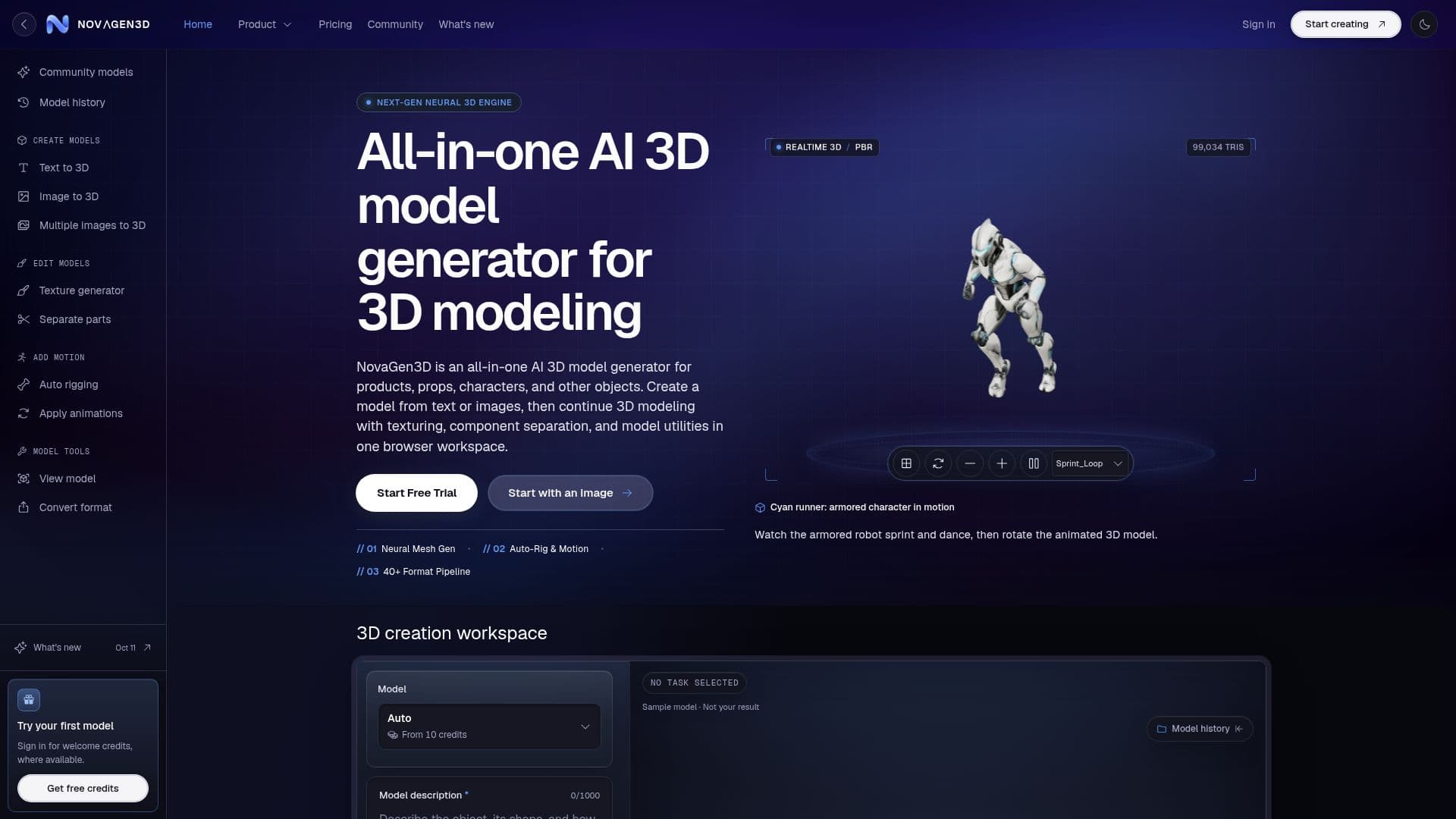
NovaGen3D is an all-in-one AI 3D model generator designed to streamline the creation of 3D models from text descriptions or reference images. It caters to a wide range of applications, including products, props, characters, and other objects. Users can start with a text prompt or an image to generate a GLB file, which can then be refined using various tools available in the browser workspace.
Read More
The platform supports several AI models such as Hunyuan 3D, Tripo, Rodin, Hitem3D, and Trellis, each offering unique capabilities for different input types. For instance, Hunyuan 3D can return either textured or geometry-only outputs, while Tripo allows separate geometry and texture quality choices. Rodin offers Fast and Standard modes with varying quality tiers, and Hitem3D is tailored for object or portrait references.
NovaGen3D also provides tools for texture generation, component separation, auto rigging, and animation application. The Texture generator allows users to apply new appearances to existing GLB files, while the Separate parts tool divides models into editable components. Auto rigging adds a skeleton to humanoid models, and Apply animations enables the addition of preset motions.
The platform operates on a credit-based system, with various subscription plans available. Users can start with welcome credits and choose from Basic, Studio, or Pro plans, each offering different credit allowances and features. Credit packs are also available for one-time purchases, ensuring flexibility in usage.
NovaGen3D is ideal for game developers, product designers, and 3D printing enthusiasts who need a versatile and accessible tool for 3D model creation and refinement. It simplifies the workflow by integrating multiple functionalities into a single platform, although users should note that it does not certify models as game-ready or provide print layout arrangements.
- Category3D Model Generators
- Pricing ModelFreemium
- DeploymentCloud
- PlatformsWeb
NovaGen3D's Core Features
Text to 3D model generation
Image to 3D model generation
Multi-view to 3D support
Texture generation for GLB files
Component separation for editing
Auto rigging for humanoid models
Preset animation application
Credit-based subscription plans
How to use NovaGen3D?
Choose a starting tool: select Text to 3D or Image to 3D based on your input.
Generate a model: use the selected tool to create a GLB file.
Refine the model: apply textures, separate components, or add rigging and animations.
Export and use: convert and download the model for further use in your projects.
NovaGen3D's Use Cases
- Game Asset Creation
- Product Design
- 3D Printing
- Animation Prototyping
- Model Refinement