Description
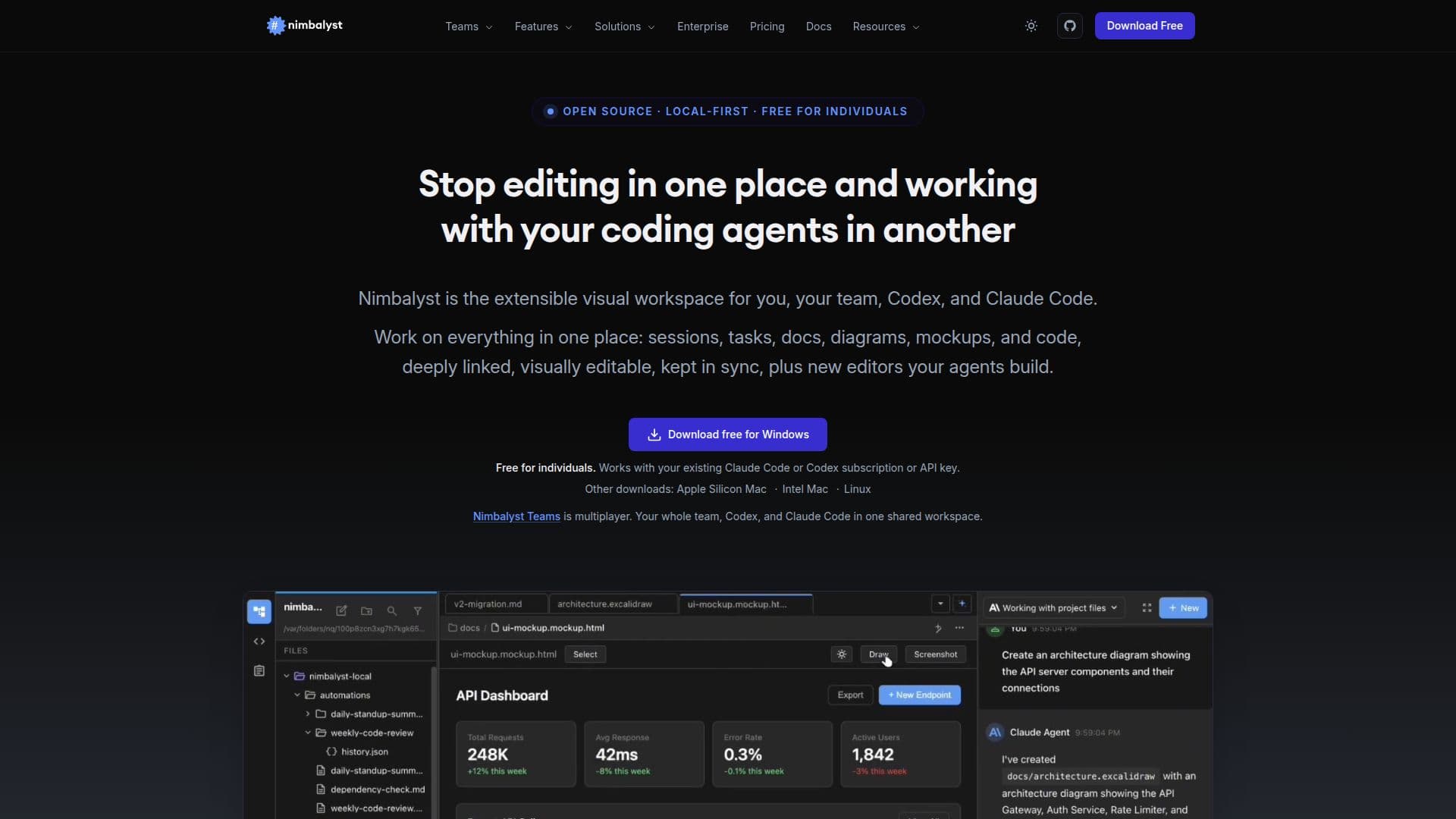
Nimbalyst is an open-source visual editor and full-context workspace for AI coding agents like Claude Code and Codex. Instead of working in a terminal, users see their agent's work in real time across markdown, mockups, diagrams, data models, and code, with inline diff review for every change.
Read More
It acts as a session manager and visual editor: users can run multiple agent sessions in parallel, organize them on a kanban board, and approve or reject each file change in place, with full session history visible. Nimbalyst supports Claude Code and Codex, with OpenCode, Copilot, and Codex via ACP in Alpha.
Nimbalyst is available as a desktop app for macOS (Apple Silicon and Intel), Windows, and Linux, plus an iOS app for managing sessions on the go. The desktop and iOS apps are MIT licensed and open source, and the core experience is free for individual use with no feature limits or trial period.
- CategoryAI App Builders
- Pricing ModelFreemium
- DeploymentDesktop app, Mobile app
- PlatformsmacOS, Windows, Linux
Nimbalyst's Core Features
Visual workspace for Claude Code and Codex
Parallel agent sessions managed on a kanban board
WYSIWYG editing of markdown, mockups, diagrams, and code
Inline diff review to approve or reject every AI change
Full session history and task tracking
Desktop apps for macOS, Windows, and Linux plus an iOS app
MIT-licensed and open source
Free for individual use with no feature limits
How to use Nimbalyst?
Install Nimbalyst: Download the desktop app for macOS, Windows, or Linux.
Connect an agent: Use it with Claude Code or Codex and your existing subscription.
Run sessions: Start one or more agent sessions and manage them on the kanban board.
Edit visually: Work across markdown, mockups, diagrams, and code in WYSIWYG editors.
Review changes: Approve or reject each file change with inline diff review.
Nimbalyst's Use Cases
- GUI for Claude Code
- Run parallel sessions
- Review AI edits safely
- Mobile session management