Description
Nano Banana 2.1, also known as gemini-nano-banana-2.1, is Google's latest Flash-tier image generation and editing model within the Gemini 3 family. Designed for speed and low cost, it delivers high-quality images at 1K, 2K, and 4K resolutions. This model significantly improves realism, prompt adherence, text rendering, and character consistency compared to its predecessors, Nano Banana 2 and Nano Banana Pro. It also eliminates tiling artifacts on wide formats and is reported to be nearly three times faster than the previous Flash image model.
Read More
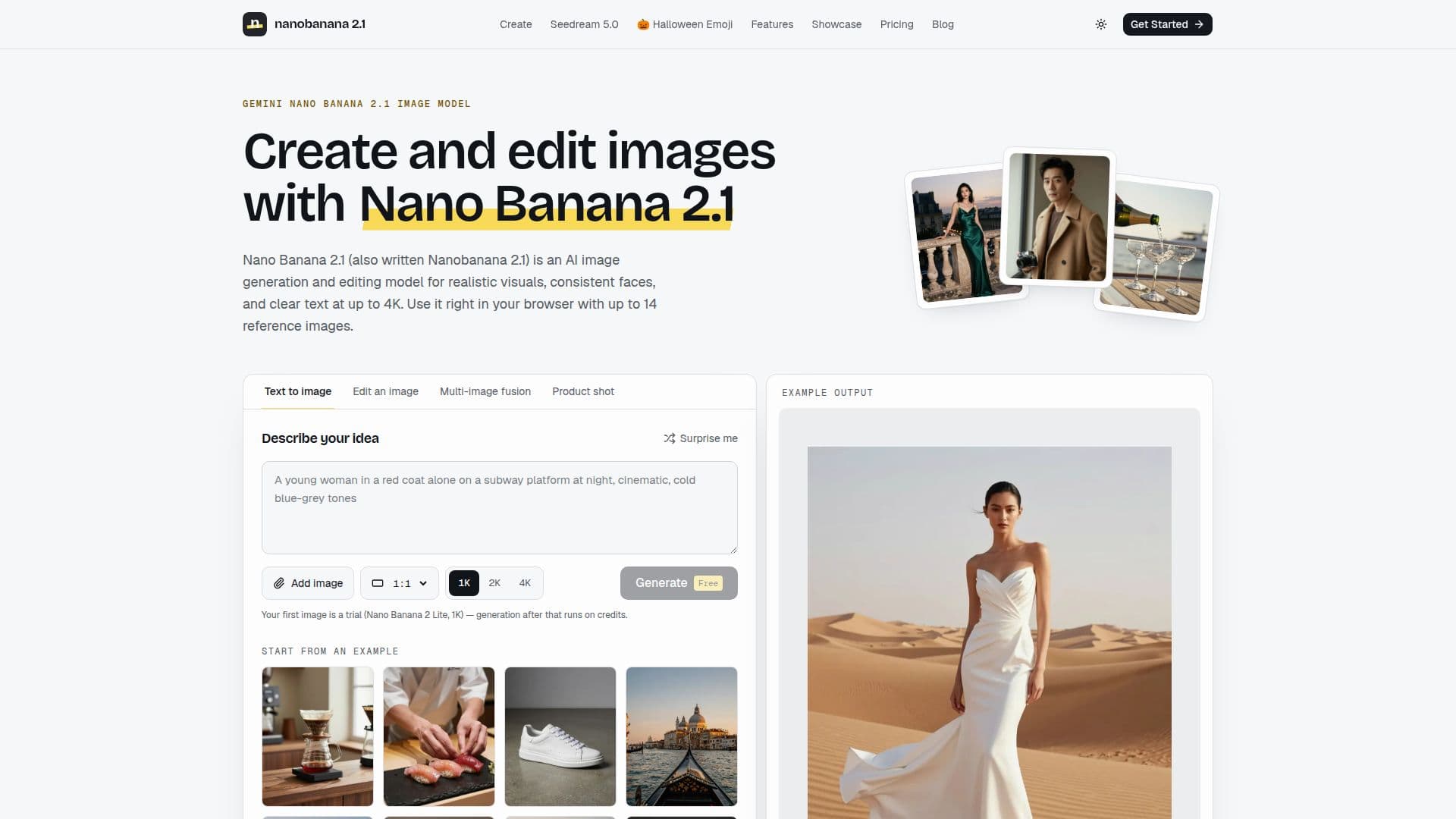
The nanobanana-21.com platform provides a user-friendly web studio for accessing Nano Banana 2.1. Users can write a prompt, optionally add up to 14 reference images (JPG, PNG, or WebP files up to 10 MB each), choose an aspect ratio and resolution, and generate an image in seconds. The service does not require a Gemini API key, code, or a GPU, making it accessible for a wide range of users. Output aspect ratios include 1:1, 16:9, 9:16, 4:3, 3:4, 3:2, 2:3, 5:4, 4:5, 21:9, 4:1, 1:4, 8:1, and 1:8.
Key capabilities of Nano Banana 2.1 include 4K text-to-image generation with lifelike details and coherent backgrounds, precise local edits for recoloring or removing objects, and product recontextualization that maintains product integrity across different settings. It excels at rendering readable text on signs, posters, and charts with correct spelling and clean layouts. The model also supports fusing elements from up to 14 reference images and maintaining consistent characters across multiple generations. Commercial use of generated images is permitted, provided prompts and uploads adhere to the Acceptable Use Policy and respect third-party rights, with images including Google's invisible SynthID watermark.
Pricing for Nano Banana 2.1 is credit-based, with costs varying by resolution: 25 credits for 1K, 35 for 2K, and 75 for 4K, plus 2 credits per reference image. Users can try the service for free, receiving one 1K image using Nano Banana 2 Lite without an account, and an additional free image upon signing up. Credit packs are available for purchase, starting from $9.90. The platform also offers prompt ideas and guides to help users achieve better results, emphasizing clear subject descriptions, exact text in quotes, and iterative editing.
- CategoryAI Image Generators
- Pricing ModelFreemium
- DeploymentCloud
- PlatformsWeb Browser
Nano Banana 2.1's Core Features
4K Text-to-Image Generation: Create high-resolution images with realistic details and coherent backgrounds.
Precise Local Edits: Upload photos and describe specific changes like recoloring or object removal.
Product Recontextualization: Place products into new settings while maintaining their original appearance.
Readable Text Rendering: Generate images with correctly spelled and cleanly laid out text.
14-Image Fusion: Combine elements from up to 14 reference images into a single scene.
Consistent Character Generation: Maintain a single character's face, outfit, and style across multiple images.
Multiple Aspect Ratios: Supports 1:1, 16:9, 9:16, 4:3, 3:4, 3:2, 2:3, 5:4, 4:5, 21:9, 4:1, 1:4, 8:1.
Browser-Based Studio: Generate images directly in your web browser without installations or code.
No API Key Required: Connects to the model automatically for ease of use.
Credit-Based Pricing: Pay for images based on resolution and number of reference images.
Free Trial Available: Generate one free image without an account, and another upon signup.
Commercial Use Allowed: Use generated images for commercial projects under policy guidelines.
Automatic Credit Refunds: Credits are returned for failed image generations.
Invisible SynthID Watermark: Images include Google's digital watermark for authenticity.
How to use Nano Banana 2.1?
Write the Prompt: Describe the subject, setting, lighting, and style in plain language, quoting any exact text.
Add References: Optionally upload up to 14 images for editing, merging, or character consistency.
Choose Settings: Select an aspect ratio and resolution (1K, 2K, or 4K).
Generate Image: Click the Generate button to create your image, with credit cost shown upfront.
Refine and Edit: Use the 'Edit this' option on results to make iterative improvements.
Download and Share: Save your generated image for personal or commercial use.
Nano Banana 2.1's Use Cases
- E-commerce Product Imagery
- Social Media Content Creation
- Marketing Campaign Visuals
- Design and Mood Board Creation
- Precise Photo Editing
- Consistent Character Art
- Text-Based Visuals
- Image Merging and Fusion