
Description
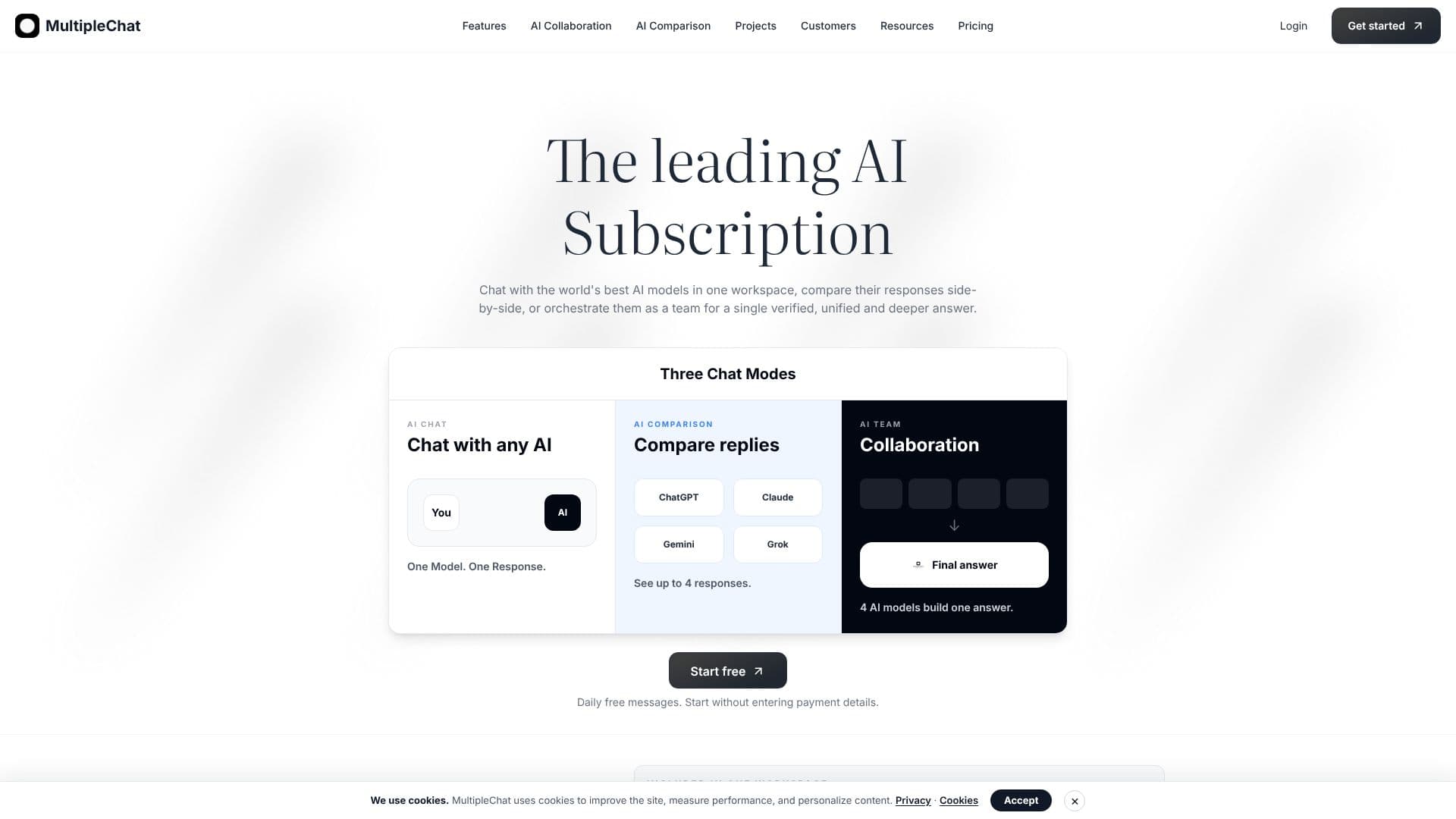
MultipleChat offers a comprehensive platform for interacting with multiple advanced AI models, including ChatGPT, Claude, Gemini, and Grok, all within a single interface. This eliminates the need to switch between different AI applications, providing a streamlined workflow for users who rely on AI for their work or studies.
Read More
The platform features three distinct chat modes: AI Chat for direct interaction with a single model, AI Comparison to view and analyze responses from up to four AI models side-by-side, and AI Team Collaboration, where multiple AI models work together to generate a unified, deeper, and more verified answer. This collaborative approach helps in fact-checking, identifying disagreements between models, and uncovering blind spots, leading to more robust and reliable outputs.
Key capabilities extend to advanced tools such as Studios for creating and editing documents, presentations, and spreadsheets, as well as an Image Studio for generating and refining visuals. The platform also incorporates OCR for extracting text from documents and an AI Humanizer to refine AI-generated text into a more natural voice. AI Agents are integrated to optimize prompts, conduct web searches, fact-check responses, and provide deeper critiques.
MultipleChat is designed for professionals and teams, including those within S&P 500 companies, who need to leverage AI for research, content creation, analysis, and problem-solving. The value proposition lies in enhanced productivity, reduced factual errors, increased depth in answers, and a more efficient way to compare and utilize the strengths of various AI models, all managed from one centralized workspace.
The platform emphasizes transparency by showing sources, disagreements between models, and providing a 'Team Reason' feature for deeper critique. Projects allow users to maintain context across all AI interactions, importing files from Google Drive or code from GitHub. This integrated approach ensures that users can perform complex tasks, from generating reports to creating marketing materials, with greater accuracy and efficiency.
- CategoryAI Personal Assistants
- Pricing ModelFreemium
- DeploymentCloud
- PlatformsWeb
MultipleChat's Core Features
Access to ChatGPT, Claude, Gemini, Grok, and Perplexity Sonar Pro in one workspace.
Side-by-side comparison of responses from up to 4 AI models.
AI Team Collaboration for unified and deeper answers from multiple AIs.
Document Studio for creating and editing long-form documents (DOCX, PDF, Markdown, HTML).
Presentation Studio for generating editable slide decks (PPTX).
Excel Studio for spreadsheet creation, analysis, and transformation (XLSX, CSV, TSV, XLS).
Image Studio for generating and editing images with multiple AI models.
OCR for extracting text from PDFs and scanned documents.
AI Humanizer to refine AI-generated text into a more natural voice.
AI Agents for prompt optimization, web search, fact-checking, and critique.
AI Projects to maintain context and work with files from Google Drive or GitHub.
Web search capabilities integrated with AI responses.
Ability to inspect individual model outputs, sources, and disagreements.
How to use MultipleChat?
Access AI Models: Log in to the MultipleChat workspace and select the AI models you wish to use.
Choose Chat Mode: Select AI Chat for single model interaction, AI Comparison for side-by-side analysis, or AI Team Collaboration for unified answers.
Input Prompt: Enter your query or task into the chosen chat mode.
Review Responses: Analyze individual model outputs, compare them, or review the synthesized answer from AI Team Collaboration.
Utilize Studios: For larger tasks, navigate to Document, Presentation, Excel, or Image Studio to create and edit specific file types.
Manage Projects: For ongoing work, create an AI Project, upload files, and let AI models work with shared context.
Refine Output: Use AI Humanizer to adjust the tone of AI-generated text or leverage AI Agents for further optimization and critique.
MultipleChat's Use Cases
- AI Model Comparison
- AI-Powered Content Creation
- Document Analysis & Summarization
- Presentation Generation
- Spreadsheet Analysis
- Image Generation & Editing
- Code Review & Generation
- Fact-Checking & Research
- AI Workflow Automation
- Text Humanization