
Description
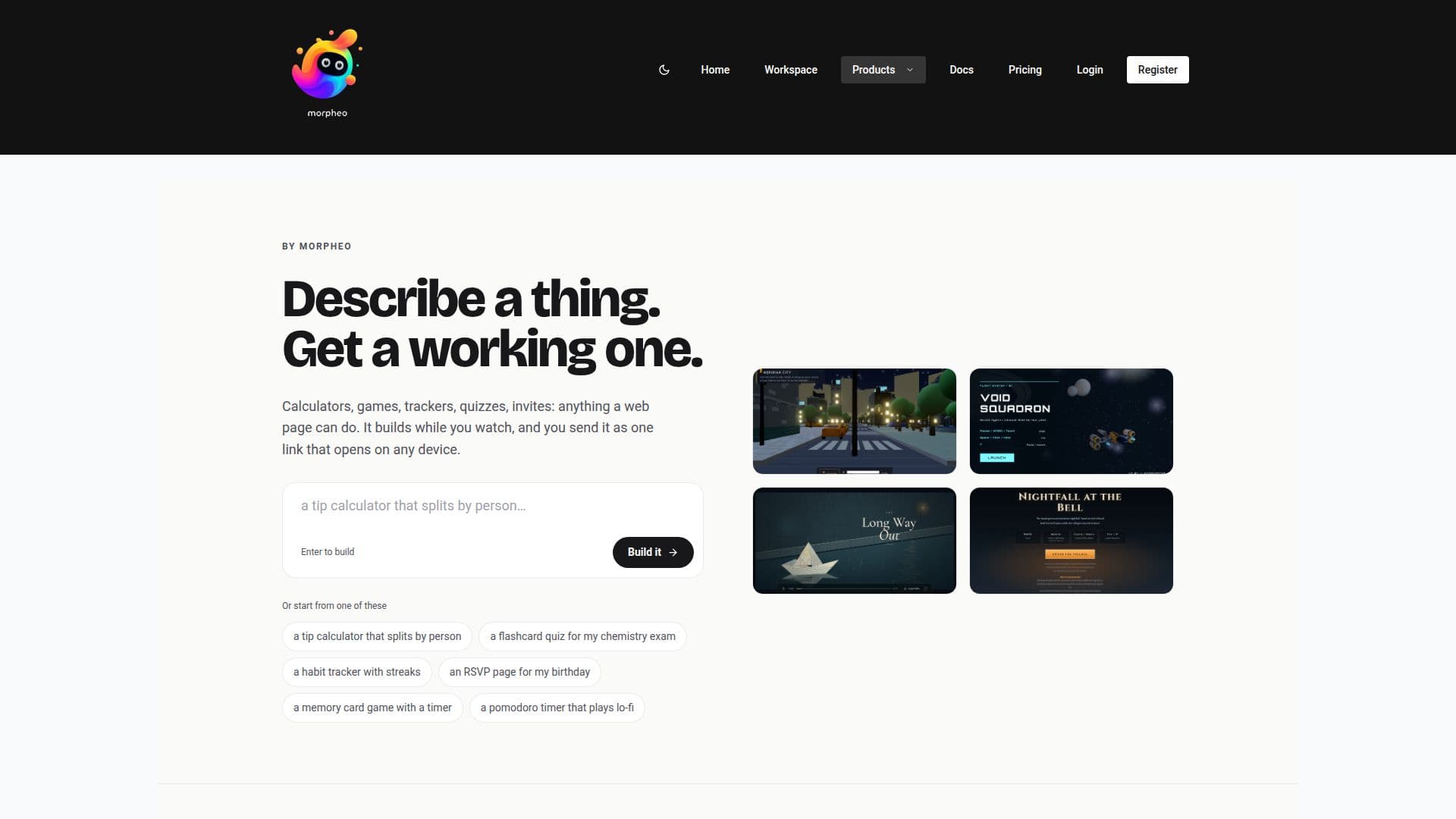
Morpheo is an all-in-one AI creation studio designed to transform ideas into interactive digital experiences. Users can start by describing what they want to create, whether it's a game, an app, a website, an image, or a 3D model, using natural language or a photo. Morpheo then builds the project live, allowing users to watch the files being written in real-time.
Read More
A key differentiator of Morpheo is that it provides actual, editable HTML, CSS, and JavaScript files, rather than just a chat transcript or a black box output. This empowers users to open the workspace and modify any aspect of their project by hand, or continue to ask the AI for changes. Every modification is tracked as a numbered revision, enabling easy rollback to previous states.
The platform supports a wide range of creations, including calculators, trackers, quizzes, multi-page sites, and even short animated films. It also features an AI Image Studio for text-to-image generation, region edits, and consistent photo sets, alongside image-to-3D model conversion with GLB downloads. Morpheo integrates various AI models from leading providers like OpenAI, Google, Moonshot AI, Z.ai, DeepSeek, MiniMax, and Alibaba, giving users a choice for each build.
Sharing creations is made simple with a single, universal link that opens on any device and can install like a progressive web app (PWA) without requiring app store submissions or hosting fees. Users get a public profile at morpheoai.com/u/your-name, where all their published Interactives are showcased. The platform also offers an API for developers to build advanced functionality, including persistent data storage, real-time collaboration, device sensor access, and client-side routing within their Interactives. Morpheo is available on the web and as an Android app, with a free plan offering monthly credits and paid options for more extensive use.
- CategoryAI App Builders
- Pricing ModelFreemium
- DeploymentCloud
- PlatformsWeb, Android
Morpheo's Core Features
Generate images, 3D models, games, apps, and sites from text or photos
Real-time live generation of projects
Provides editable HTML, CSS, and JavaScript files
Share creations with a single, universal link
Projects installable as Progressive Web Apps (PWAs) on any device
Public profile for showcasing all published work
AI Image Studio for text-to-image, region edits, and consistent photo sets
Image to 3D model conversion with GLB download
Choice of AI models from OpenAI, Google, Moonshot AI, Z.ai, DeepSeek, MiniMax, Alibaba
Revision history for all changes with rollback capability
No-code development experience
API for advanced in-app functionality (storage, real-time, device sensors)
Multi-device compatibility for shared links
Import projects from .zip files or GitHub repositories
Access to a library of 1,100+ 3D characters, props, and environments
How to use Morpheo?
Describe your idea: Start by entering a sentence or uploading a photo to describe the game, app, site, image, or 3D model you want to create.
Watch it build live: Observe as Morpheo generates the project in real-time, writing HTML, CSS, and JavaScript files.
Edit and refine: Access the generated code to make manual edits, or continue to prompt the AI for further changes and refinements.
Publish and share: Publish your creation to get a unique link that can be shared instantly and opens on any device.
Manage your profile: All published projects appear on your public profile, allowing you to showcase your portfolio.
Update seamlessly: Make changes to your project and republish; the shared link remains the same, showing the updated version.
Morpheo's Use Cases
- Rapid Web App Prototyping
- Interactive Content Creation
- AI-Assisted Image Generation
- 3D Model Development
- Personal Portfolio & Showcase
- No-Code Website Building
- Educational Tool Development
- Creative Expression & Art