Description
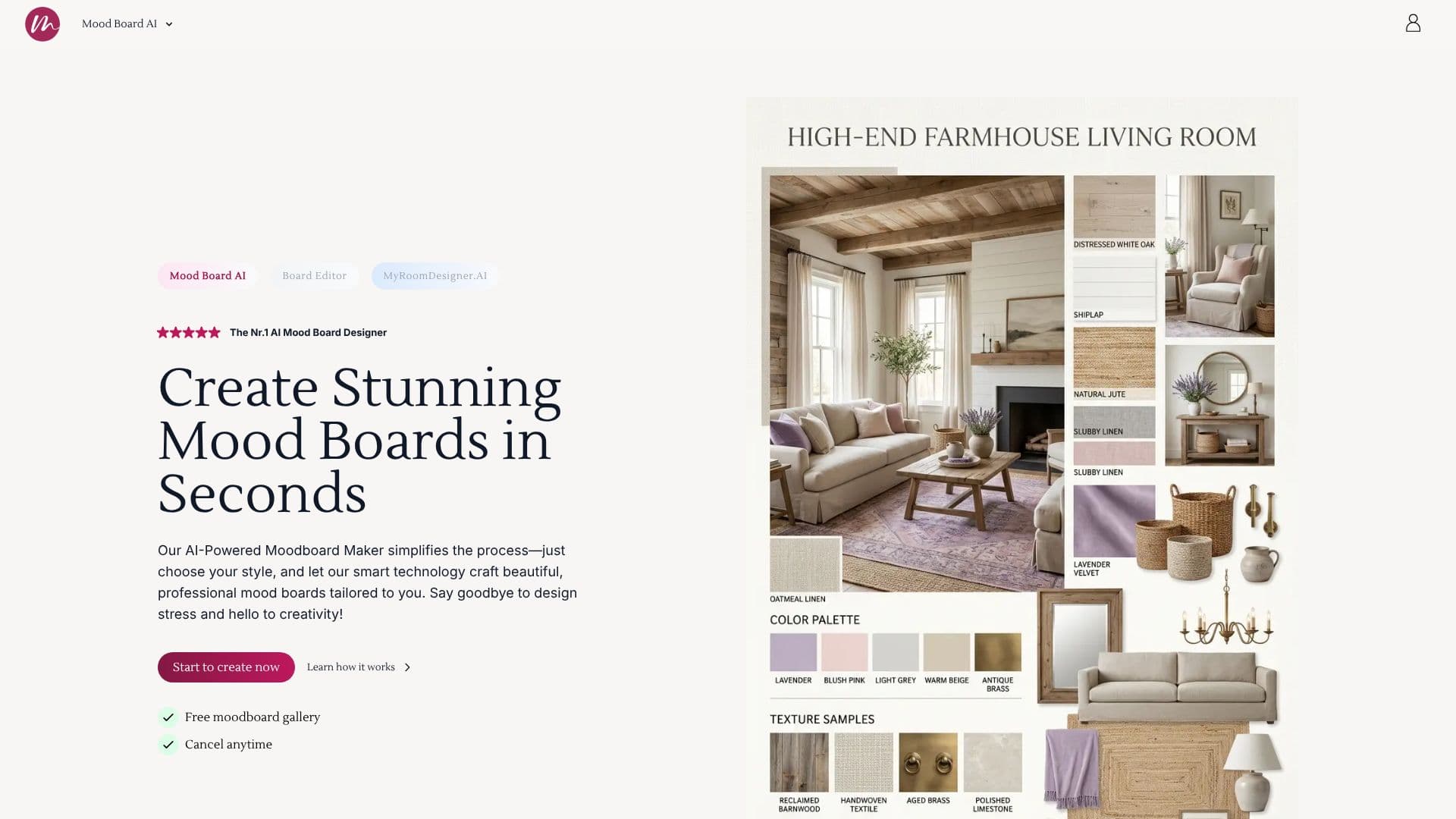
Mood Board AI offers an intuitive, AI-powered solution for creating professional mood boards quickly and efficiently. Designed for a variety of creative fields including interior design, fashion, and branding, the tool streamlines the process from initial concept to polished visual presentation. Users can begin by defining their creative vision, then select a desired aesthetic such as modern, vintage, or minimalist, along with specific color palettes or layouts.
Read More
The AI then crafts beautiful mood boards tailored to the user's input. For further refinement, users can add custom details, chat with the AI to personalize prompts, and generate updated designs. The platform also facilitates easy item removal and cleanup within the generated boards. A key benefit is the ability to seamlessly import AI-generated mood boards into a dedicated Mood Board Editor for advanced customization.
Within the Mood Board Editor, users can further enhance their designs, discover real-life products inspired by their mood boards, and create shareable shopping lists complete with item prices. The tool integrates with MyRoomDesigner.AI, allowing users to transform their mood boards into 3D room designs. This comprehensive suite aims to support every aspect of a designer's creative journey, from inspiration to actionable design direction and client-ready presentations.
The Mood Board AI Creative Suite is built upon a foundation of merging aesthetics with functionality, evolving from an initial Mood Board Editor to incorporate advanced AI capabilities. This evolution is driven by user feedback, with a mission to provide a complete toolkit for designers. The platform is designed to reduce design stress and foster creativity, enabling users to produce stunning visuals in minutes.
- CategoryAI Graphic Design Tools
- Pricing ModelFreemium
- DeploymentCloud
- PlatformsWeb
Mood Board AI's Core Features
AI-powered mood board generation
Style and color selection options
Customizable design prompts
Easy item removal and cleanup
Seamless import into Mood Board Editor
Real-life product discovery
Shopping list creation
Integration with MyRoomDesigner.AI for 3D designs
Upscale design for higher resolution
Background remover in Mood Board Editor
Crop, flip, and duplicate items in Editor
Find similar products feature
How to use Mood Board AI?
Start with Your Vision: Define your creative focus for the mood board.
Choose Your Style: Select an aesthetic and color palette.
Add Custom Details: Personalize your board with unique touches.
Chat and Personalize: Refine your design by updating prompts.
Refine Your Mood Board: Clean up, upscale, or discover products.
Add to Mood Board Editor: Import for further customization and shopping list creation.
Transform to 3D: Upload to MyRoomDesigner.AI for a 3D room design.
Mood Board AI's Use Cases
- Interior Design Mood Boards
- Fashion Style Boards
- Branding and Identity
- Wedding Planning
- Product Design Concepts
- Restaurant and Food Branding
- Event Planning
- 3D Room Design