Description
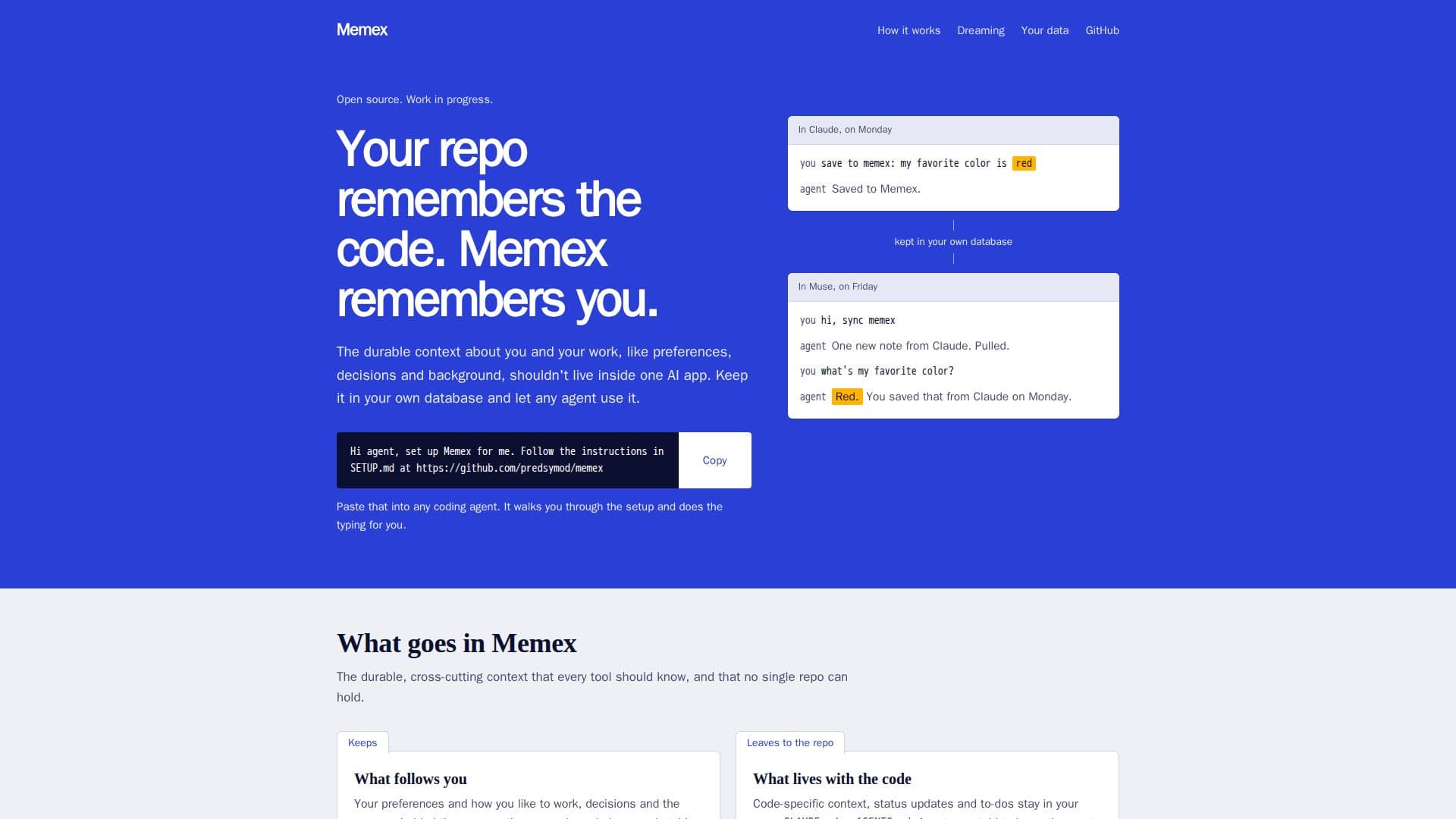
Memex provides an open-source, self-hosted solution for managing personal and work-related context, ensuring that users retain full ownership of their data. Unlike traditional systems where valuable context might be siloed within individual AI applications, Memex centralizes this information in a user's own Supabase database. This approach allows any compatible AI agent to access and contribute to a shared memory, fostering consistency and efficiency across different tools.
Read More
The system is designed to store durable, cross-cutting context that is essential for AI agents but doesn't belong within a single code repository. This includes user preferences, past decisions and their underlying reasons, corrections, details about people and plans, and stable background information on products and projects. Conversely, code-specific context, status updates, and to-dos are intentionally kept out of Memex, residing instead in repositories like CLAUDE.md or AGENTS.md.
Setting up Memex involves deploying an MCP server on a user's Supabase project. Agents can then connect to this server, with instructions defined as plain text within the repository. The setup process is guided, allowing agents to create necessary tables and deploy the server, with user approval for account-related steps. Once configured, agents can push new knowledge to Memex and pull information learned by other agents, with built-in deduplication. Users maintain control over what each agent is permitted to save.
Memex enhances workflow by offering advanced search capabilities that blend semantic understanding with exact word matching. It prioritizes recent notes and displays the current version of corrected information. For hands-off operation, users can configure agents to perform scheduled tasks, ensuring daily synchronization of saved information. The system is built with safety in mind, capping unattended runs, skipping sensitive data, avoiding duplicates, and tagging all saved notes. A retraction feature allows users to hide incorrect notes without permanent deletion.
Crucially, Memex operates without any hosted service in the middle; both the server and database reside within the user's Supabase project. An optional "Dreaming" feature organizes saved notes nightly, adding tags, summaries, types, and connections between memories. It also generates overviews for topics with sufficient notes, linking back to sources and updating as new information arrives. Data privacy is paramount, with secrets flagged, never sent to models, and hidden from search. Costs are minimal, typically pennies a month, covering embeddings and the optional Dreaming feature. Memex has been tested with Claude and Muse, and is compatible with any agent supporting MCP over HTTP, including Codex, Cursor, and VS Code.
- CategoryAI Knowledge Management
- Pricing ModelFree (Open Source)
- DeploymentSelf-hosted (Supabase)
- PlatformsWeb
Memex's Core Features
Self-hosted context layer on Supabase
Open-source memory for AI agents
User-owned database and encryption keys
Shared context across multiple AI tools
Stores preferences, decisions, and background information
Excludes code-specific context from memory
Guided setup for agents to connect
Agents push and pull knowledge without duplicates
User control over agent saving permissions
Advanced search blending meaning and exact words
Prioritizes recent notes and current corrections
Scheduled synchronization for hands-off operation
Safety features: run caps, secret skipping, deduplication, tagging
Retract incorrect notes without deletion
Optional "Dreaming" feature for organization and summarization
How to use Memex?
Set up Supabase: Create your own Supabase project to host the Memex server and database.
Point an agent at the repo: Use a coding agent to initiate the setup process, which will create tables and deploy the server.
Approve account steps: Grant necessary approvals for any steps requiring account access during setup.
Connect agents: Configure your AI agents to connect to your Memex server using a URL and a key.
Define agent instructions: Place plain text instructions in the repository for agents to follow.
Utilize shared memory: Allow agents to push new information to Memex and pull existing context from it.
Manage saved data: Decide for each agent what information it is permitted to save to your Memex.
Enable scheduled sync: Ask an agent to run scheduled tasks to keep your Memex in sync automatically.
Memex's Use Cases
- Personal Knowledge Base
- Cross-Agent Context Sharing
- Project Background Management
- Decision Tracking
- Automated Context Synchronization
- Enhanced AI Agent Performance
- Secure Data Ownership
- Semantic Search and Retrieval