Description
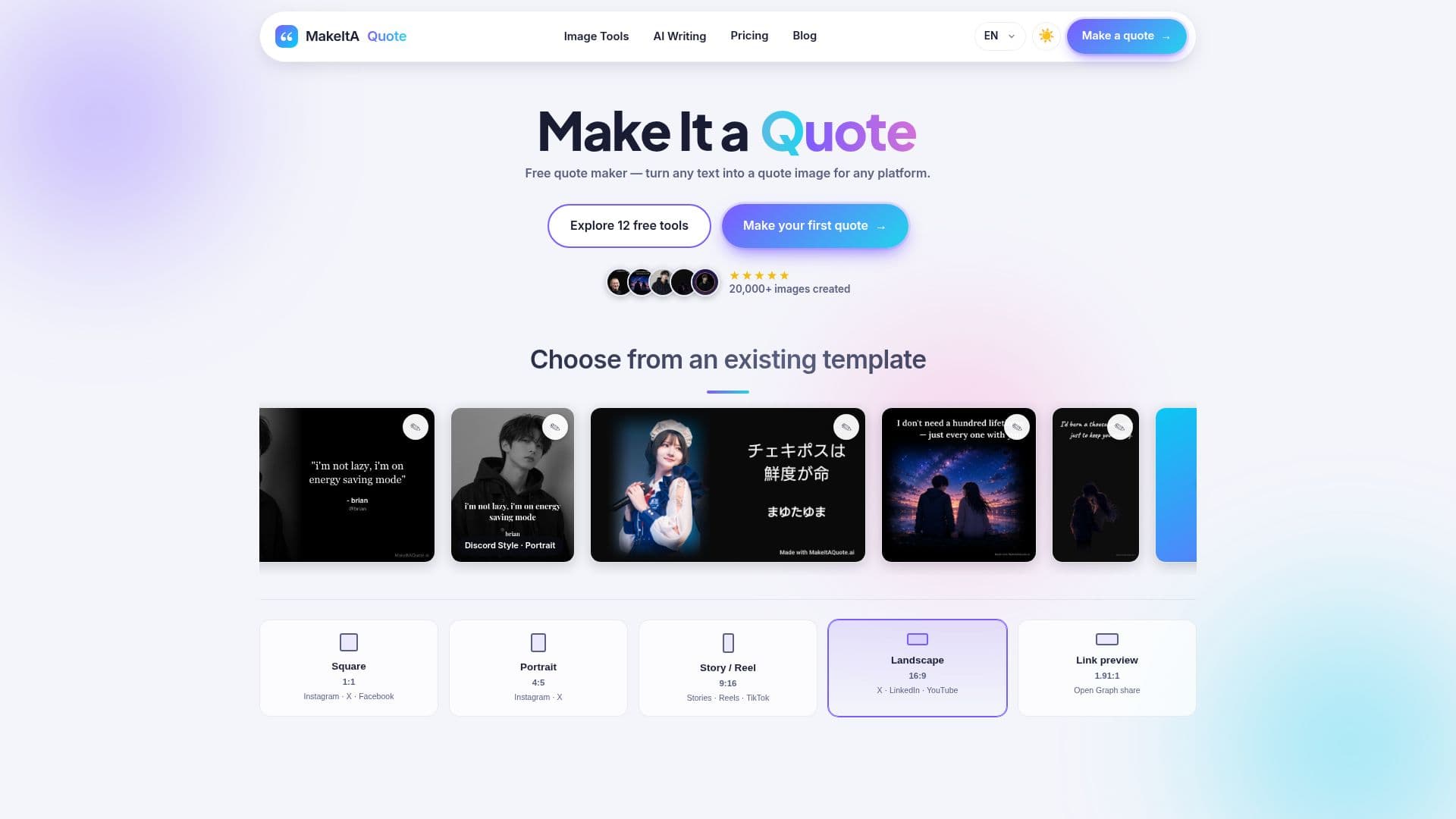
MakeItAQuote is a free online quote maker that turns any text into a beautiful quote image. Users paste a line, caption, or saying, choose a style, pick a size, and download a high-resolution PNG ready to post on social media.
Read More
There are two ways to make a quote: a clean gradient text card for typography-focused designs, or photo quote mode where users upload their own image and place the words beside it in color or black and white. Fonts, sizes, colors, and alignment can all be fine-tuned before export. Everything renders in the browser, so text and photos stay on the user's device and nothing is uploaded to a server.
Export sizes match popular platforms exactly, including 1:1 square, 4:5 portrait, 9:16 for Stories, Reels, and TikTok, 16:9 for X, LinkedIn, and YouTube, and 1.91:1 for link previews. The site also offers a set of free AI writing tools for humanizing text, fixing grammar, summarizing, and rephrasing. MakeItAQuote is free with no sign-up and works offline, and it is also available on the App Store.
- CategoryAI Graphic Design Tools
- Pricing ModelFreemium
- DeploymentCloud
- PlatformsWeb, iOS
MakeItAQuote's Core Features
Turn any text into a quote image in seconds
Gradient text cards and photo quote modes
Upload your own photo in color or black and white
Exact platform export sizes (square, 4:5, 9:16, 16:9, 1.91:1)
High-resolution PNG downloads
Fully in-browser and private, works offline
No sign-up required
Free AI writing tools for humanizing, grammar, summarizing, and rephrasing
How to use MakeItAQuote?
Type or paste text: Enter the quote, caption, or saying you want to turn into an image.
Pick a style: Choose a gradient text card or a photo quote using your own picture.
Choose a size: Select a format such as square, portrait, 9:16, 16:9, or link preview.
Download: Export a high-resolution PNG ready to post.
MakeItAQuote's Use Cases
- Instagram quotes
- TikTok and Reels covers
- Text posts for X and LinkedIn
- Blog and newsletter graphics