


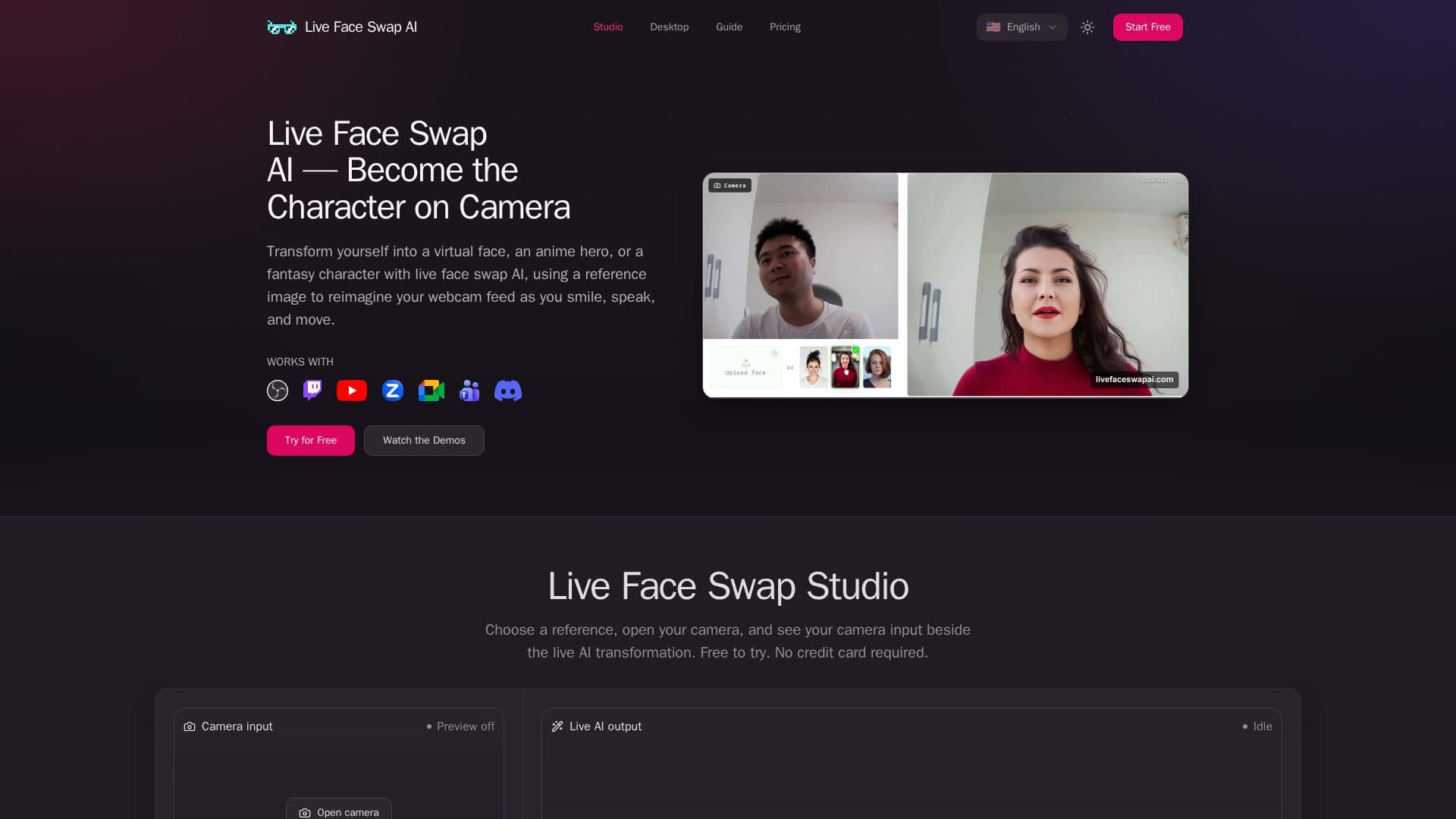
Description
Live Face Swap AI offers real-time webcam transformations, allowing users to alter their appearance, try on virtual outfits, and apply artistic visual styles directly to their live camera feed. The platform utilizes a reference image to guide the AI, enabling users to embody fictional characters, anime heroes, or fantasy figures while their own expressions and movements drive the live result.
Read More
The service provides three primary effects: Live Face Swap, Live Try-On, and Live Restyle. Live Face Swap replaces the user's face with a chosen reference, following head movements and facial expressions. Live Try-On allows for virtual outfit changes, adapting clothing like suits, dresses, or armor to the user's body movements. Live Restyle transforms the entire visual style of the camera feed, applying effects such as anime, clay, or painted aesthetics to people, objects, and backgrounds.
Users can access Live Face Swap AI through a browser-based studio, which requires no installation and supports recording up to 90-second clips. For more integrated use with video calls and live streaming, a Windows desktop application is available. This app includes a built-in virtual camera that connects directly to compatible video applications and OBS Studio, facilitating seamless integration into existing workflows. A macOS app is also planned for future release.
New users can try the service with trial credits after signing up, with no credit card required. Continued use involves purchasing one-time credit packs, as Live Face Swap AI operates on a pay-as-you-go model rather than a subscription. One credit equals one second of live session time, and purchased credits are valid for one month. Billing begins when resources are allocated for a live session, not just when video output appears.
The platform emphasizes privacy, stating that neither the service nor its processing provider records or retains live camera feeds or generated live video. Any clips recorded by users remain on their device. Live Face Swap AI is designed for creative expression, character exploration, and visual experimentation, providing a dynamic tool for content creators, streamers, and anyone looking to transform their online presence.
- CategoryAI Video Generators
- Pricing ModelOne-time purchase
- DeploymentCloud, Desktop App
- PlatformsWeb, Windows
Live Face Swap AI's Core Features
Real-time webcam face swap
Character transformation using reference images
Live outfit try-on with virtual clothing
Visual style transformation for camera feed
Follows user expressions and movements
Browser-based studio for instant use
Windows desktop app with built-in virtual camera
Compatible with video calls (Zoom, Meet, Teams) and OBS Studio
Record and download up to 90-second AI output clips
Supports JPG, PNG, WebP image uploads for references
Trial credits for new users
One-time credit pack purchases (no subscription)
Privacy-focused: no camera feed or recordings saved by service
Side-by-side display of camera input and AI output
Credit-based billing for live session time
How to use Live Face Swap AI?
Choose Reference: Select Face Swap, Try-On, or Restyle, then pick a recommended image or upload your own JPG, PNG, or WebP reference up to 10 MB.
Open Camera: Allow camera access in your browser or desktop app, ensuring good lighting and clear visibility of your face.
Start Transformation: Sign in, confirm you have credits, and begin your live session to see the real-time AI transformation.
Experiment & Stop: Try different expressions or references, then stop the session when finished to cease credit usage.
Record Output (Optional): In a supported browser, record up to 90 seconds of the AI output and download the clip to your device.
Integrate with Apps (Desktop): Use the Windows desktop app's virtual camera to connect directly to compatible video call apps or OBS Studio.
Live Face Swap AI's Use Cases
- Character Impersonation
- Virtual Outfit Try-On
- Artistic Visual Styles
- Live Streaming Enhancement
- Video Call Personalization
- Content Creation
- Performance Art
- Costume Idea Exploration