Description
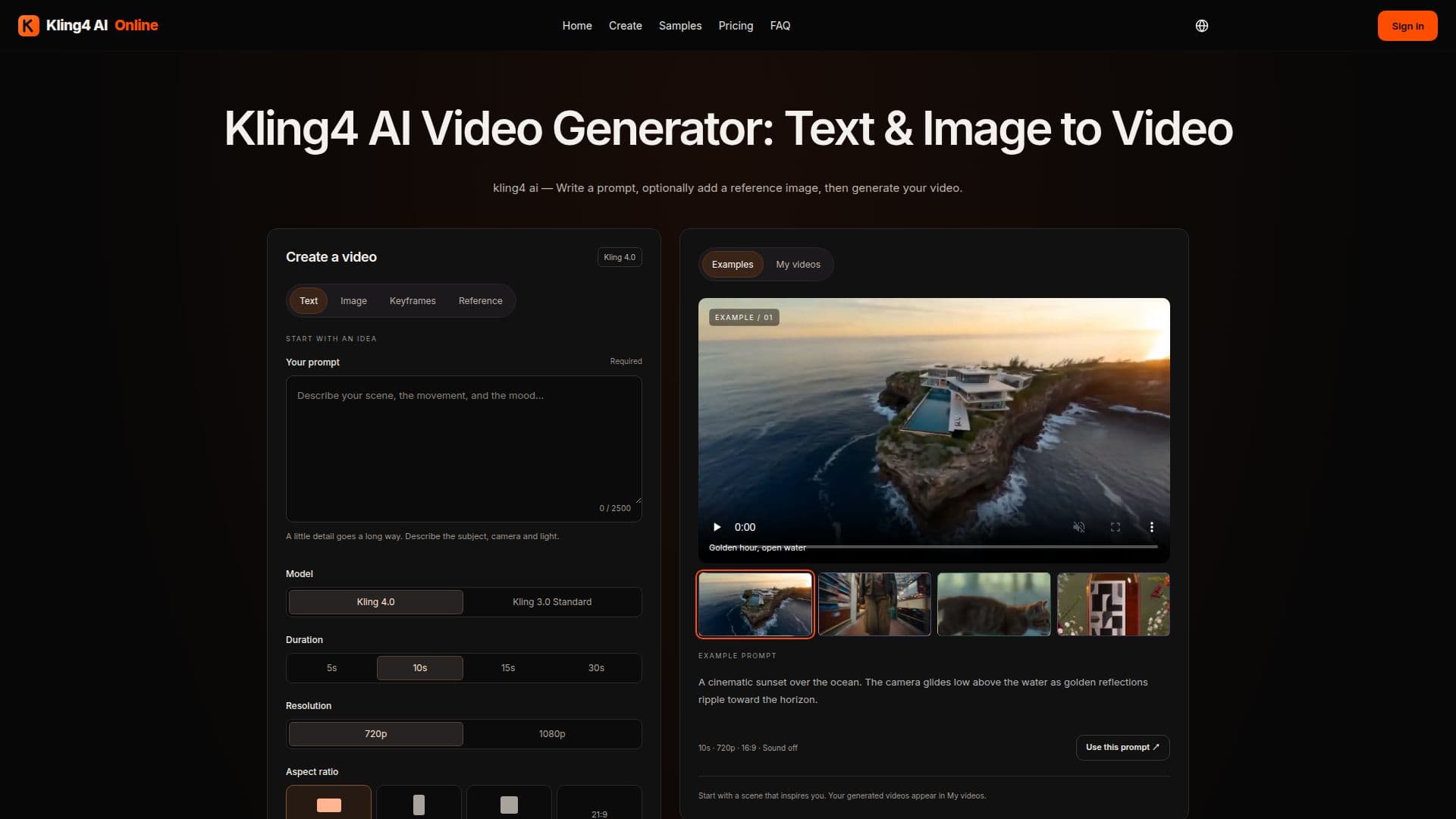
Kling4 AI Online provides an independent platform for generating videos from text prompts or reference images, utilizing both Kling 4.0 and Kling 3.0 Standard models. Users can sign in with a Google account to access the generator, where they input a prompt and optionally add a reference image. The service supports video durations of 5, 10, 15, or 30 seconds, with Kling 4.0 exclusively offering the 30-second option. Videos can be generated in either 720p or 1080p resolution.
Read More
The platform offers flexible aspect ratios, including 16:9, 9:16, 1:1, and 21:9 for Kling 4.0 text-to-video, and Auto mode for Kling 4.0 image-to-video, which preserves the original image's ratio. Kling 3.0 Standard supports 16:9, 9:16, or 1:1. Kling 4.0 always includes native audio, while Kling 3.0 Standard provides optional sound. Users can guide the video's mood by describing ambient sound, music cues, or simple dialogue in their prompts.
Reference images, up to 10 MB in JPG, PNG, or WebP format, can be used to guide characters, products, colors, and composition. Kling 4.0 supports a first frame and an optional last frame, with Keyframes allowing up to 6 frames for 5-second videos or 10 frames for 10/15/30-second videos. Generated videos and reference images are stored for 30 days, after which they are automatically deleted, so users are advised to download any content they wish to keep.
Kling4 AI operates on a one-time credit pack system, with no subscriptions or recurring charges. Credit packs are available in various sizes, such as 100 credits for $9.90, 220 credits for $19.90 (recommended for regular creators), and 600 credits for $49.90. Credits never expire. The cost of each video generation is displayed before creation, depending on the chosen model, duration, and sound options. If a video generation fails, the credits are automatically returned to the user's account. A voluntary refund policy allows for a full refund within 14 days of purchase if no credits have been used.
The service is designed for creators, marketers, e-commerce businesses, and agencies looking to animate character drawings, create ad scenes from product photos, add camera movement to images, or generate concept shots for pitches. The responsive workspace is accessible on phones, tablets, and desktops, allowing users to create on the go. Kling4 AI Online is an independent service operated by GAAI and is not affiliated with Kuaishou's Kling AI.
- CategoryAI Video Generators
- Pricing ModelOne-time purchase
- DeploymentCloud
- PlatformsWeb
Kling4 AI's Core Features
Text to Video Generation
Image to Video Generation
Kling 4.0 and Kling 3.0 Standard Models
Video Durations: 5, 10, 15, 30 seconds (Kling 4.0)
Video Resolutions: 720p and 1080p
Native Audio Included (Kling 4.0)
Optional Sound (Kling 3.0 Standard)
Multiple Aspect Ratios (16:9, 9:16, 1:1, 21:9, Auto)
Reference Image Support (JPG, PNG, WebP up to 10 MB)
Keyframe Support for Image to Video
Credit Pack Purchase System (One-time payment)
Credits Never Expire
Automatic Credit Refund for Failed Generations
Google Sign-in
Responsive Workspace (Desktop, Tablet, Phone)
How to use Kling4 AI?
Sign in: Access the platform using your Google account.
Write a prompt: Enter your scene description in the generator.
Add optional image: Upload a reference image (JPG, PNG, WebP up to 10 MB) if creating an image-to-video.
Configure video settings: Choose the model (Kling 4.0 or 3.0 Standard), duration (5, 10, 15, or 30 seconds), aspect ratio, and sound options.
Generate video: Review the credit cost and press 'Generate'.
View and download: Find your completed videos in 'My videos' and download any you wish to keep.
Kling4 AI's Use Cases
- Short Film Creation
- Social Media Content
- Product Advertising
- E-commerce Product Pages
- Concept Visualization
- Character Development
- Scene Audio Design
- Visual Style Exploration