
Description
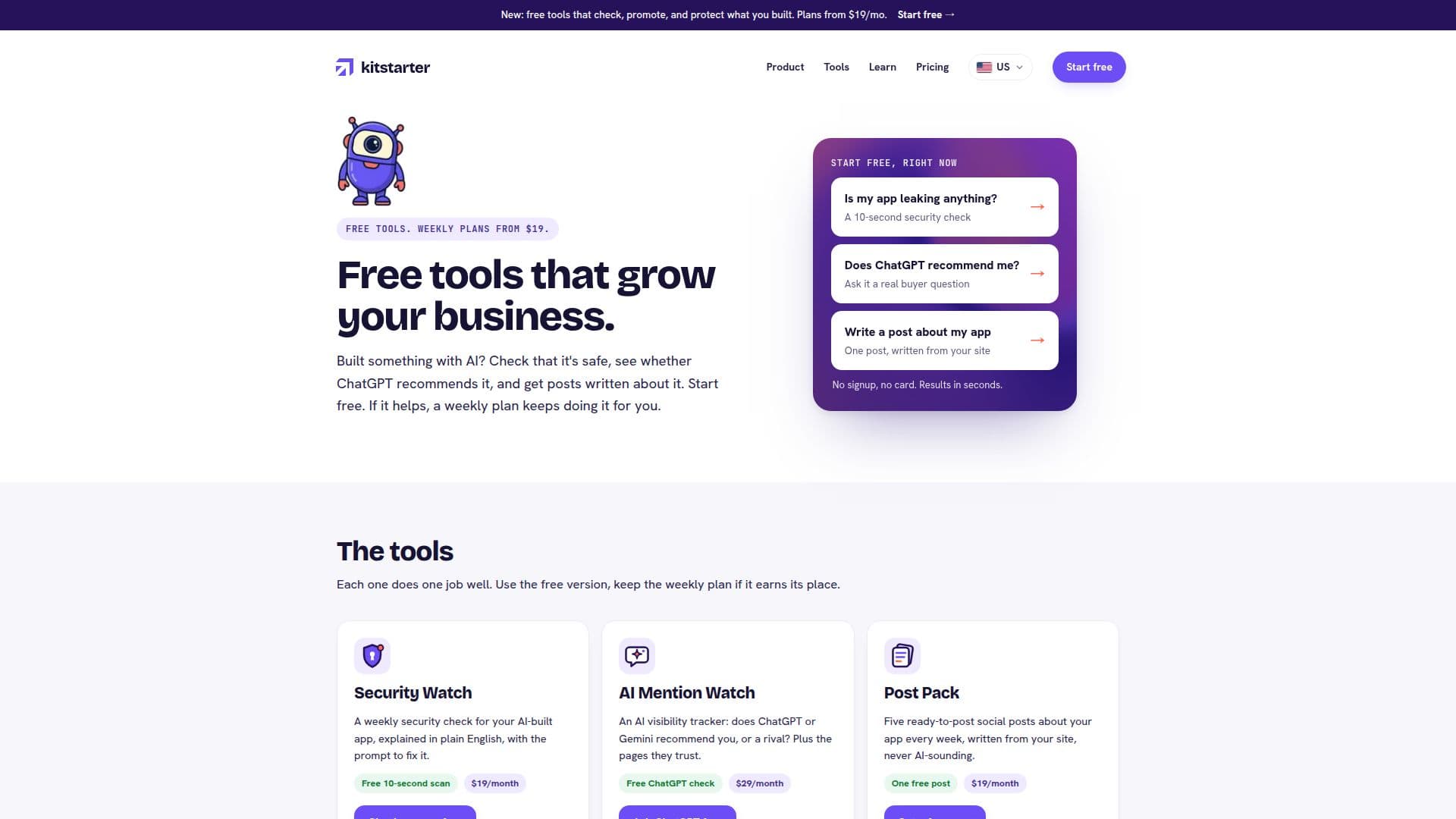
kitstarter provides a comprehensive set of small, freemium tools tailored for individuals and businesses developing with AI. The platform aims to support growth by addressing critical aspects such as security, AI search visibility, and marketing. Users can access a free version of each tool without signup or credit card, offering immediate results and a fair daily usage limit.
Read More
The core offerings include Security Watch, which performs weekly external scans for leaked keys, exposed private files, and missing safety settings in AI-built apps. It provides plain-English explanations and actionable prompts for AI tools like Lovable, Bolt, Cursor, or Claude Code. AI Mention Watch helps users understand if their app is recommended by AI assistants like ChatGPT and Gemini, tracking mentions and competitor recommendations weekly. Post Pack generates social media posts, assisting with content creation.
For more in-depth support, kitstarter offers Unstuck, providing human app fixes for complex issues, and the Claude Code kit for developers. The Claude Code kit includes a command-line interface (CLI) that helps AI coding agents ask before building, stay lean, and avoid an "AI-made" look. It features a Navigator for project progress, a Clarity engine to ensure clear build prompts, and a Tutor for in-the-moment lessons.
Pricing for weekly plans starts from $19 per month, billed by Stripe in US dollars. These plans deliver weekly results via email, and users can cancel anytime with a single click. The platform emphasizes that it does not require access to users' code or accounts for most checks, relying on publicly visible information. Only Unstuck requires temporary access via an invite that can be revoked once the fix is complete.
kitstarter is designed for both technical and non-technical users, with all instructions and fixes provided in plain English. Fixes often come as prompts that can be directly pasted into existing AI tools. The platform's goal is to ensure AI-built applications are secure, discoverable by potential buyers through AI recommendations, and effectively marketed through social media, all while maintaining a human-like quality in their development and design.
- CategoryOther AI Tools
- Pricing ModelFreemium
- DeploymentCloud
- PlatformsWeb
kitstarter's Core Features
Free Website Security Scan: Identifies leaked keys and risky settings.
Weekly Security Watch: Ongoing monitoring for app vulnerabilities.
Free ChatGPT Visibility Check: Determines if AI recommends your app.
Weekly AI Mention Watch: Tracks AI recommendations across ChatGPT and Gemini.
Free Social Post Generator: Creates social media content.
Weekly Post Pack: Provides regular social media posts.
Human App Fixes (Unstuck): Offers expert assistance for complex issues.
Claude Code Kit for Developers: CLI tools for AI coding agents.
Navigator Engine: Guides project progress and never starts from a blank screen.
Clarity Engine: Ensures clear build prompts and prevents vague requests.
Tutor Engine: Provides in-the-moment lessons for developers.
Anti-Slop Scan: Detects and prevents AI-made code characteristics.
Design Intake & Check: Guides design process and evaluates UI for AI-made look.
Plain-English Fix Prompts: Copy-paste solutions for AI tools.
One-Click Cancellation: Manage subscriptions easily from any email.
How to use kitstarter?
Try a Free Tool: Access any tool's free version without signup or card to get instant results.
Paste Your App's Address: For Security Watch, input your app's URL for a 10-second safety scan.
Provide App Details: For AI Mention Watch, give your app's link, name, and a brief description.
Subscribe for Weekly Plans: If a tool helps, subscribe to a monthly plan for weekly reports and automated checks.
Receive Weekly Reports: Get emailed results, insights, and actionable steps for your chosen services.
Implement Fixes: Use the provided plain-English prompts to apply fixes in your AI development tools.
Manage Subscription: Cancel your monthly plan anytime with a single click from any email.
kitstarter's Use Cases
- App Security Monitoring
- AI Search Visibility
- Social Media Content Generation
- Human-Assisted App Fixes
- AI Agent Development Guidance
- Developer Workflow Enhancement
- Code Quality Assurance
- Design Feedback & Polish
- Project Planning & Tracking
- Bug Reproduction & Fixing