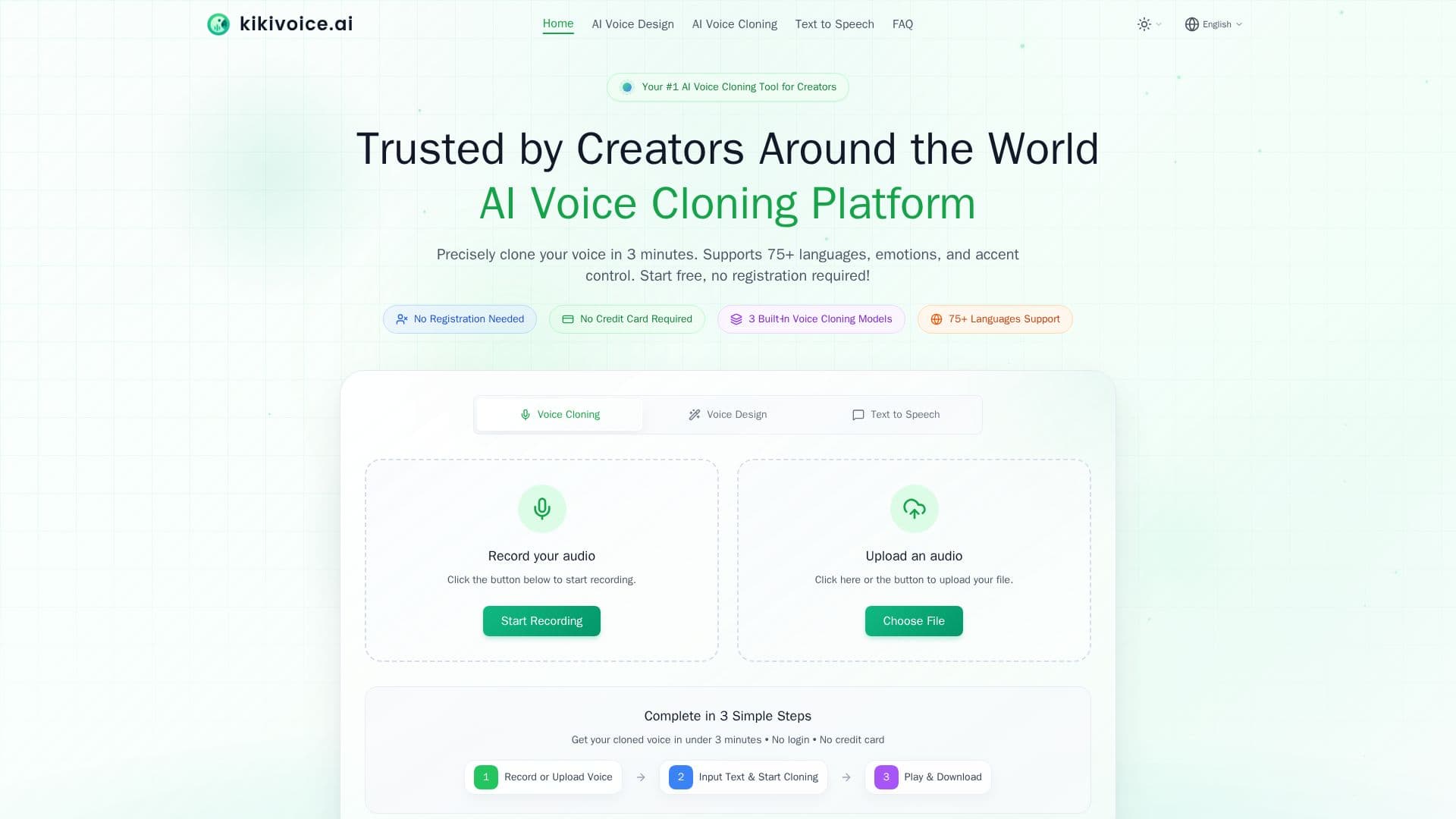
Description
KikiVoice is an AI voice cloning and generation platform for creators. You upload a few seconds of audio and enter text to produce a realistic voice clone in under three minutes, with no sign-up required. It also offers AI voice design, where you describe a voice in plain language and KikiVoice generates an original AI voice.
Read More
The platform includes three built-in models for different needs: Kiki Core for fast, stable everyday cloning; Kiki Pro for professional-grade quality with 15+ emotion presets and intensity control; and Kiki Multilingual for cross-lingual synthesis across 75+ languages and multiple accents. It also provides a library of LLM and standard voices for pure AI generation.
KikiVoice supports emotion and style control, accent transformation, and export in formats including MP3, WAV, OGG, AAC, and OPUS. Uploaded samples and generated audio are encrypted and automatically deleted after processing. It offers a free tier with weekly auto-resetting credits and commercial-use rights for generated content.
- CategoryAI Voice Generators
- Pricing ModelFreemium
- DeploymentCloud
- PlatformsWeb
KikiVoice's Core Features
Voice cloning from 3-15 seconds of audio in under 3 minutes
AI voice design from a text prompt
Three models: Kiki Core, Kiki Pro, and Kiki Multilingual
75+ languages and cross-lingual synthesis
15+ emotion presets and intensity control
Accent transformation
Export as MP3, WAV, OGG, AAC, or OPUS
No sign-up and auto-deletion of uploaded audio
How to use KikiVoice?
Add a voice source: Upload or record a clean 3-15 second audio sample, or design a voice with a prompt.
Choose a model and settings: Pick Kiki Core, Pro, or Multilingual and select language, emotion, and accent.
Enter your text: Type the script you want the voice to speak.
Generate and download: Create the audio, preview it, and download it as MP3, WAV, or another format.
KikiVoice's Use Cases
- Video and social content
- Audiobooks and podcasts
- Ads and branding
- Gaming and animation
- Localization