
Description
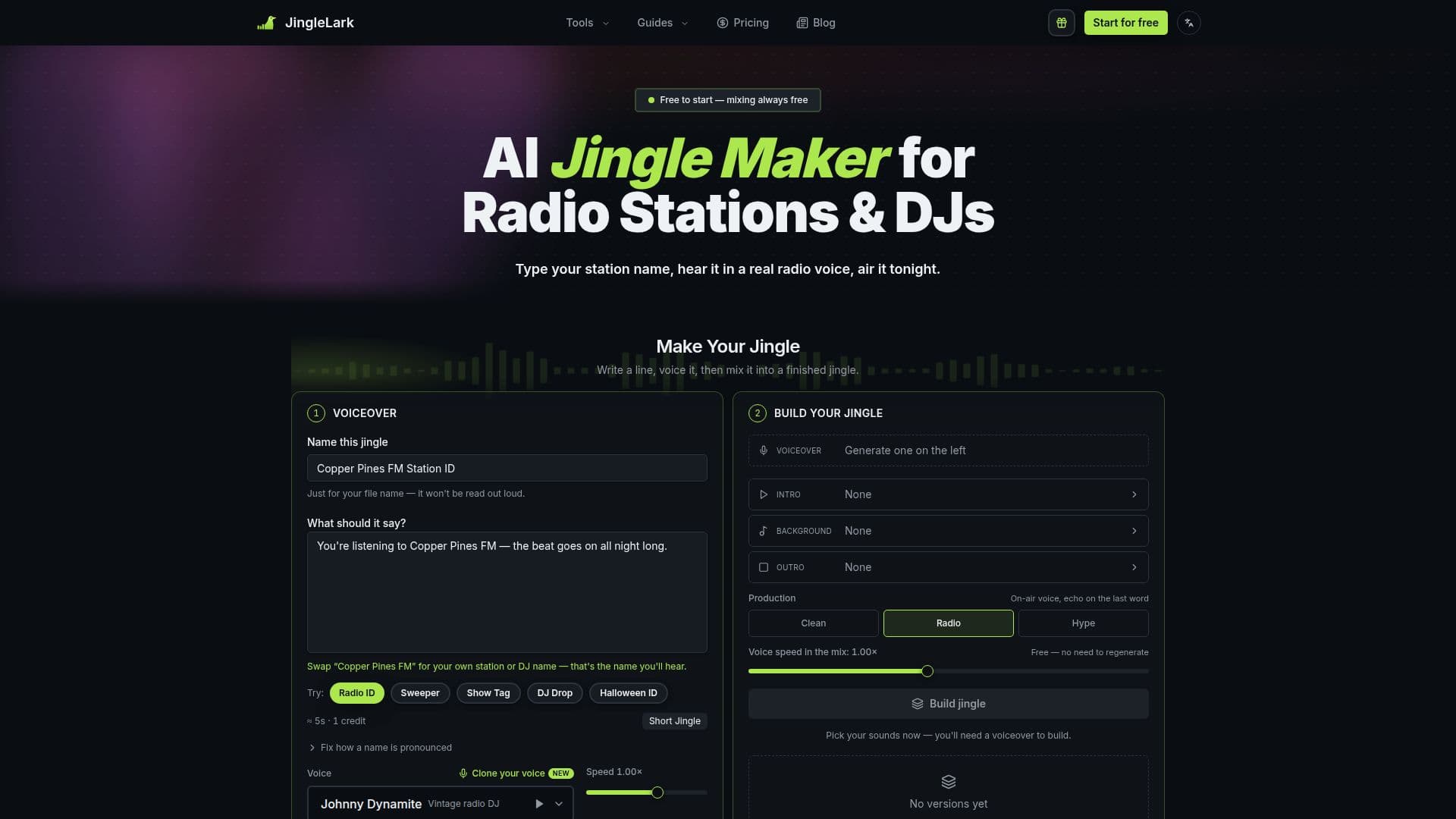
JingleLark is an AI jingle maker specifically tailored for internet, community, and hospital radio stations, their presenters, and DJs. The platform simplifies the creation of professional-sounding radio imaging elements such as station IDs, sweepers, show tags, and DJ drops. Users begin by typing their script or station name, then select from a library of 24 distinct on-air voices, or even clone their own voice for a personalized touch. Once the voiceover is generated, it can be mixed with a variety of intros, music beds, and outros to produce a finished, air-ready jingle.
Read More
The core functionality revolves around its AI voice generation, which is a paid service, while the mixing and downloading of jingles are entirely free and unlimited. This approach encourages experimentation, allowing users to build multiple versions of a jingle with different sound elements without incurring additional costs. Every version created remains on the page for easy comparison, ensuring users can select the best mix for their needs. The platform also offers templates for common jingle types like Radio ID, Sweeper, Show Tag, and DJ Drop, streamlining the creation process.
JingleLark provides 24 radio voices categorized into 6 on-air roles, ranging from vintage DJ to warm narrator. Additionally, it boasts a library of 88 sounds, including 45 intros, 28 background beds, and 15 outros, all accessible to every account. Users can preview all voices and sounds before committing any credits. The jingles produced are royalty-free, granting commercial use for broadcast on stations, inclusion in paid ads, client campaigns, or publication on any platform without per-play fees or expiry dates.
Script length is flexible, with up to 220 characters costing one credit and longer scripts (up to 900 characters) costing two. The system automatically handles professional mixing aspects such as music ducking under the voice, trimming dead air, and loudness normalization to -16 LUFS, ensuring a consistent broadcast-ready sound. JingleLark supports scripts in approximately 30 languages, though AI voices are native English speakers, resulting in English accents for non-English scripts. Users can also clone their own voice for free, which can read in English, Spanish, Portuguese, French, German, Italian, Russian, Chinese, Japanese, and Korean.
Pricing is freemium, offering 1 free credit upon signup and an additional credit for every 7-day check-in streak (expiring after 30 days). One-time credit packs are available, starting from $14.90 for 50 credits, with purchased credits never expiring. This model makes JingleLark an accessible solution for small stations and independent DJs who require professional radio imaging on a budget, without the need for subscriptions or complex audio editing software.
- CategoryAI Voice Generators
- Pricing ModelFreemium
- DeploymentCloud
- PlatformsWeb
JingleLark's Core Features
AI voiceover generation for radio imaging
24 professional radio voices across 6 on-air roles
Ability to clone your own voice for free
Library of 88 intros, music beds, and outros
Free and unlimited mixing of voiceovers with sound elements
Free and unlimited MP3 and WAV downloads
Royalty-free commercial use for all downloaded jingles
Templates for Station IDs, Sweepers, Show Tags, and DJ Drops
Automatic audio mixing with ducking and loudness normalization
Support for scripts up to 900 characters
Multilingual script reading (English voices with English accent for non-English)
Cloned voices support 10 languages
One-time credit packs with no subscription
Credits never expire (purchased credits)
Free credit on signup and for check-in streaks
How to use JingleLark?
Write Script: Type your station name or script, or use a template like Radio ID or DJ Drop.
Generate Voiceover: Choose from 24 on-air voices or a cloned voice, then generate the voiceover (this step uses credits).
Build Jingle: Select an intro, background music bed, and outro from the library and hit 'Build'.
Refine Mix: Rebuild the jingle with different sound elements as many times as needed for free.
Download: Download the finished, mixed jingle as an MP3 or WAV file for immediate use.
JingleLark's Use Cases
- Station IDs
- Sweepers
- Show Intros & Tags
- DJ Drops
- Sponsor Spots
- Presenter Tags
- Segment Stings
- Promos