
Description
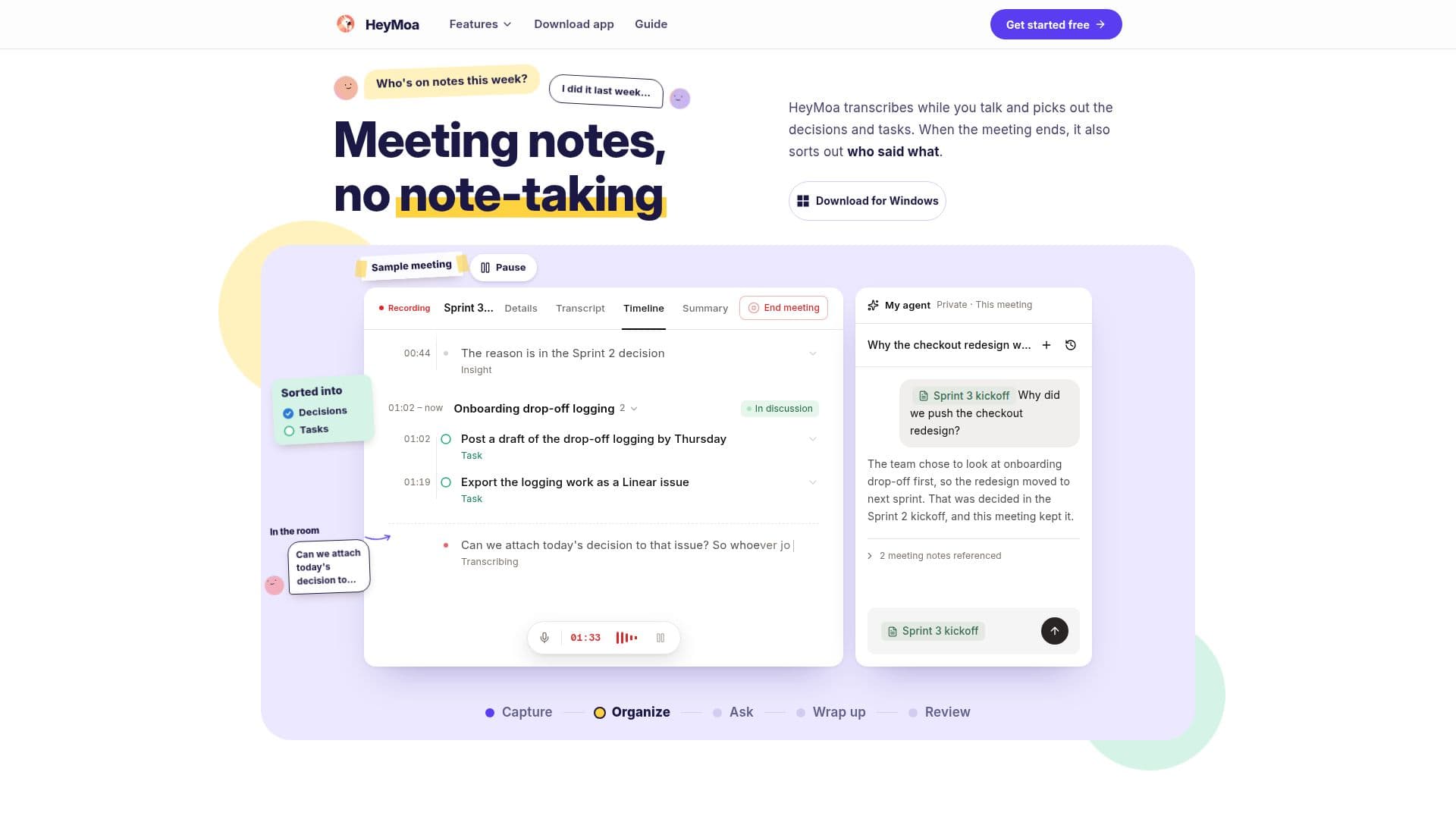
HeyMoa functions as an AI agent that enhances team productivity by maintaining meeting context across sessions, facilitating quicker and more informed decisions. It automatically generates real-time meeting notes, identifies individual speakers, and systematically organizes all decisions and tasks discussed. This tool is accessible as a web application and also offers a desktop app for Mac and Windows users, ensuring flexibility in how teams capture their discussions. The desktop version specifically records both microphone input and computer audio, displaying a timeline in the menu bar for easy reference.
Read More
Upon the conclusion of a meeting, HeyMoa processes the recording and presents a comprehensive summary in a dedicated tab. Decisions and tasks are not finalized immediately; instead, users review and approve the relevant items before they are integrated into the project. Any unselected items remain within the meeting notes. The system also handles changes of mind during meetings by striking through and marking reversed items on the timeline, rather than deleting them. Users can edit or exclude any transcribed line, and modify task assignees and due dates, with excluded lines remaining visible but struck through.
HeyMoa addresses situations where new decisions supersede earlier ones by suggesting a "Replaces an earlier decision" option in the Summary tab, allowing users to choose whether to replace or retain the original decision. For the designated note-taker, the process involves reviewing the Summary tab to complete missing assignees and due dates, correct transcription errors, and assign names to speakers in the Transcript tab post-meeting. The platform ensures that every meeting is automatically associated with its respective project, providing details like recording duration and participant count.
An integrated personal agent allows users to query past meetings for information, searching the current meeting first and then expanding to previous sessions. HeyMoa also supports connections with external AI agents like Claude Code and Codex, enabling them to access meeting data. The platform prioritizes user approval for all external actions; for instance, creating a Linear or GitHub issue based on meeting tasks requires explicit confirmation, ensuring no information is exported without consent. HeyMoa is designed to work alongside existing meeting applications like Zoom, Google Meet, Microsoft Teams, Webex, Slack Huddles, and Discord, listening through the laptop microphone without needing direct integration or joining the call.
- CategoryAI Meeting Assistants
- Pricing ModelFreemium
- DeploymentCloud, Desktop
- PlatformsWeb, Mac, Windows
HeyMoa's Core Features
Real-time AI meeting notes
Speaker identification and separation
Organization of decisions and tasks
Context carrying across meetings
Personal agent for querying past meetings
Export approved items to Linear or GitHub
Connect external AI agents (e.g., Claude Code, Codex)
Web and desktop app availability (Mac, Windows)
Microphone and computer audio recording (desktop app)
Post-meeting review and approval of decisions/tasks
Editing and exclusion of transcribed lines
Modification of task assignees and due dates
Handling of reversed or overridden decisions
Automatic project organization for meetings
No direct integration needed with meeting apps
How to use HeyMoa?
Sign In: Access HeyMoa via your browser or desktop app using your Google account.
Start Recording: Begin a meeting in HeyMoa while using your preferred meeting app (e.g., Zoom, Google Meet).
Review Summary: After the meeting, navigate to the Summary tab to review AI-generated decisions and tasks.
Refine Notes: Edit transcribed lines, assign speakers, and fill in missing assignees or due dates in the Transcript tab.
Approve & Export: Select and confirm the decisions and tasks you wish to add to your project, then export to integrated tools like Linear or GitHub.
Query Past Meetings: Use the personal agent to ask questions and retrieve information from current or past meeting notes.
Connect AI Apps: Link external AI tools like Claude Code or Codex to allow them to read meeting data.
HeyMoa's Use Cases
- Real-time Meeting Transcription
- Decision and Task Management
- Historical Meeting Context
- Speaker Identification
- Project Record Keeping
- AI-Powered Information Retrieval
- Workflow Integration
- External AI Collaboration
- Meeting Note Review
- In-Person Meeting Capture