


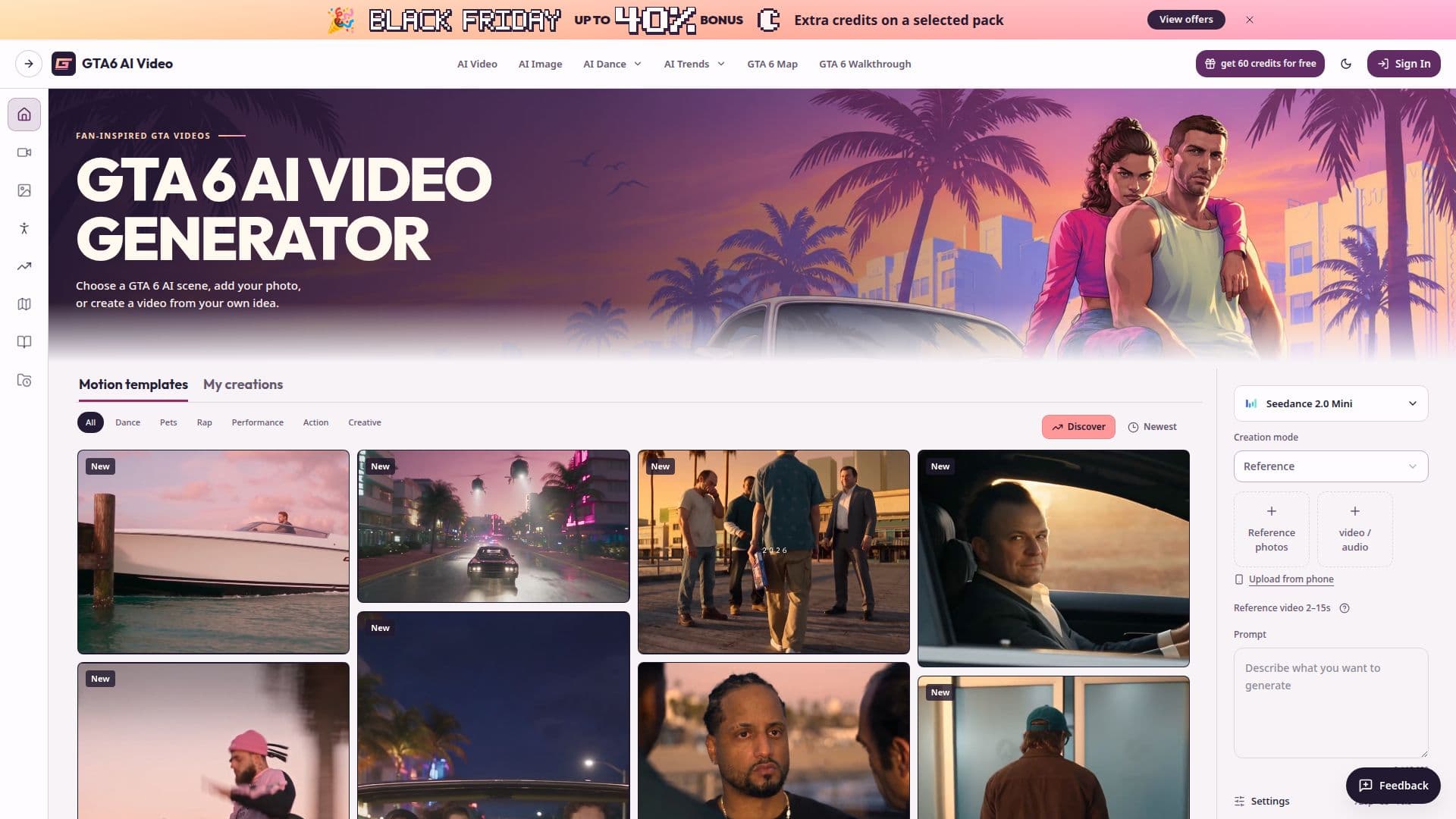
Description
GTA6 AI Video is an independent online service designed for generating fan-inspired videos based on the Grand Theft Auto universe. It allows users to create personalized video content by leveraging prepared scenes and custom inputs. The platform offers a range of templates, including themes inspired by GTA 5 and GTA 6, such as "Goodbye GTA 5," airport farewells, a thirteen-year reunion, car washing, an apocalypse reaction, a police chase, and a living-room prank.
Read More
Users can begin their creation process by browsing these ready-made scenes and adding their own photos to personalize specific roles within the video. Alternatively, for more custom creations, the service supports starting from a text prompt, a still image, or a reference media clip, depending on the selected AI model. The workspace provides input requirements and an estimated cost before submission, ensuring transparency.
It's important to note that GTA6 AI Video is an independent, fan-made tool and is not affiliated with, endorsed by, or an official product of Rockstar Games or Take-Two Interactive. The videos generated are fan-inspired visual material and do not represent official game releases, game editors, or access to unreleased gameplay. The service emphasizes reviewing the generated content, including faces, hands, scene changes, and sound, and checking audio rights before sharing.
The platform operates on a freemium model, offering various plans and credit packages. The cost of generating a video depends on the chosen model, settings, duration, and resolution. Users can review credit estimates in the workspace before submission. Generated videos are accessible through the "My creations" or account history sections, where they can be reviewed and downloaded.
- CategoryAI Video Generators
- Pricing ModelFreemium
- DeploymentCloud
- PlatformsWeb
GTA6 AI Video's Core Features
Generate fan-inspired GTA videos
Utilize prepared GTA 5 and GTA 6 templates
Personalize scenes with user photos
Create videos from text prompts
Generate videos from still images
Generate videos from reference media clips
Browse a collection of GTA-themed scenes
Customize specific character roles in templates
Review credit estimates before generation
Access and download generated videos
Freemium pricing model with credit packages
Support for optional vehicle image additions in some scenes
Ability to restore reference sound in some models
Generation history tracking in user account
How to use GTA6 AI Video?
Browse Scenes: Explore the collection of GTA-inspired templates and previews.
Add References: Select a template and load its reference roles, then upload your photos or custom media.
Review Settings: Check the mode, duration, and credit estimate in the workspace.
Generate Video: Sign in and submit your request to generate the video.
Review Result: Play the full video, check visuals and audio, and download from your account.
GTA6 AI Video's Use Cases
- Fan Video Creation
- Social Media Content
- Personalized Greetings
- Creative Storytelling
- Digital Art Exploration
- Themed Video Projects