Description
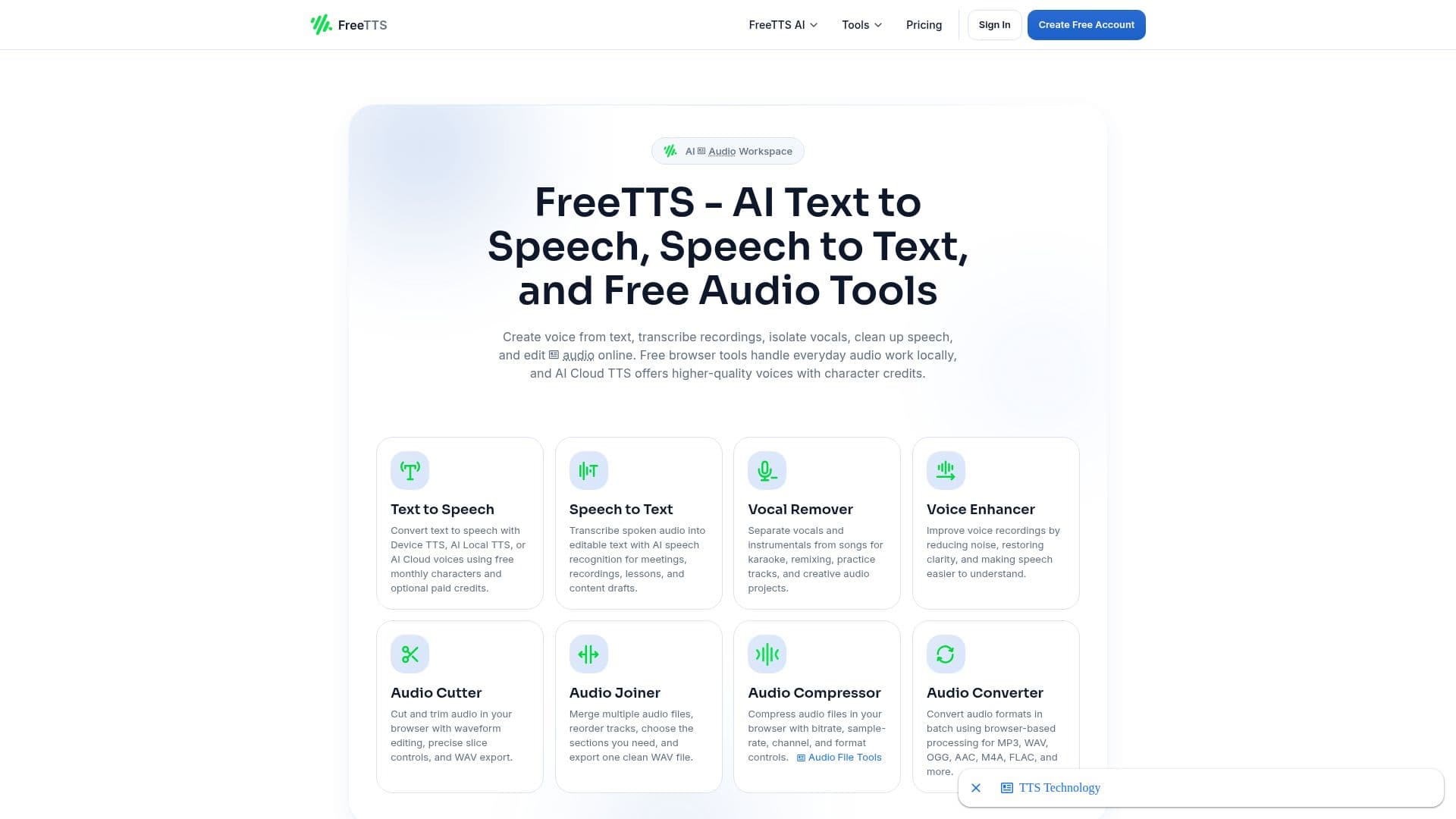
FreeTTS is an all-in-one online audio toolkit that brings together text-to-speech, speech-to-text, vocal remover, voice enhancer, audio converter, audio cutter, audio joiner, and audio compressor. It lets you create voice from text, transcribe recordings, isolate vocals, clean up speech, and edit audio online in a single place.
Read More
Text-to-speech offers Device TTS, AI Local TTS, and AI Cloud voices, with free monthly characters and optional paid credits. Speech-to-text uses AI speech recognition for meetings, recordings, and lessons, while the vocal remover separates vocals and instrumentals for karaoke and remixing, and the voice enhancer reduces noise and restores clarity.
Many of the editing tools, including the audio cutter, joiner, converter, and compressor, run directly in the browser and keep processing on your device for a faster, more private workflow, with support for formats such as MP3, WAV, OGG, FLAC, M4A, AAC, AIFF, and WMA. Batch processing is available in selected tools. Cloud-based AI text-to-speech is credit-based, so you can start free and scale by subscribing or buying top-ups when you need more characters.
- CategoryText to Speech
- Pricing ModelFreemium
- DeploymentCloud, Browser extension
- PlatformsWeb
FreeTTS's Core Features
AI text-to-speech with device, local, and cloud voices
AI speech-to-text transcription
AI vocal remover for karaoke and remixing
AI voice enhancer for noise reduction and clarity
Browser-based audio cutter, joiner, converter, and compressor
Support for many audio formats including MP3, WAV, FLAC, and OGG
Batch processing in selected tools
Local browser processing for privacy where possible
How to use FreeTTS?
Pick a tool: Choose text-to-speech, speech-to-text, vocal remover, or an audio editor.
Add your input: Enter text or upload an audio or video file.
Configure: Select voice, format, or editing options for the tool.
Process: Run the conversion or edit, in the browser or cloud depending on the tool.
Download: Save the resulting audio or text.
FreeTTS's Use Cases
- Voiceovers
- Transcription
- Karaoke and remixing
- Audio editing