Description
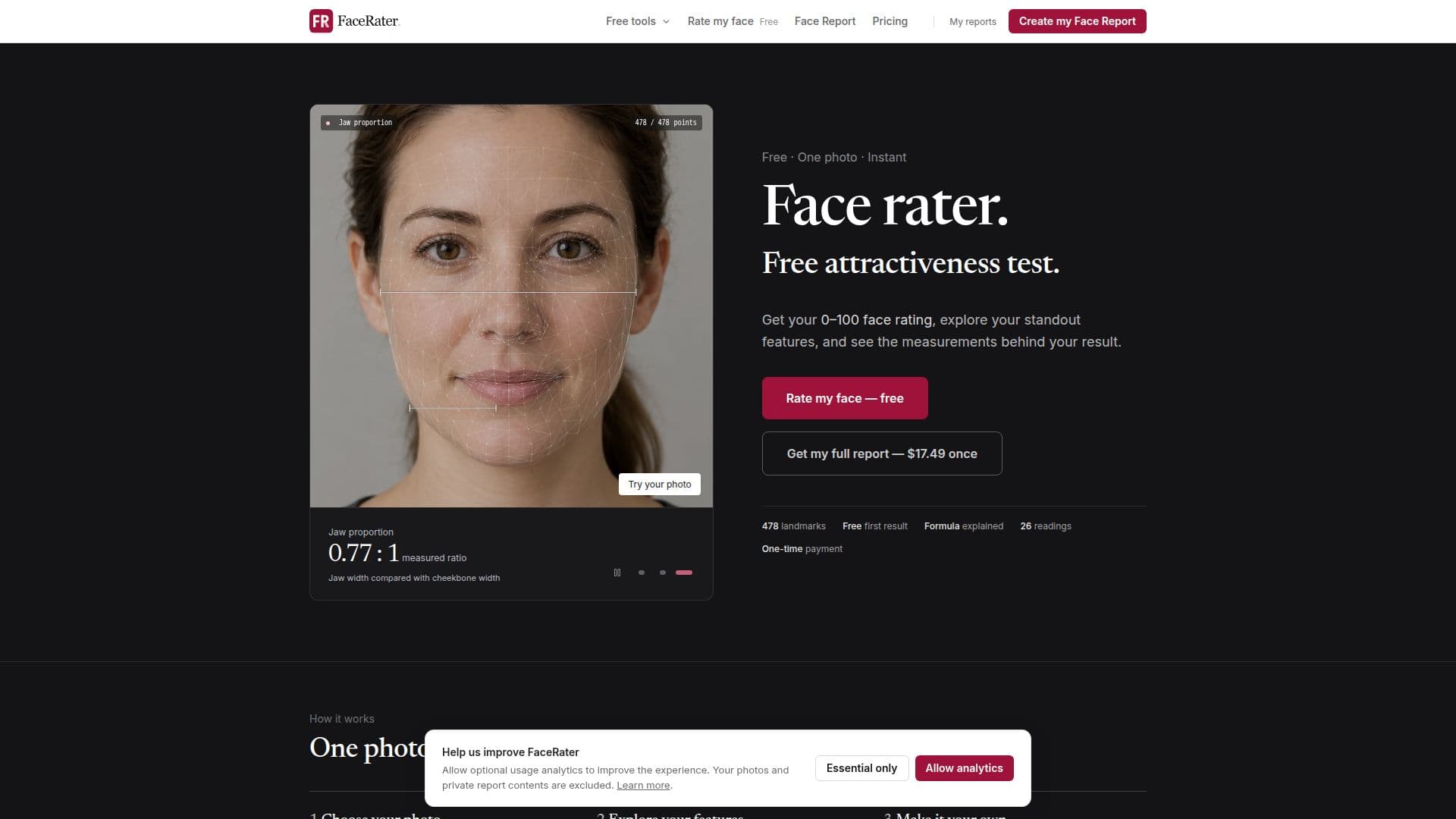
FaceRater provides an AI-powered face analysis tool that allows users to get a free face rating and attractiveness test from a single photo. The platform utilizes a face landmark detector combined with declared geometry calculations to transform a portrait into readable measurements. Instead of providing an unexplained number, FaceRater aims to offer a clearer picture of individual features, enabling users to understand their unique facial geometry.
Read More
The process begins with choosing a photo, followed by exploring various features. Users can then customize their experience by reading a free result, sharing a card, or opting for a complete report and personal plan. The tool offers focused views on aspects like attractiveness, face shape, golden ratio comparisons, PSL scale, face symmetry, canthal tilt, facial proportions, and jawline rating.
FaceRater's methodology involves MediaPipe Face Landmarker for predicting feature positions, from which it computes ratios, angles, and paired differences. The scoring choices are based on a documented FaceRater formula, not a universal attractiveness verdict from the detector. Users can inspect their free reading to see the numerator, denominator, or reference line on their original photo, ensuring transparency and allowing them to verify the detector's accuracy.
The platform offers a free face scan that includes an overall geometry score, visible face shape, and four open readings. For a more comprehensive analysis, a one-time upgrade provides a complete Face Report. This optional report includes all measurements, six AI hairstyles, a color studio, a personal plan, and a PDF. It also allows for comparing a second photo on-device, providing insights into how different expressions or poses affect measurements without using additional AI image credits.
FaceRater is designed for individuals interested in understanding their facial features, exploring potential styling changes, or simply curious about their attractiveness score. It emphasizes providing actionable insights and visual comparisons, such as trying different hair frames or comparing colors, before making real-world changes. The tool supports JPG, PNG, and WebP formats up to 10 MB, and all free scans remain in the browser, with no public profile creation or human rating panels involved.
- CategoryHealth & Wellness
- Pricing ModelFreemium
- DeploymentCloud
- PlatformsWeb
FaceRater's Core Features
Free Face Scan and Attractiveness Test
Detailed Facial Feature Analysis
Face Shape Detector
Golden Ratio Face Calculator
PSL Scale Assessment
Face Symmetry Test
Canthal Tilt Calculator
Facial Proportions Calculator
Jawline Rating
Inspectable Measurement Diagrams
Personalized Styling Plan (Paid Report)
AI Hairstyle Concepts (Paid Report)
Color Studio for Visual Comparisons (Paid Report)
Second Photo Comparison (Paid Report)
PDF Report Export (Paid Report)
How to use FaceRater?
Choose Photo: Select a clear, front-facing portrait of one adult with a relaxed expression and even lighting.
Take Free Test: Upload your photo for an on-device scan to receive a geometry score and four free readings.
Explore Features: Review your free result, including visible landmarks and feature balance, and inspect measurements on your photo.
Compare Styles: Use the free readings to compare potential styling choices like hair frames or necklines.
Upgrade for Full Report: Optionally purchase the complete Face Report for all measurements, AI hairstyles, color studio, and a personal plan.
Generate Concepts: Within the full report, generate six AI hairstyle concepts and explore color pairings.
Compare Second Photo: Upload a second photo to compare five regional diagrams and eight geometry readings for the same person.
Export Report: Download your complete Face Report as a PDF, including measurements, explanations, and styling concepts.
FaceRater's Use Cases
- Personal Face Analysis
- Attractiveness Assessment
- Hairstyle Experimentation
- Styling and Appearance Planning
- Jawline and Face Shape Evaluation
- Facial Symmetry Check
- Eyewear Selection
- Color Palette Comparison
- Self-Improvement Insights