
Description
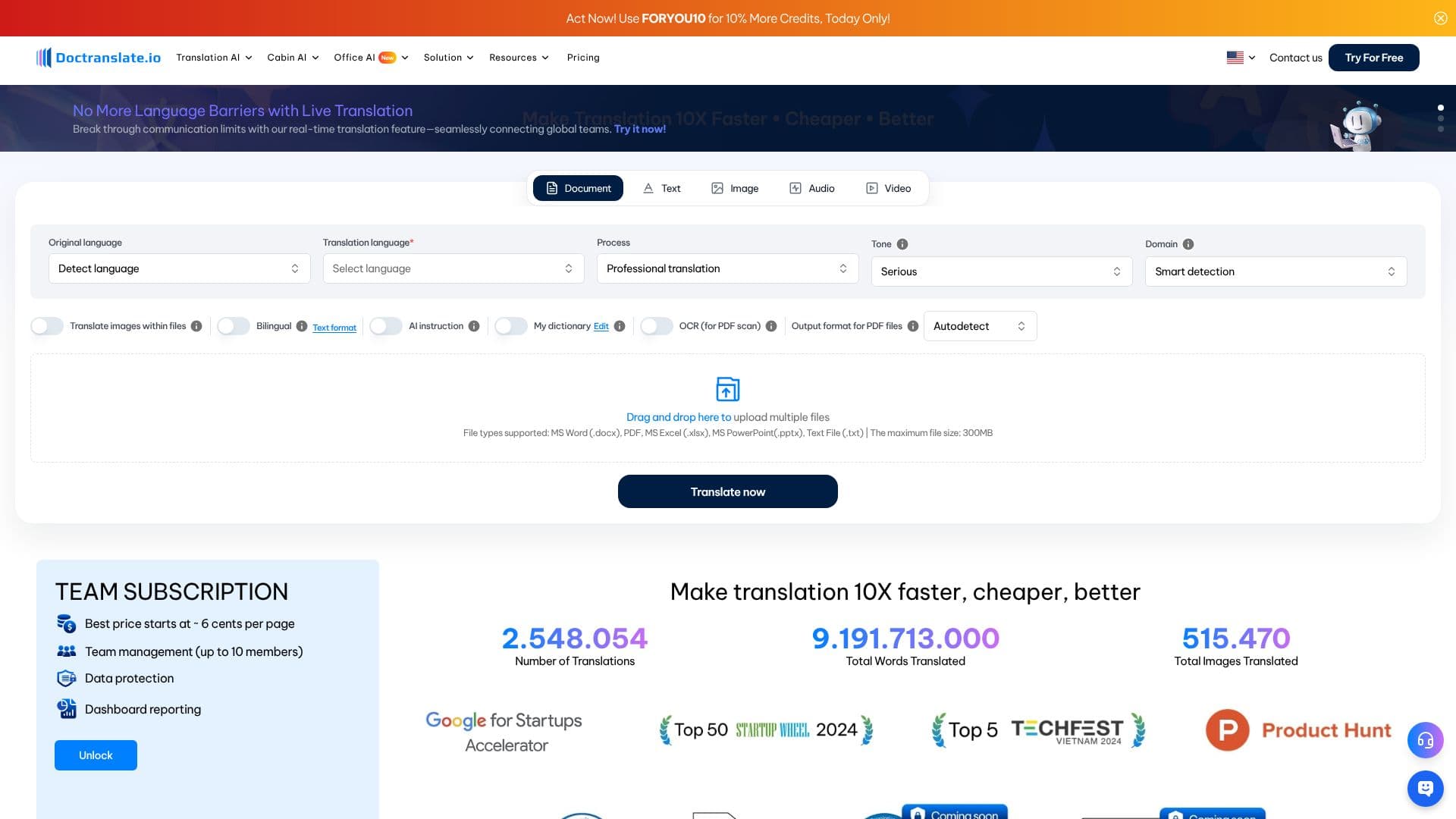
Doctranslate.io provides a robust online platform for translating documents, aiming to eliminate language barriers for individuals and businesses alike. The service emphasizes speed, accuracy, and ease of use, making it a go-to solution for professional document translation needs. It supports a wide array of file formats, including MS Word (.docx), PDF, MS Excel (.xlsx), MS PowerPoint (.pptx), and plain Text files (.txt), with a maximum file size of 300MB.
Read More
Key features include the ability to translate text, images, audio, and video content. For scanned documents or images within files, Doctranslate.io incorporates OCR (Optical Character Recognition) technology to extract and translate text while preserving the original format. This is particularly useful for medical documents, historical stories, or any content requiring precise reproduction of layout and style.
The platform also offers advanced functionalities such as professional translation with a serious tone and smart domain detection, ensuring that the translated content is contextually appropriate. Users can also customize the literary style for specific needs, like translating historical stories or creating engaging presentations. A unique 'Translate Text Forever' offer provides lifetime text translation for free with any plan top-up, a one-time offer.
Doctranslate.io caters to a diverse audience, including businesses, content creators, and educators. For teams, a subscription model offers team management for up to 10 members and dashboard reporting, with pricing starting at approximately 6 cents per page. The tool also boasts a 'Bilingual display function in translation' for easy comparison and a 'My dictionary' feature for custom terminology.
With a commitment to breaking communication limits, Doctranslate.io introduces a real-time translation feature designed to seamlessly connect global teams. The platform highlights its significant volume of translations, with millions of translations completed and billions of words translated, underscoring its reliability and extensive experience in the field of document translation.
- CategoryAI Translators
- Pricing ModelFreemium
- DeploymentCloud
- PlatformsWeb
DocTranslate's Core Features
Supports MS Word, PDF, Excel, PowerPoint, and Text files
OCR for scanned documents and images
Real-time translation feature
Professional translation with tone and domain customization
Lifetime text translation offer with plan top-up
Bilingual display function for comparison
Customizable 'My dictionary' for terminology
Team management and dashboard reporting for subscriptions
Translate images within files
Preserves original document format
Supports translation of subtitles in Video/Youtube
Create dynamic PowerPoint slides from Docx or PDF
Transform PowerPoint or PDF files into Video presentations
How to use DocTranslate?
Upload Document: Drag and drop your file or select it from your device.
Select Languages: Choose the original language (or let it auto-detect) and your desired translation language.
Configure Options: Select translation tone, domain, and enable OCR if needed for scanned documents.
Translate: Click 'Translate now' to process your document.
Review and Download: Check the translated document, make edits if necessary, and download the output.
DocTranslate's Use Cases
- Document Translation
- Scanned Document OCR
- Global Team Communication
- Content Creation
- Business Document Conversion
- Educational Material Translation