Description
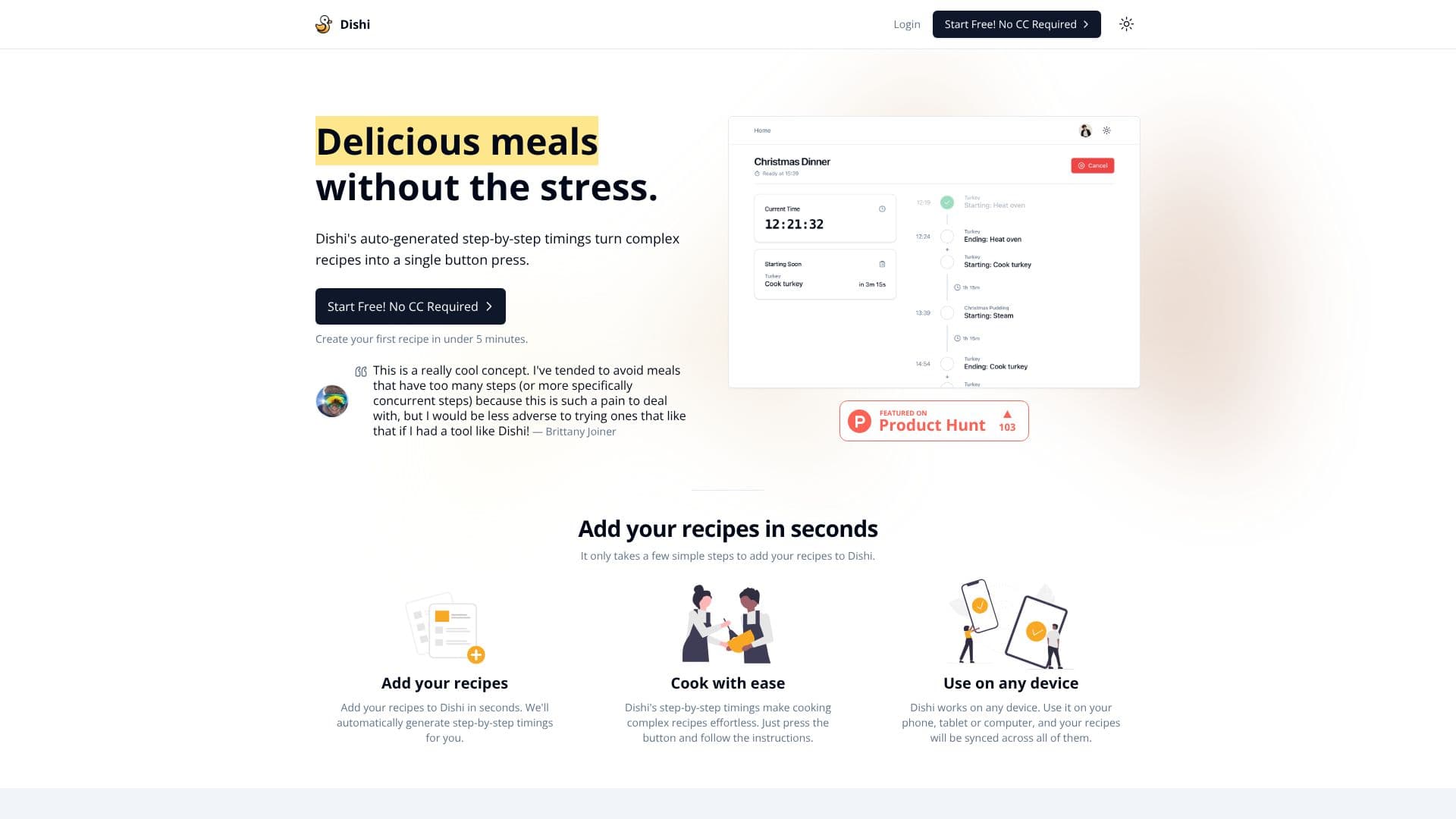
Dishi is an innovative AI-powered meal prep timer designed to take the stress out of cooking complex recipes. It automatically generates step-by-step timings, transforming intricate instructions into a simple, one-button operation. This allows users to tackle recipes they might have previously avoided due to their complexity, especially those with multiple concurrent steps.
Read More
Adding recipes to Dishi is a straightforward process that takes only a few minutes. Once a recipe is entered, Dishi’s AI analyzes the steps and automatically creates a precise, timed sequence for cooking. This feature is particularly beneficial for home cooks who want to achieve professional-level results without the usual guesswork or constant clock-watching.
The core value proposition of Dishi lies in its ability to make cooking effortless. By providing clear, timed instructions, users can follow along easily, ensuring all components of a meal are ready simultaneously. This is a significant advantage for anyone cooking for a family or hosting guests, where coordinating different dishes can be challenging.
Dishi is designed with universal usability in mind, catering to both technophobes and experienced tech users. The interface is intuitive, making it as simple to use as a microwave. Furthermore, Dishi is accessible on any device – phone, tablet, or computer – with recipes synced across all platforms, ensuring users can access their meal plans wherever they are.
User testimonials highlight Dishi's game-changing potential, praising its ability to simplify intricate recipes and save time in the kitchen. The tool is lauded for its ease of use and the confidence it instills in users tackling more ambitious culinary projects. Dishi offers a free trial, requiring no credit card, and allows users to create their first recipe in under five minutes.
- CategoryNutrition & Meal Planning
- Pricing ModelFree Trial
- DeploymentCloud
- PlatformsCross-device (Phone, Tablet, Computer)
Dishi's Core Features
Auto-generated step-by-step timings for recipes
Simplifies complex and concurrent cooking steps
Recipe creation in under 5 minutes
Cross-device synchronization (phone, tablet, computer)
Intuitive interface designed for all skill levels
Effortless cooking experience
Manages timings for multiple meals simultaneously
Free trial available, no credit card required
How to use Dishi?
Add Recipe: Input your recipe details into Dishi.
Generate Timings: Dishi automatically creates step-by-step cooking timings.
Start Cooking: Press the button to begin the timed sequence.
Follow Instructions: Follow the on-screen prompts as you cook.
Sync Across Devices: Access your recipes on any phone, tablet, or computer.
Dishi's Use Cases
- Simplify Complex Recipes
- Effortless Meal Prep
- Multi-Meal Coordination
- Beginner Cook Support
- Time-Saving Kitchen Tool
- Cross-Device Cooking