
Description
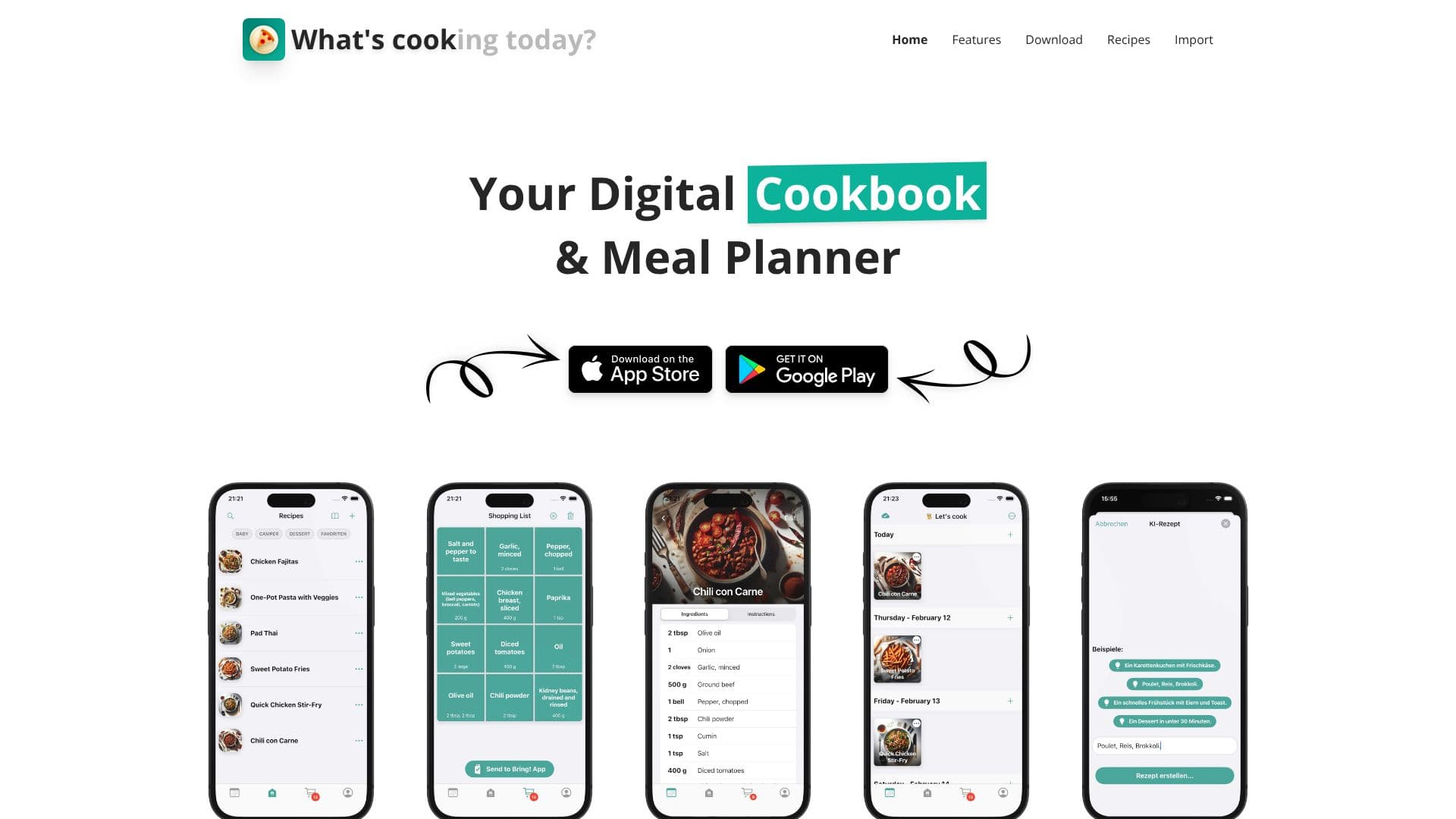
WhatsCook offers a comprehensive solution for anyone looking to streamline their meal planning and cooking experience. At its core, it functions as an intelligent digital cookbook and a robust meal planner, designed to reduce the daily stress of deciding "What's cooking today?". The platform leverages AI to generate personalized recipes based on user inputs such as available ingredients, dietary preferences, or specific cravings. This feature ensures that users can always find inspiration and create delicious meals tailored to their needs.
Read More
Beyond recipe generation, WhatsCook excels at recipe digitization. Users can upload or photograph existing recipes, and the AI will instantly extract the ingredients and cooking instructions. This capability extends to importing recipes from various online sources, including URLs, Instagram, and TikTok, making it easy to consolidate all favorite recipes into one accessible digital cookbook. The platform also supports collaborative planning, allowing families and friends to plan meals together, share ideas, and coordinate grocery shopping.
Organization is made simple with WhatsCook's intuitive drag-and-drop interface for scheduling meals and marking them as cooked. A standout feature is the automatic generation of shopping lists directly from the meal plans, ensuring users never forget an ingredient. Whether you're a busy parent, a culinary enthusiast, or someone looking to eat healthier, WhatsCook provides the tools to make meal preparation efficient, enjoyable, and organized. The app is available for download on both the App Store and Google Play, bringing its powerful features to your fingertips.
- CategoryNutrition & Meal Planning
- Pricing ModelFreemium
- DeploymentCloud
- PlatformsiOS, Android
WhatsCook's Core Features
AI Recipe Generator creates recipes from ingredient lists, preferences, or cravings.
Smart Recipe Extraction digitizes recipes from uploaded photos.
Import recipes from URLs, Instagram, and TikTok.
Collaborative meal planning with family and friends.
Drag-and-drop interface for organizing meal schedules.
Mark meals as cooked for tracking.
Auto-generates shopping lists from meal plans.
Save recipes directly from social media and websites.
Digital cookbook for storing and accessing recipes.
How to use WhatsCook?
Configure: Set up your dietary preferences and kitchen inventory.
Generate/Import: Use the AI to create recipes or import your favorites.
Plan: Drag and drop meals into your weekly schedule.
Shop: Automatically generate a shopping list from your plan.
Cook: Mark meals as cooked and track your progress.
Organize: Save new recipes and manage your digital cookbook.
WhatsCook's Use Cases
- Recipe Discovery
- Meal Planning
- Digital Cookbook
- Grocery Shopping
- Collaborative Planning
- Recipe Digitization