Description
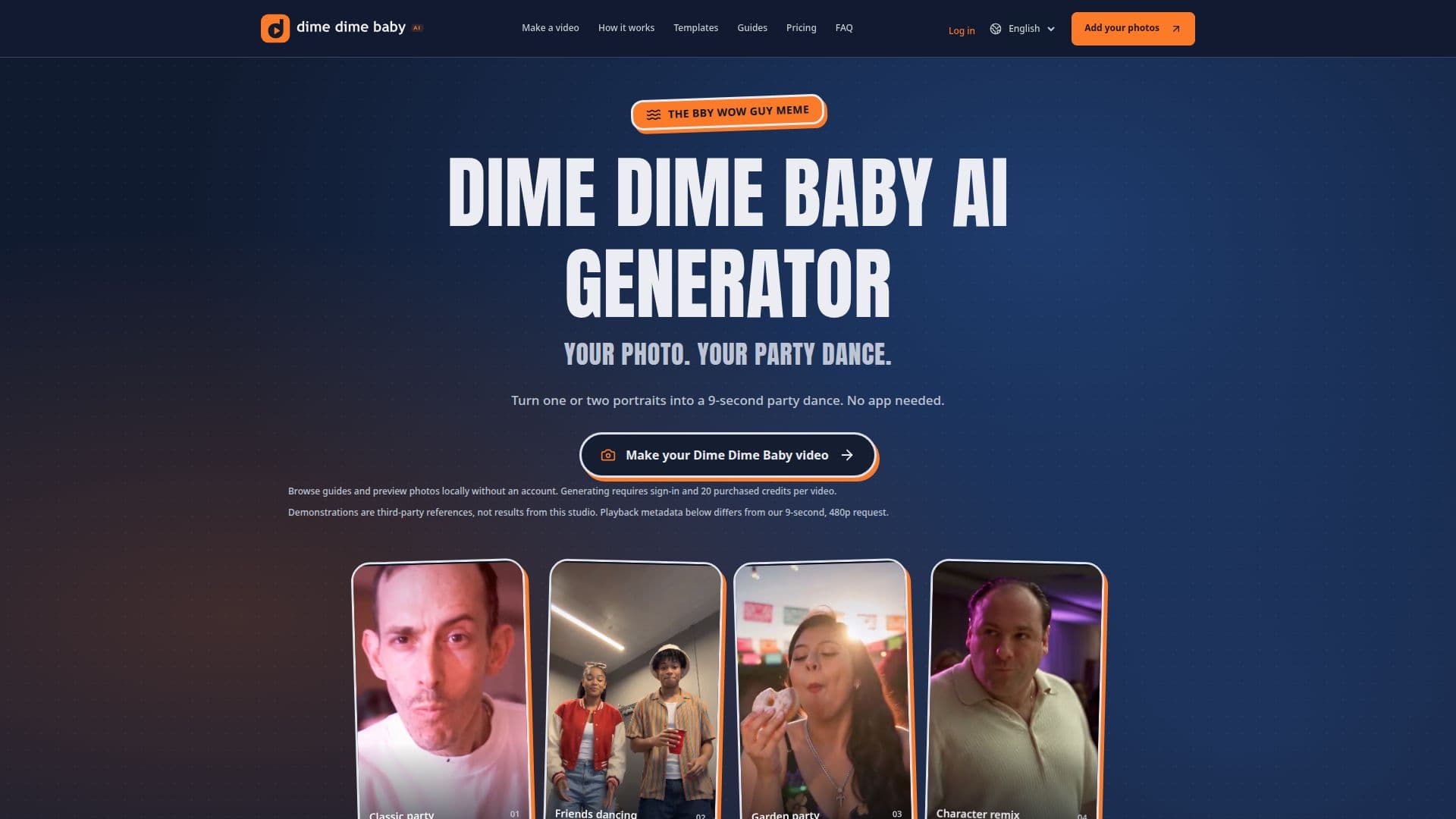
The Dime Dime Baby AI Generator is an independent online studio that converts one or two portrait photos into short, party-themed dance videos. It allows users to create personalized photo-to-video memes inspired by the "Bby Wow Guy" trend, without needing to download an app or possess video editing skills. The platform offers a selection of dance variations and scene settings, enabling a customized output.
Read More
Users begin by uploading one clear portrait for a solo video or two separate portraits for a duet. The tool provides options such as "Classic party" for the iconic concha bite and stare sequence, "Friends dancing" for a side-by-side two-person dance, "Garden party" for an outdoor setting, or "Character remix" for a playful contrast between the portrait and the dance. Local photo previews are available, ensuring privacy as photos are only sent for generation upon user submission.
Each generated video is approximately 9 seconds long, produced in 480p resolution, with options for vertical (9:16) or horizontal (16:9) framing. The videos feature AI-generated instrumental backing and party ambience, deliberately excluding the original "BbY WOW" recording, vocals, or lyrics to provide a unique interpretation. This approach ensures that the output is a new creation rather than an exact copy of existing content.
Video generation is a paid service, operating on a one-time credit pack system. Users purchase credits, which do not expire, and then use 20 credits per video generation. While examples, guides, and local photo previews are free, there is no free generated video preview. The platform emphasizes using clear, front-facing portraits with even lighting for optimal results, though it notes that specific facial details or movements are not guaranteed. Confirmed technical failures result in the return of credits.
Beyond video creation, Dime Dime Baby AI Generator also serves as a guide library, offering tips on photo preparation, understanding different version choices, and navigating the studio workflow. It clarifies its independence from original creators and other platforms, focusing solely on providing a browser-based photo-to-video generation experience for party-inspired memes.
- CategoryAI Video Generators
- Pricing ModelOne-time Payment
- DeploymentCloud
- PlatformsWeb
Dime Dime Baby AI Generator's Core Features
Photo-to-video generation from portraits
Solo and duo dance video options
Multiple party themes: Classic, Friends Dancing, Garden, Character Remix
9-second video clips
480p video resolution (no 720p or 1080p)
Vertical (9:16) or horizontal (16:9) framing
AI-generated instrumental backing and party ambience
No original song, vocals, or lyrics included
Browser-based tool, no app download required
Local photo previews before generation
One-time credit packs, no subscription
Credits never expire
Credits returned for confirmed technical failures
Guides and photo tips library
Supports JPG, PNG, WebP image formats (300x300px min, 10MB max)
How to use Dime Dime Baby AI Generator?
Choose Action: Decide between a solo bread-bite meme (Classic party, Garden party, Character remix) or a two-person dance (Friends dancing).
Upload Photos: Add one clear adult portrait for solo videos, or two separate portraits for a duet. Ensure photos are well-lit and front-facing.
Set Frame & Review Cost: Select 480p quality and either 9:16 Vertical or 16:9 Landscape format. Confirm the 20-credit cost per video.
Submit for Generation: Sign in, ensure you have purchased credits, and click "Make our video" when the service is available.
Follow Task Status: Monitor the progress of your video generation task within the studio.
Play, Download & Inspect: Once ready, play and download your video within 24 hours. Check for facial consistency, action order, and audio before posting.
Dime Dime Baby AI Generator's Use Cases
- Personalized Party Memes
- Duet Dance Videos
- Birthday Messages
- Creative Content Remixes
- Social Media Engagement
- Event Invitations
- Digital Storytelling