Description
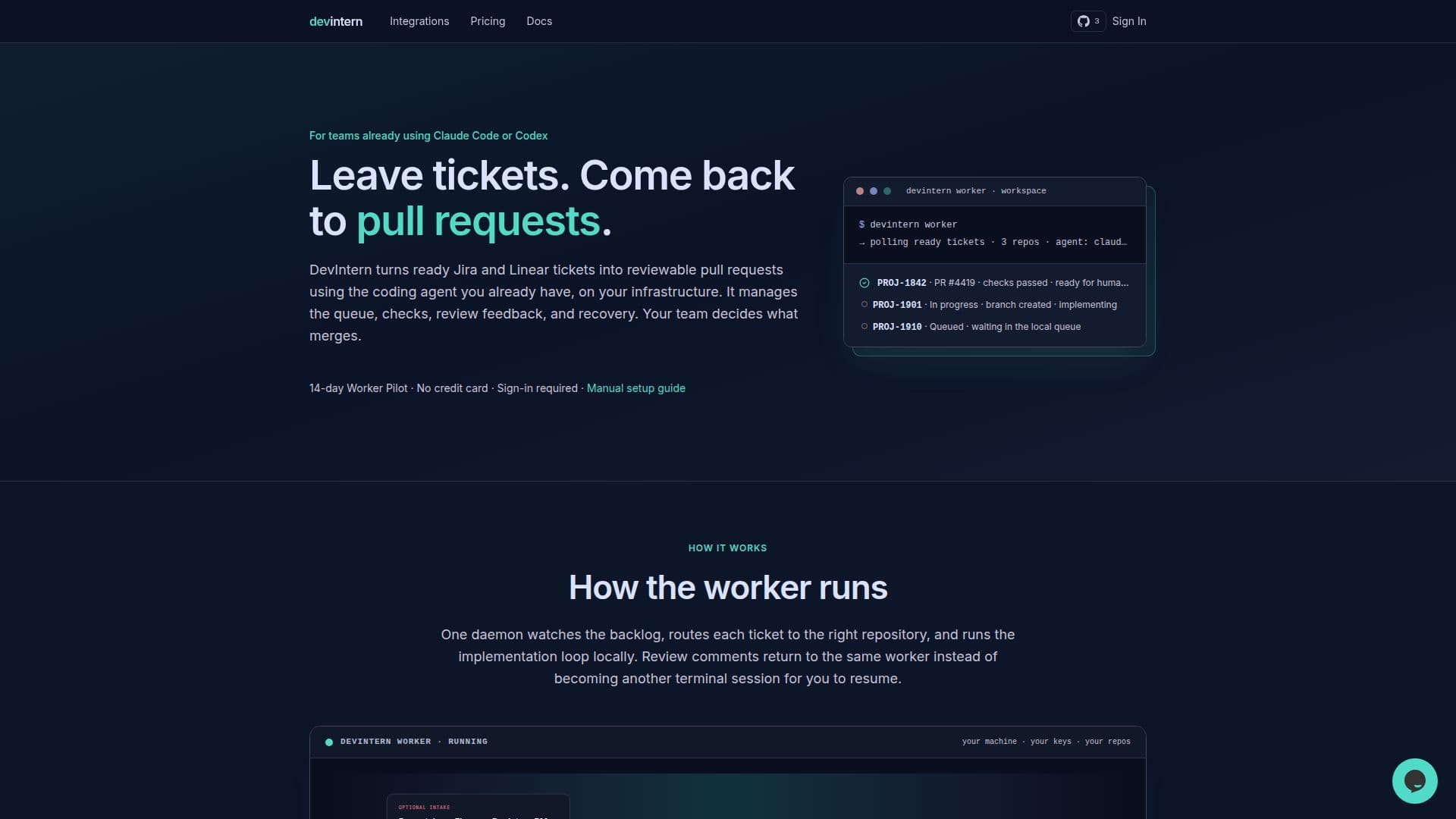
DevIntern is a self-hosted automation tool designed to streamline the software development workflow by transforming project management tickets into actionable pull requests. It operates on your own machines, polling your existing task trackers like Jira, Linear, Trello, Asana, Azure DevOps, GitHub Issues, and even plain markdown files. The system then utilizes your preferred coding agents, such as Claude Code, Codex, Cursor, or OpenCode, to generate code and create pull requests.
Read More
The core functionality of DevIntern revolves around automating the repetitive aspects of development. It manages the entire lifecycle from ticket intake to pull request creation, including queue management, branch and PR state machines, optional auto-review, handling review comments as new commits, and robust rate-limit recovery. This ensures that your coding agents can work efficiently and autonomously, freeing up human developers to focus on more complex tasks and critical decision-making.
DevIntern emphasizes security and control, as all credentials and sensitive data remain on your local machines. It integrates seamlessly into existing workflows, requiring no changes to your repository, reviewers, CI/CD pipelines, or tracker. Pull requests arrive in the format your team is accustomed to, allowing for a smooth integration into current review processes. The platform also includes a feasibility gate to prevent vague specifications from becoming incorrect pull requests, and an optional self-review loop where the agent critiques and fixes its own code before human review.
For planning, DevIntern PM (a desktop app for macOS and Linux) helps product managers turn rough prompts, error logs, or Figma designs into clear, codebase-grounded tickets. This ensures that engineering teams receive well-defined tasks with clear scope and acceptance criteria, reducing clarification round-trips. The system is built for unattended work, featuring persistent queues, crash recovery, and provider rate-limit detection to ensure continuous operation.
DevIntern offers flexible pricing, including a free interactive use option and a 14-day worker pilot without a credit card. Continued unattended automation requires a Supporter license for solo users or Team/Business subscriptions for larger groups. The software is source-available under the FSL, converting to Apache-2.0 after two years, providing transparency and ensuring long-term usability even if development ceases. This commitment to open access and self-hosting makes DevIntern a robust and reliable solution for automating development tasks.
- CategoryAI DevOps & Cloud Tools
- Pricing ModelFreemium
- DeploymentSelf-hosted
- PlatformsmacOS, Linux
DevIntern's Core Features
Self-hosted worker for automation
Turns tracker tickets into pull requests
Integrates with existing coding agents (Claude Code, Codex, Cursor, OpenCode)
Supports multiple task trackers (Jira, Linear, Trello, Asana, Azure DevOps, GitHub Issues, Markdown)
Manages queues, branches, and PR state machines
Handles review feedback as commits on the same branch
Includes optional auto-review and feasibility gate
Provides rate-limit recovery and crash recovery
Credentials and data remain on local machines
DevIntern PM for turning rough inputs into clear tickets
Supports error monitoring integrations (Sentry)
Offers interactive runs for free
Source-available under FSL (converts to Apache-2.0)
No workflow changes required for teams
Supports GitHub and Bitbucket for pull requests
How to use DevIntern?
Install DevIntern: Install the Bun runtime and the DevIntern CLI globally.
Initialize Configuration: Run `devintern init` in your project directory to set up tracker and agent credentials.
Connect Task Tracker: Configure your preferred task tracker (e.g., Jira, Linear) and coding agent within the setup wizard.
Run First Task: Use `devintern <TASK_ID>` to implement a specific ticket or markdown file and open a pull request.
Set Up Worker: For continuous automation, initialize a workspace worker to watch for ready tasks and handle PR feedback.
Utilize DevIntern PM: Download the desktop app to transform prompts, logs, or designs into structured, actionable tickets.
DevIntern's Use Cases
- Automated Pull Request Generation
- Streamlined Development Workflow
- Enhanced Code Quality
- Efficient Review Feedback Handling
- Clearer Task Definition
- Cross-Repository Work Management
- Scheduled Maintenance Automation
- Error Monitoring and Fixes
- Developer Productivity Boost