Description
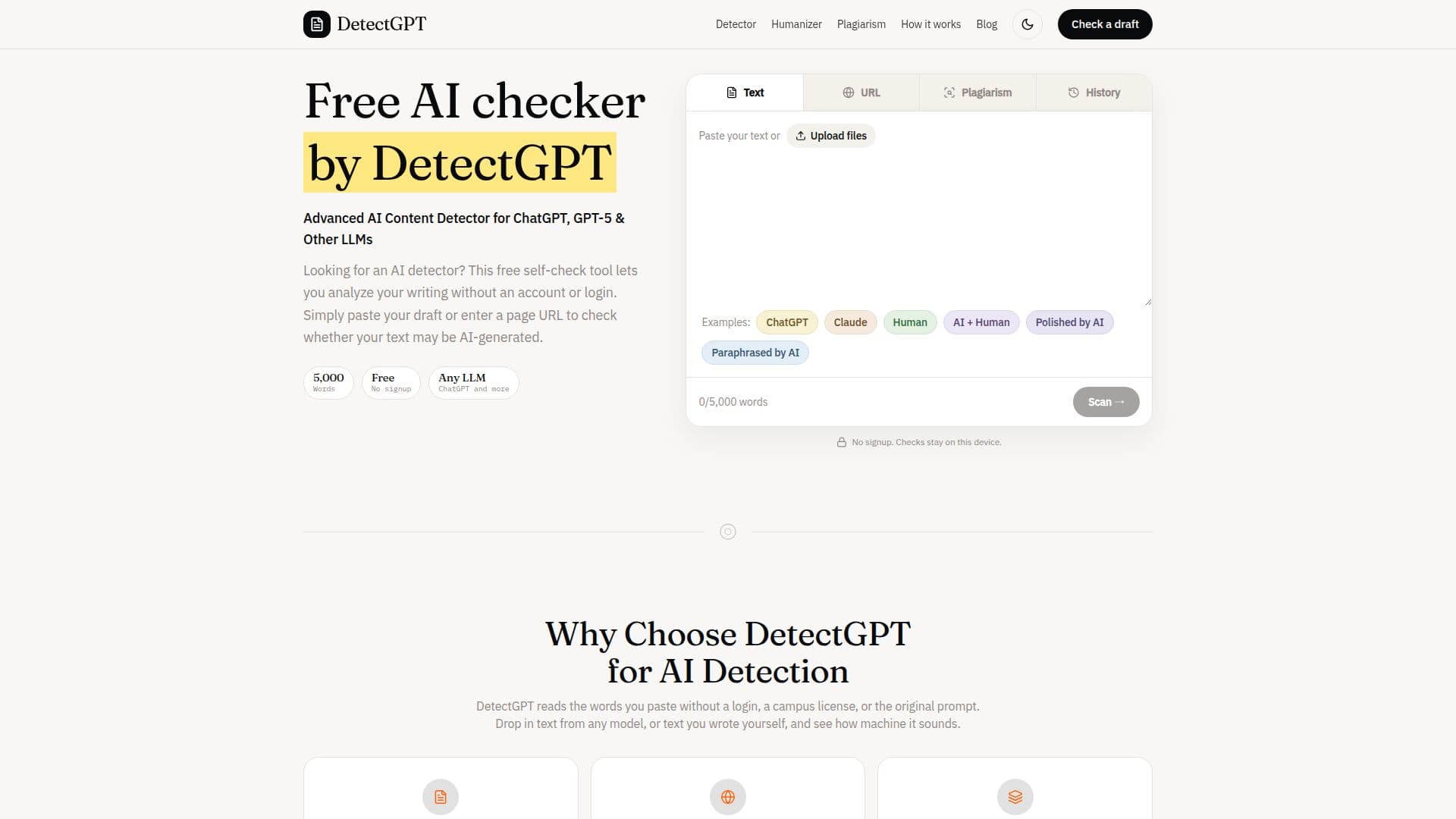
DetectGPT offers a free AI writing checker and plagiarism detection service, allowing users to analyze text for AI-generated content and identify similarities with public web pages. The tool enables users to paste up to 5,000 words or a public URL to receive an AI percentage score, indicating how much of the draft sounds machine-made. It highlights passages that appear stiff or AI-generated in yellow, orange, and red, providing a visual guide for editing.
Read More
Beyond AI detection, DetectGPT includes a plagiarism checker that identifies matching phrases on public web pages and lists source links. This feature helps users understand the overlap percentage of their pasted draft with existing online content. The service is independent and not affiliated with other tools like Turnitin or ZeroGPT, offering a distinct analysis.
DetectGPT is designed for a broad audience, including students, teachers, writers, and individuals writing in a second language. Students can use it for a private check before submitting papers, especially if they've used AI models for outlines. Teachers and writers can identify AI-generated phrasing in drafts before client or editor review. For second-language writers, it helps in varying rhythm and avoiding false alarms that can arise from careful, even prose.
The platform also provides a separate AI Humanizer tool, which allows users to rewrite AI-generated text to sound more natural. This tool accepts up to 1,000 words per run and aims to change the rhythm and stock phrasing while preserving the original meaning. It offers various modes like Standard, Fluent, Academic, Formal, Casual, and Concise, and supports multiple output languages. The humanizer is intended as an editing step to improve the cadence of AI-generated content, not as a guarantee to bypass detectors.
DetectGPT operates without requiring an account, card, or school login, making it accessible for quick, independent checks. Text pasted for AI detection is scored in the user's browser, with history staying on the device, ensuring privacy. For URL analysis, servers fetch the public page to read and score the text. The tool emphasizes that its scores are signals for editing rather than definitive verdicts of authorship or misconduct, encouraging users to rewrite stiff lines and understand that detectors do not share a universal percentage.
- CategoryAI Content Detectors
- Pricing ModelFree
- DeploymentCloud
- PlatformsWeb
DetectGPT's Core Features
Free AI Text Detection: Analyze text for AI-generated content without cost.
5,000 Word Limit per Run: Paste full essay-length drafts for analysis.
Public URL Analysis: Check AI content on public web pages, including homepages.
Multi-LLM Compatibility: Scores writing from ChatGPT, Claude, Grok, Gemini, and other models.
Visual AI Score Report: Provides a percentage and highlights stiff lines in yellow, orange, and red.
Sentence-Level Rephrasing: Edit individual sentences directly within the analyzed text.
Real-Time Score Updates: AI detection scores update instantly with rephrasing.
Plagiarism Checker: Detects matching phrases on public web pages and lists source links.
No Account or Login Required: Access features directly in the browser.
Privacy-Focused: Text pasted is scored in the browser; history stays on the device.
AI Humanizer Tool: Rewrites AI-generated text to sound more natural (up to 1,000 words per run).
Multiple Humanizer Modes: Offers Standard, Fluent, Academic, Formal, Casual, and Concise modes.
Multi-Language Humanizer Output: Supports English, Spanish, French, German, Portuguese, Arabic, Chinese, and more.
Independent Tool: Not affiliated with Turnitin, ZeroGPT, or other detectors.
Unlimited Checks: No daily cap on the number of runs for both AI detection and humanization.
How to use DetectGPT?
Paste Text or URL: Enter at least 50 words or a public URL (under 5,000 words) into the text box.
Check AI Score: Click the 'Check AI score' button to initiate the analysis.
Review Report: Read the AI percentage and examine the highlighted yellow, orange, and red passages.
Rephrase Stiff Lines: Hover over red sentences to understand why they scored high and rewrite them in your own voice.
Re-check and Refine: Run the checker again after editing to see how changes affect the AI score.
Use Plagiarism Checker: Switch to the 'Plagiarism Checker' tab to check for web overlap and source links.
Humanize AI Text (Optional): For stiff AI-generated text, use the separate Humanizer tool (up to 1,000 words per run) to change its cadence.
DetectGPT's Use Cases
- Academic Paper Review
- Content Authenticity Check
- Plagiarism Detection
- Improving Second Language Writing
- Rewriting AI-Generated Content
- Marketing Copy Refinement
- Pre-Submission Self-Check
- Analyzing Public Web Content