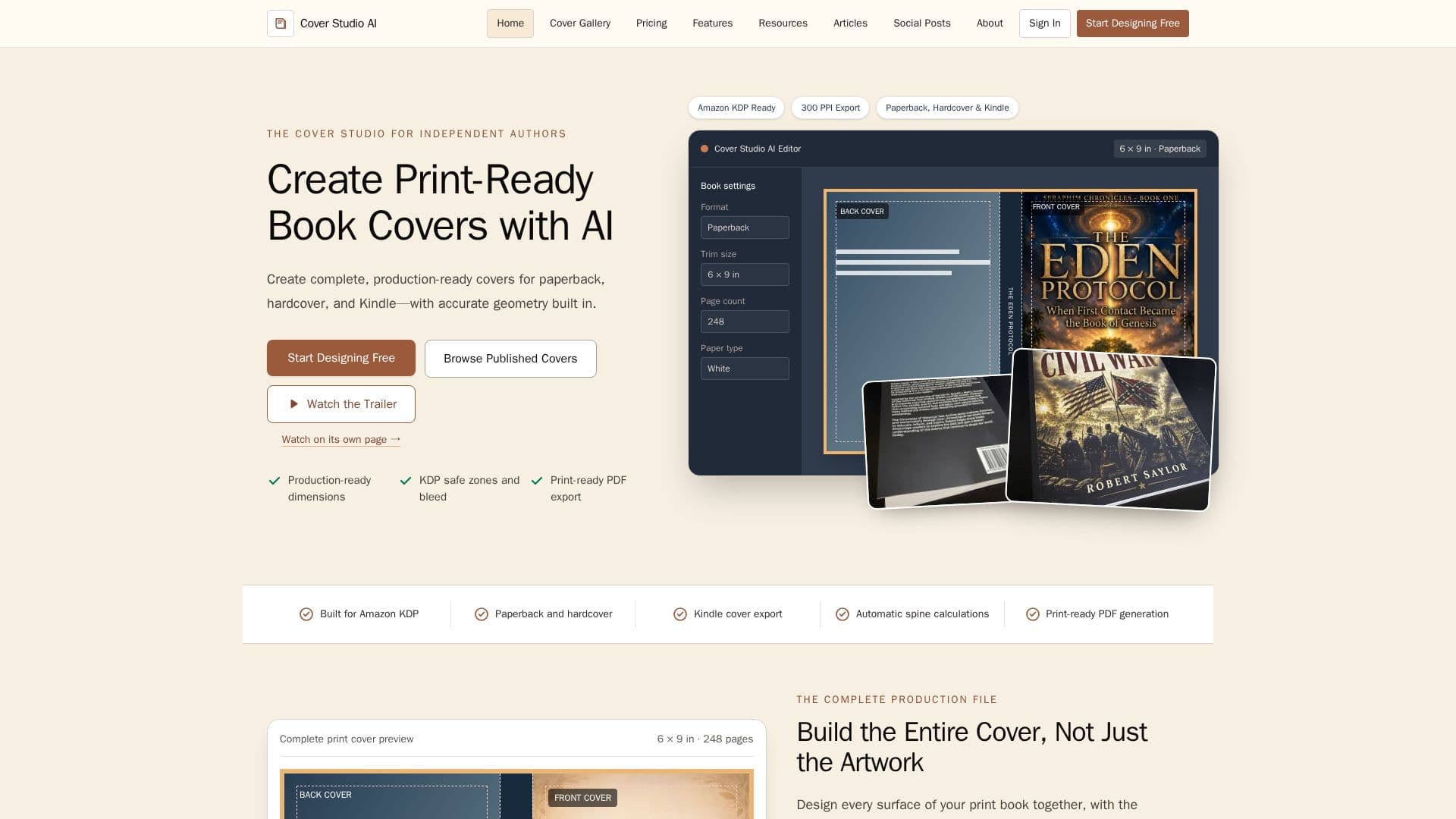
Description
Cover Studio AI is a dedicated web application for independent authors and small publishers, streamlining the creation of production-ready book covers for Amazon Kindle Direct Publishing (KDP). The platform addresses the complexities of cover design by integrating all necessary production details into a guided workflow, ensuring covers meet KDP's specific requirements for paperback, hardcover, and Kindle formats.
Read More
The application allows users to design complete wraparound covers, including the front, spine, and back. Key features include AI-assisted artwork generation, enabling authors to explore new visual concepts, or the option to upload their own artwork. It automatically calculates spine width based on page count, paper type, and trim size, eliminating manual calculations. Visible guides for bleed, trim lines, safe areas, and barcode placement ensure that essential text and artwork are correctly positioned and avoid production errors.
Cover Studio AI supports various common Amazon KDP paperback trim sizes and provides format-specific production guides for both paperback and hardcover editions. For Kindle, it focuses on creating high-resolution front covers optimized for digital storefronts. The platform exports print-ready PDF files for physical books and high-resolution image files for digital editions, ensuring compatibility with publishing platforms.
The workflow is structured into clear steps: choosing the book format, entering specifications, adding artwork (either generated by AI or uploaded), building the layout with text and visual elements, reviewing production guides, and finally, exporting the correctly sized file. This integrated approach means authors don't need to use multiple tools for design, calculation, and export.
Cover Studio AI offers a flexible pricing model, including a free Draft plan that provides access to the complete cover studio, production guides, and supported exports, along with 5 AI image generations per month. Paid plans offer increased allowances for AI image generations, catering to authors and publishers with higher volume needs. The core cover-building tools remain consistent across all plans, emphasizing accessibility for all users.
- CategoryAI Graphic Design Tools
- Pricing ModelFreemium
- DeploymentCloud
- PlatformsWeb Application
Cover Studio AI's Core Features
AI-assisted cover artwork generation
Paperback full-wrap cover editor
Hardcover full-wrap cover editor
Kindle front cover export
Automatic spine width calculation
Bleed and safe-area guides
Print-ready PDF export for print covers
High-resolution image export for digital covers
Upload own artwork functionality
Text and typography tools for titles, authors, and descriptions
Drag-and-drop positioning of elements
Saved cover projects for work in progress
Barcode reservation area guidance
300 DPI validation for print quality
How to use Cover Studio AI?
Choose Book Format: Select paperback, hardcover, or Kindle and enter book specifications like trim size, page count, and paper type.
Add Artwork and Details: Upload your own artwork or generate new visuals with AI, then add title, author, and back-cover copy.
Position with Guides: Arrange elements on the canvas using visible guides for bleed, trim, and safe areas.
Review Production Guides: Check all production boundaries, including spine, folds, and barcode area, to ensure accuracy.
Export Production-Ready Cover: Download the correctly sized print-ready PDF for paperback/hardcover or high-resolution image for Kindle.
Publish on Amazon KDP: Upload the exported file to your publishing platform and review it with their previewer.
Cover Studio AI's Use Cases
- Designing Paperback Covers
- Designing Hardcover Wraps
- Creating Kindle Covers
- Generating Original Artwork
- Uploading Existing Artwork
- Ensuring KDP Compliance
- Managing Book Series Branding
- Preparing Print-Ready Files
- Self-Publishing Production