Description
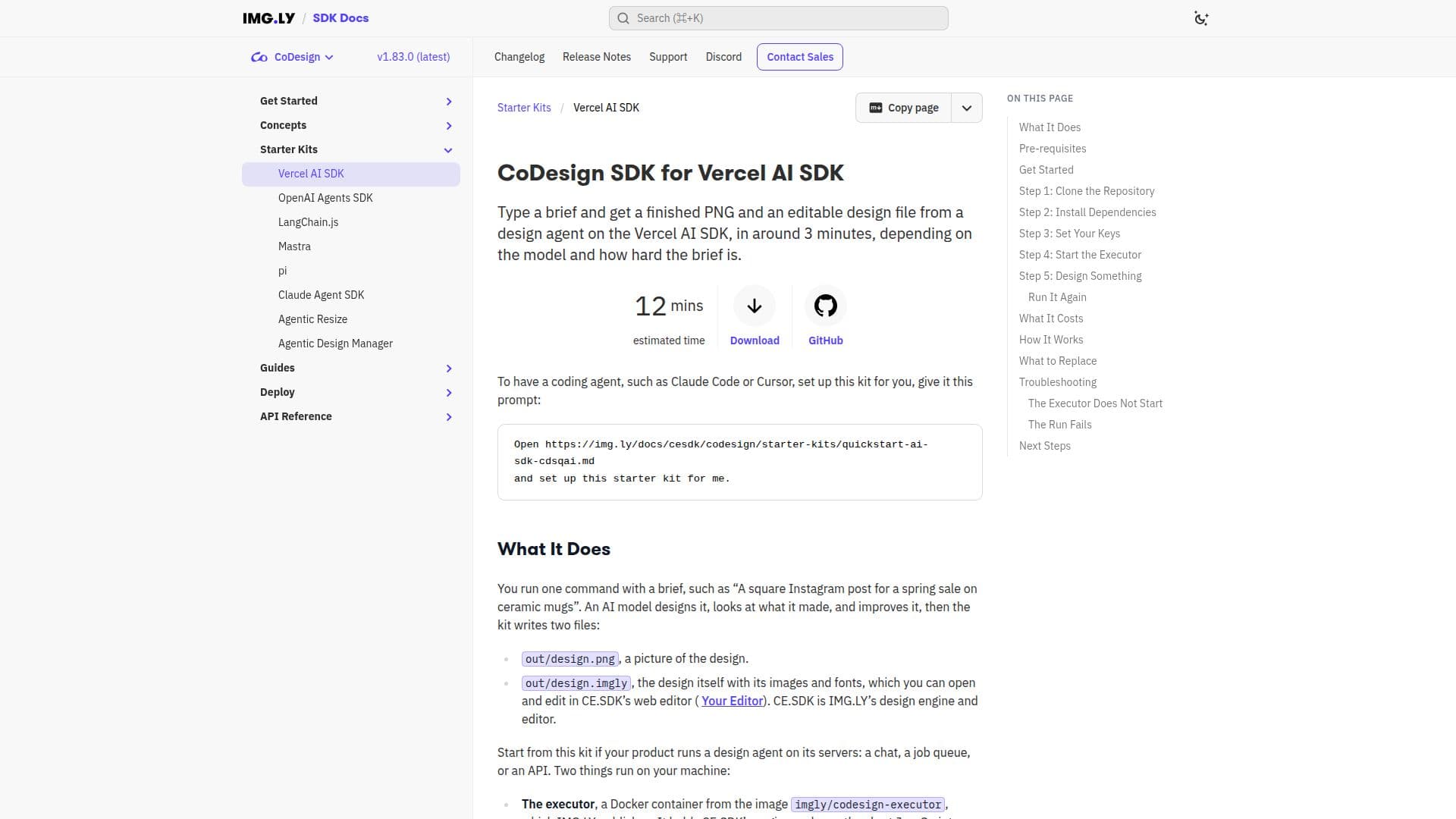
CoDesign SDK is a powerful tool that allows users to generate designs by simply typing a brief. It works in conjunction with the Vercel AI SDK and utilizes IMG.LY's executor in Docker to deliver a finished design in both PNG and editable formats. The process involves running a command with a brief, such as 'A square Instagram post for a spring sale on ceramic mugs'. An AI model then designs it, evaluates the output, and refines it. The result is a PNG image and an editable design file that can be opened and edited in CE.SDK’s web editor.
Read More
The SDK is designed for products that run a design agent on their servers, such as a chat, job queue, or API. It requires Docker to run the executor and Node.js v22+ with npm, pnpm, or yarn for dependencies. A CoDesign license key is necessary to activate the design engine and manage billing through IMG.LY's AI gateway.
The setup process involves cloning the repository, installing dependencies, setting up environment variables, and starting the executor. The executor runs IMG.LY’s image in Docker, and the design process takes approximately three minutes, depending on the complexity of the brief. The design.mjs script manages the design process, calling the model through IMG.LY’s gateway and preparing the tools with prepareCoDesign.
CoDesign SDK is ideal for developers and businesses looking to integrate AI-driven design capabilities into their applications. It offers a streamlined workflow for generating marketing visuals and other design assets, making it a valuable tool for enhancing design efficiency.
- CategoryAI Graphic Design Tools
- Pricing ModelContact Sales
- DeploymentDocker
- PlatformsWeb
CoDesign SDK's Core Features
Generates PNG and editable design files
Integrates with Vercel AI SDK
Runs on Docker
Uses IMG.LY's AI gateway
Requires CoDesign license key
Supports Node.js v22+
Editable in CE.SDK web editor
Design process takes around 3 minutes
How to use CoDesign SDK?
Clone the repository: Start by cloning the CoDesign SDK repository.
Install dependencies: Use your preferred package manager to install necessary dependencies.
Set environment variables: Configure the .env file with your CoDesign license key.
Start the executor: Run the executor script to initiate the design process.
CoDesign SDK's Use Cases
- Marketing Visuals
- Social Media Posts
- Product Promotions
- Custom Design Projects
- Design Automation