Description
Code Converter is a versatile online application designed to simplify the process of translating code from one programming language to another. Leveraging AI technology, this tool supports an extensive range of over 30 languages, including widely-used options such as JavaScript, Python, Java, TypeScript, C++, C#, PHP, Go, Ruby, Swift, and Kotlin, alongside more specialized languages like R, MATLAB, Perl, Dart, Scala, Objective-C, Lua, Haskell, Elixir, Julia, Clojure, Groovy, Visual Basic, Fortran, COBOL, Erlang, and F#.
Read More
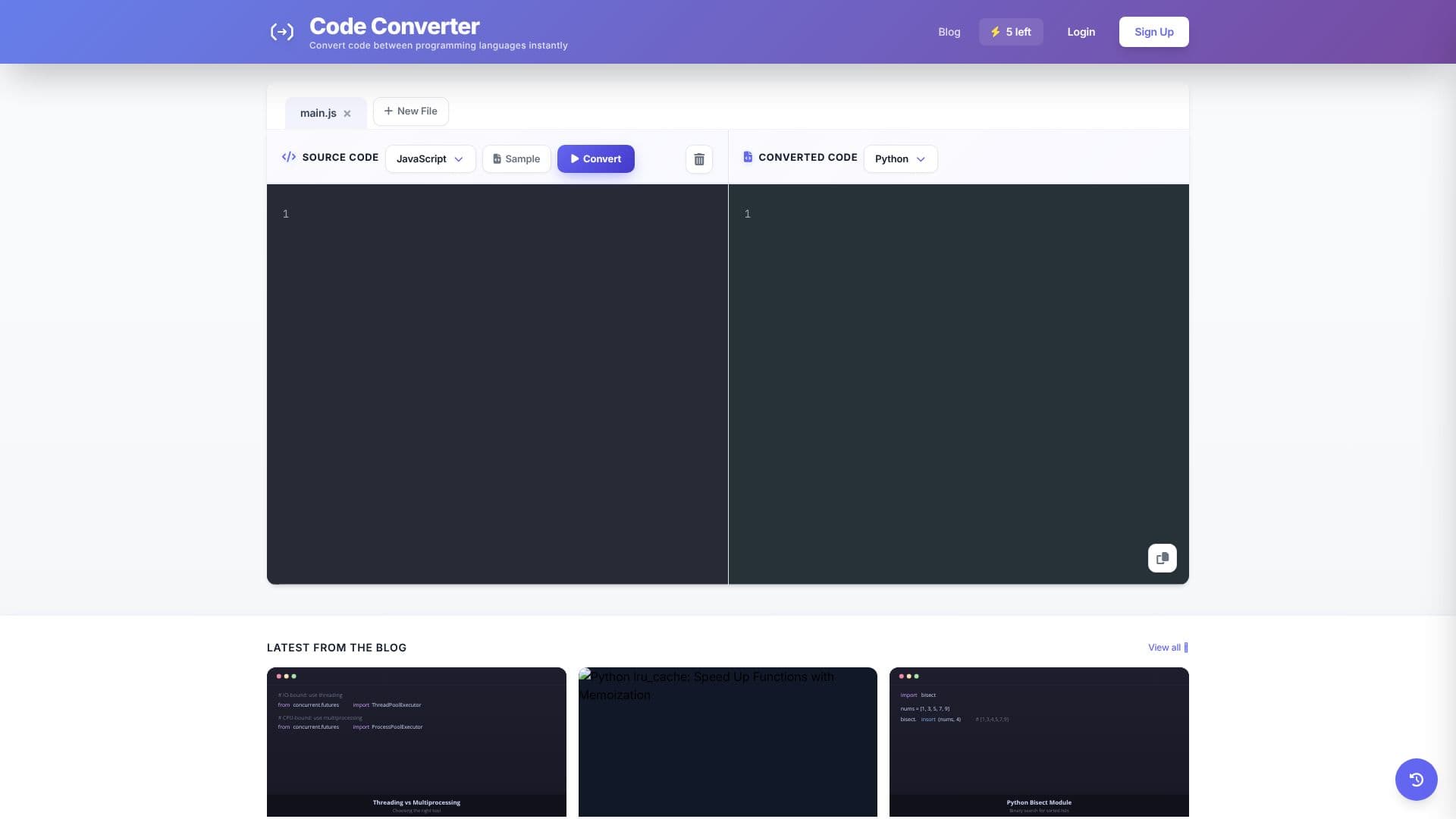
The platform's primary function is to provide developers with a quick and efficient way to convert code snippets or entire codebases. Users can input their source code, select the target language from a comprehensive dropdown menu, and initiate the conversion process. The AI engine then analyzes the input code and generates equivalent code in the desired language, aiming for accuracy and functional equivalence.
Key capabilities include its broad language support, ensuring that developers can work with a vast array of programming environments. The AI-powered conversion aims to reduce the manual effort typically involved in code translation, saving valuable time and minimizing the potential for human error. The interface is designed to be user-friendly, making it accessible even for those who may not be deeply familiar with every language.
Code Converter is particularly beneficial for developers who work on multi-language projects, need to migrate code to new platforms, or are learning new programming languages. It serves as a valuable resource for understanding how different language constructs translate, aiding in both learning and practical application. The tool is accessible directly through a web browser, requiring no installation, and offers a free service for its users.
While the tool provides a conversion history feature, users are prompted to log in to access and manage their past conversions. This suggests a potential for personalized features and saved work for registered users. The overall value proposition lies in its ability to democratize code translation, making it faster, easier, and more accessible for a global community of programmers.
- CategoryAI Coding Assistants
- Pricing ModelFree
- DeploymentCloud
- PlatformsWeb Browser
Code Converter's Core Features
Supports conversion between 30+ programming languages
AI-powered code translation engine
User-friendly online interface
Supports popular languages like Python, JavaScript, Java, C++, C#
Supports specialized languages like R, MATLAB, Swift, Kotlin
Enables code migration across different environments
Aids in learning new programming languages
Free to use online tool
Conversion history feature (requires login)
How to use Code Converter?
Select Source Language: Choose the original programming language of your code.
Input Source Code: Paste or type your code into the provided text area.
Select Target Language: Choose the desired programming language for conversion.
Initiate Conversion: Click the 'Convert' button to start the AI-powered translation.
Review Converted Code: Examine the generated code for accuracy and functionality.
Copy or Save: Copy the converted code for use in your projects.
Code Converter's Use Cases
- Language Migration
- Learning New Languages
- Cross-Platform Development
- Code Refactoring
- Prototyping
- Debugging Assistance