Description
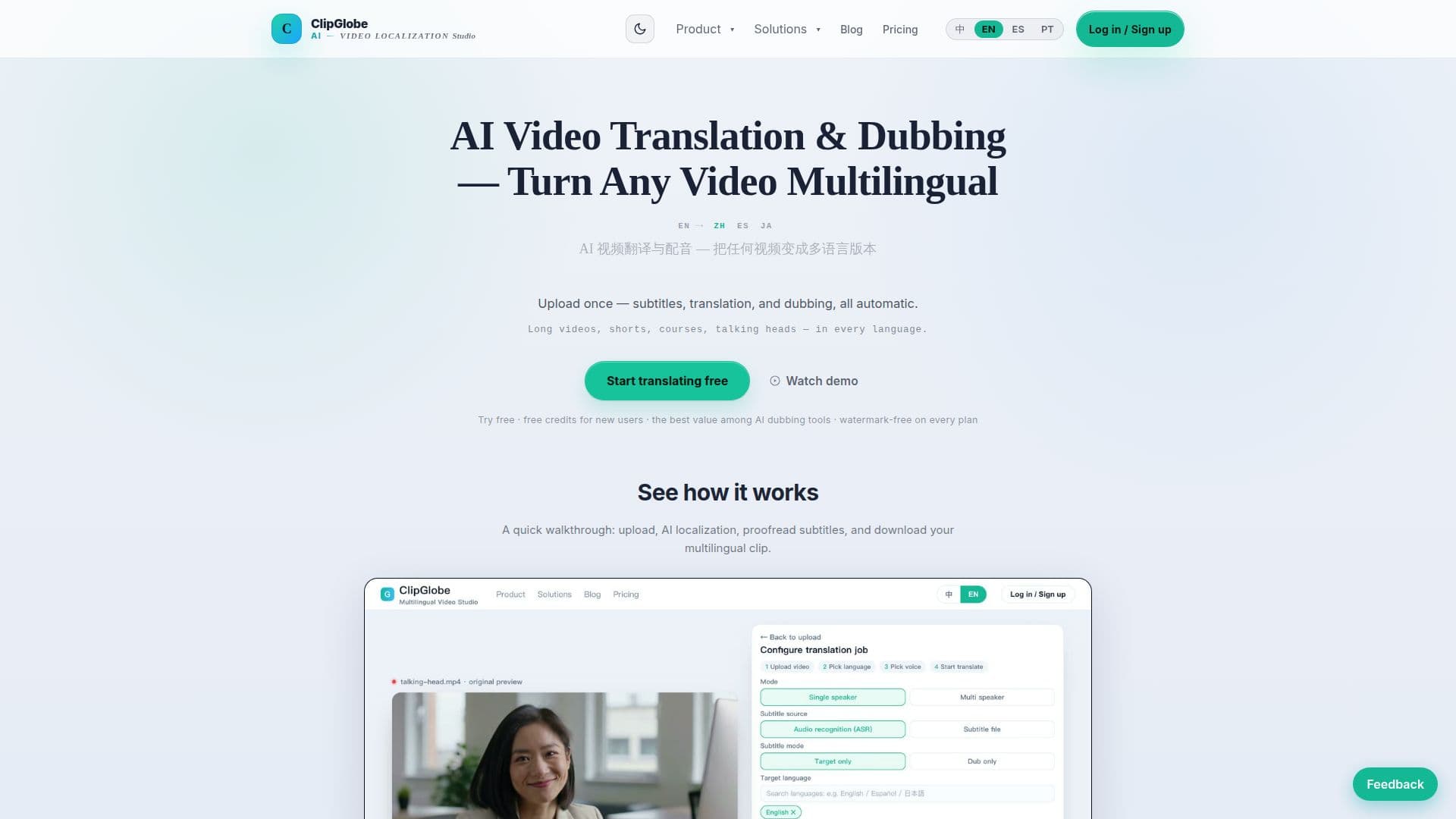
ClipGlobe is an advanced AI video translation, dubbing, and localization studio designed to help creators and teams turn any video into a multilingual asset. The platform automates the entire localization process, from initial upload to final export, significantly reducing the time and effort traditionally associated with video translation.
Read More
The core functionality of ClipGlobe includes high-accuracy AI transcription, which converts spoken content into timestamped, sentence-level text. This transcribed text then undergoes multilingual translation, ensuring consistency in terminology and context across various target languages. A key feature is the multi-voice AI dubbing, which allows users to choose from a selection of voices, with speech rates automatically adjusted to match the original video's duration for natural pacing. Additionally, the platform supports voice cloning for a more personalized touch.
Users can upload common video formats like MP4, MOV, and WebM, with support for files up to 4 GB and videos up to 15 minutes in length. The platform offers a subtitle editor for sentence-by-sentence revision of both source and translated text, along with fine-tuning of timing. Re-rendering after subtitle edits is free if the task is still in review, otherwise, it consumes quota again.
ClipGlobe is built for global distribution, supporting platforms like TikTok Shop, Amazon, and Shopee. It aims to provide a cost-effective solution, claiming prices as low as 1/3 to 1/10 of comparable tools. All plans offer watermark-free export, making videos ready for publishing and commercial use. The workflow is designed for efficiency, allowing users to localize once and distribute worldwide, eliminating the need for manual proofreading, agency quotes, and long delivery times.
The platform caters to various content types, including long videos (courses, interviews, reviews) and shorts. For long videos, it offers sentence-level timeline editing and translatable copy. For shorts, it generates a multilingual kit including subtitles, titles, and tags, ready for quick global posting. ClipGlobe offers Starter, Pro, and Studio plans, with processing quotas ranging from 100 to 1500 minutes per period, billed per cycle with quota resets.
- CategoryAI Subtitles & Dubbing
- Pricing ModelFreemium
- DeploymentCloud
- PlatformsWeb
ClipGlobe's Core Features
AI Video Translation
AI Dubbing
Automatic Transcription
Multilingual Subtitle Translation
Multi-voice AI Voiceover
Voice Cloning
Subtitle Editor with Sentence-by-Sentence Review
Timeline Editing for Subtitles
Auto-render with Subtitle Burn-in and Audio Mixing
Export Publish-ready MP4 and SRT
Watermark-free Export on All Plans
Batch Multilingual Output
Support for MP4, MOV, WebM formats
Source Resolution up to 4K
AI-generated Titles and Hashtags for Shorts
How to use ClipGlobe?
Upload Video: Drop in your video file (MP4, MOV, WebM) from the home page or "Start localizing."
Select Language & Settings: Choose your target language(s), subtitle mode, dubbing voice, and any enhancements.
AI Localization: The system auto-detects speech, speakers, and language, then translates and dubs into the chosen languages.
Review & Edit Subtitles: Open the subtitle editor to revise source and translated sentences, and fine-tune timing.
Preview & Export: Preview the finished clip, then export the multilingual video and SRT subtitles.
Publish Globally: Publish your watermark-free, localized video to any platform worldwide.
ClipGlobe's Use Cases
- Global Video Distribution
- Multilingual Course Creation
- Short Video Localization
- Talking Head Video Translation
- Marketing Content Localization
- Team & Agency Video Localization
- Proofreading & Fine-tuning Subtitles
- Automated Video Workflow