
Description
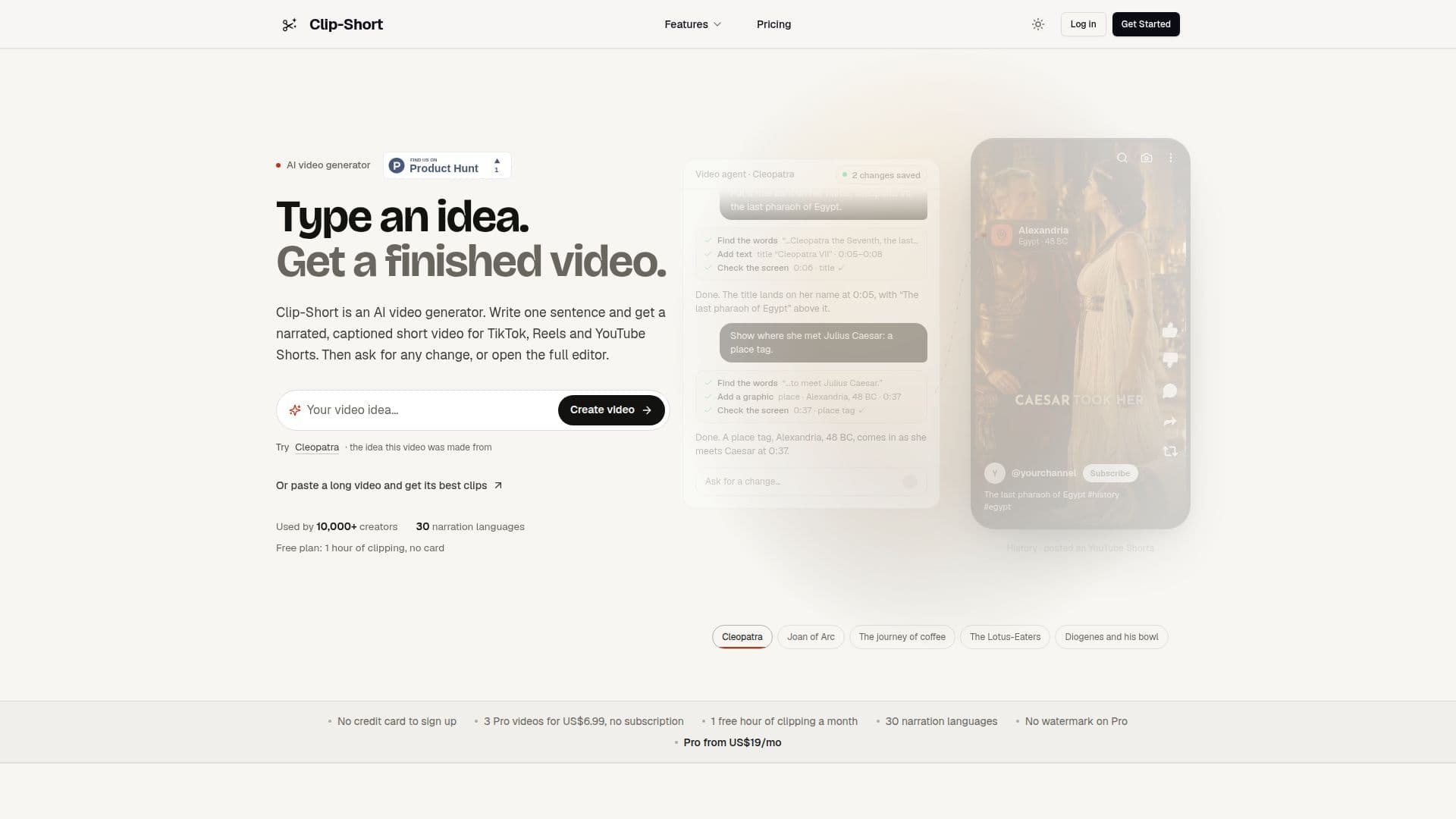
Clip-Short AI is a comprehensive web application designed to streamline the creation of short-form video content for popular social media platforms such as TikTok, Instagram Reels, and YouTube Shorts. The platform offers two primary functionalities: the AI Agent and AI Clipping.
Read More
The AI Agent allows users to generate complete narrated and captioned videos from a simple written idea, even a single sentence. It handles scriptwriting, image generation, voiceover recording, and background music selection, offering 25 visual styles and narration in 30 languages. Users can customize scenes before export, creating various video types including stories, explainers, countdowns, quizzes, and POV videos. The platform also supports creating animated scenes and maintaining consistent characters across multiple videos.
AI Clipping transforms long videos, either from a YouTube link or an uploaded file, into concise, vertical clips with synchronized captions. The AI identifies the best moments, allowing users to select between 1 and 20 clips per video and specify what to look for, such as "funniest moments." Each clip is scored and comes with a reason for its selection. Users can trim clips, correct captions, and adjust framing manually. The reframing feature automatically adapts videos to various aspect ratios (9:16, 1:1, 4:5, 16:9), intelligently keeping subjects in frame, even across multiple speakers or cuts. Users can preview changes before rendering and manually adjust framing or fill empty edges with blurred video or solid colors.
Clip-Short AI includes an integrated editor where all tools converge, enabling users to refine their videos. Features like animated word-by-word captions, 15 moods of instrumental music, and dubbing into six languages (English, Spanish, Portuguese, Arabic, French, German) enhance video quality. The platform also generates platform-specific titles, descriptions, and tags for YouTube, TikTok, and Instagram, which can be edited and copied. While Clip-Short AI does not post videos directly, it provides a scheduling reminder service that emails users the video, text, and upload page at their chosen time.
The service operates entirely in a web browser, accessible on both computers and phones, requiring no software installation. A free plan offers 60 minutes of AI Clipping, Auto Caption, and Reframe per month with a small watermark. Paid options include one-time purchases for Pro AI Agent videos or Clip packs, and a monthly Pro subscription starting at US$19, which includes more processing time and AI Agent videos without watermarks. The platform emphasizes user control, data security, and a straightforward, no-credit-card-required sign-up process for the free tier.
- CategoryAI Short Video Makers
- Pricing ModelFreemium
- DeploymentCloud
- PlatformsWeb
Clip-Short AI's Core Features
AI Agent Video Generation from text ideas
AI Clipping for long videos into shorts
Automated video reframing for various aspect ratios
Synchronized animated captions in 30 languages
In-browser video editor with up to 1,500 layers
Background music library with 15 moods
Customizable caption styles and fonts
Dubbing clips into 6 languages
Platform-specific titles, descriptions, and tags generation
Scheduled post reminders via email
Consistent character generation across videos
Voice cloning for narration in 12 languages
Downloadable subtitle files (SRT, VTT, plain text)
Ability to trim clips from 5 seconds to 5 minutes
Manual framing control for reframed videos
How to use Clip-Short AI?
Type an Idea: Input a sentence or concept to the AI Agent to generate a narrated, captioned video.
Paste a Video Link or Upload: Provide a YouTube link or upload a video file for AI Clipping or Reframing.
Select Clips or Reframing Options: Choose the number of clips desired or the target aspect ratio for reframing.
Customize and Edit: Utilize the in-browser editor to adjust captions, trim clips, change framing, or modify other video elements.
Review and Export: Preview the generated video or clips, then download the MP4 file in your preferred format.
Schedule Posting: Set a reminder to receive the video, text, and upload page via email at your chosen time for manual posting.
Clip-Short AI's Use Cases
- Social Media Content Creation
- Video Repurposing
- Content Localization
- Educational Content
- Marketing and Promotion
- Personal Branding
- Podcast and Stream Highlights
- News and Commentary