Description
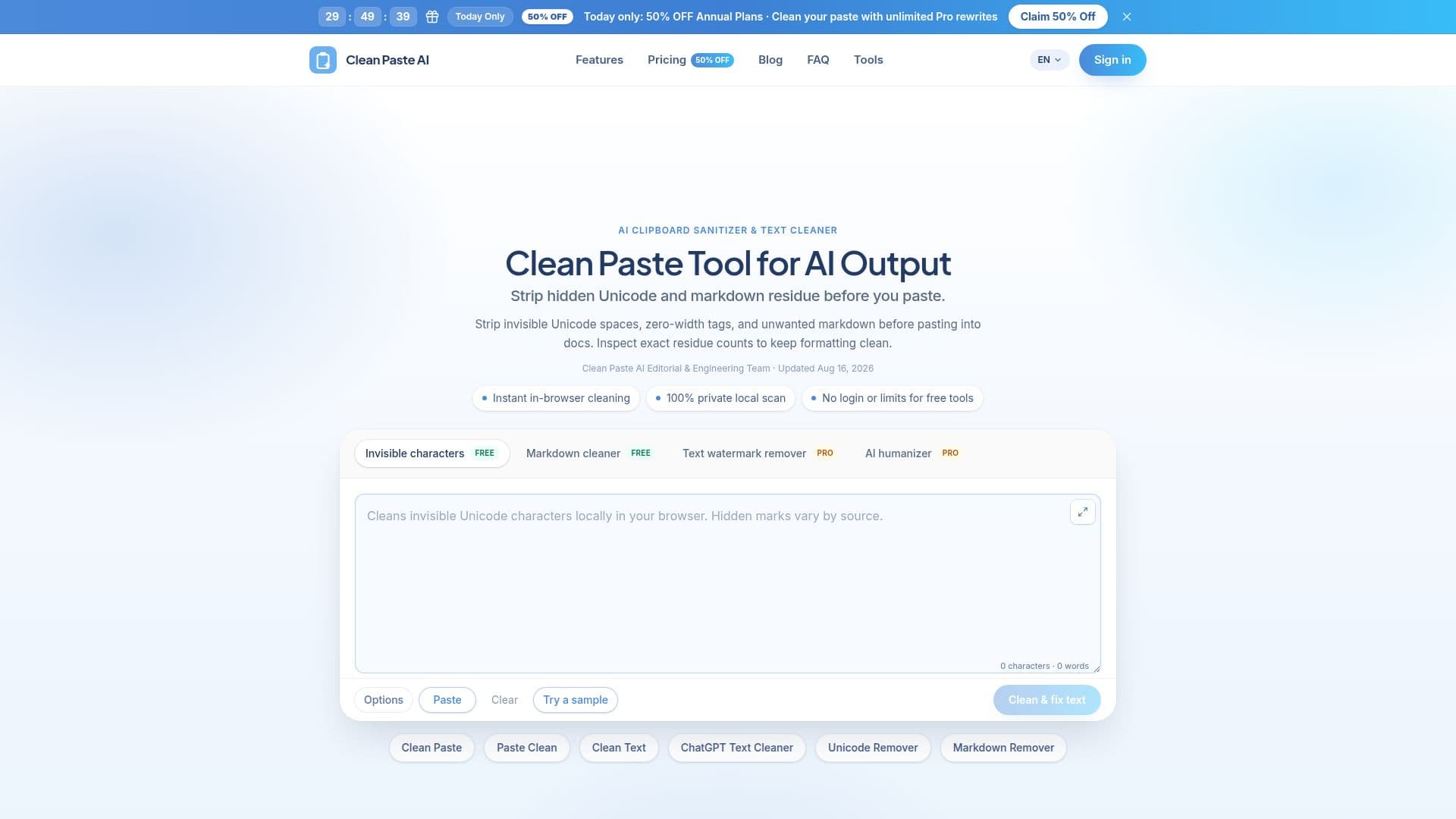
Clean Paste AI addresses the common issue of formatting disruptions caused by invisible Unicode characters and markdown symbols when text is copied from AI assistants into documents. These hidden elements can break line wrapping, disrupt search matching, and cause font anomalies in applications like Word, Docs, or CMS platforms. Clean Paste AI operates entirely within your browser, ensuring privacy by processing text locally without sending data to external servers.
Read More
The tool offers two main functionalities: free local cleaning and a Pro rewrite option. The free cleaning feature detects and removes over 60 non-printing Unicode code points and markdown tags, such as zero-width spaces and narrow no-break spaces, without altering the visible text. This ensures that pasted text maintains its intended formatting and readability.
For users requiring more comprehensive text restructuring, the Pro rewrite option offers semantic sentence reconstruction. This feature is particularly useful for addressing statistical sampling watermarks embedded in word choice, which are not removed by simple character cleaning. The Pro service is available through a credit system, with new users receiving bonus credits to test the service.
Clean Paste AI is ideal for professionals in content operations, editorial teams, agencies, and developers who need to ensure clean, unformatted text for publishing or client deliverables. It supports smooth clipboard workflows by providing a straightforward, three-step process: paste the text, inspect detected residue, and clean or reconstruct as needed.
The tool is independent and not affiliated with major AI companies like Anthropic, OpenAI, or Google, emphasizing its commitment to privacy and transparent engineering. Clean Paste AI offers a range of pricing plans to accommodate different user needs, from occasional cleanup to high-volume professional use.
- CategoryAI Writing Assistants
- Pricing ModelFreemium
- DeploymentBrowser
- PlatformsWeb
Clean Paste AI's Core Features
Invisible Character Detection
Markdown Stripper
Text Watermark Remover
AI Humanizer
Local Browser Processing
Free Cleaning Tools
Pro Semantic Rewriting
Credit-Based Pro Plans
How to use Clean Paste AI?
Paste your raw text: Drop your copied snippet into the workspace.
Inspect detected residue: Review counts of zero-width tokens and markdown tags.
Clean or reconstruct: Strip characters for free or use Pro rewrite for restructuring.
Use Pro credits: Access advanced features with credit-based plans.
Clean Paste AI's Use Cases
- Content Ops
- Editorial Teams
- Agencies
- Developers
- Technical Documentation