Description
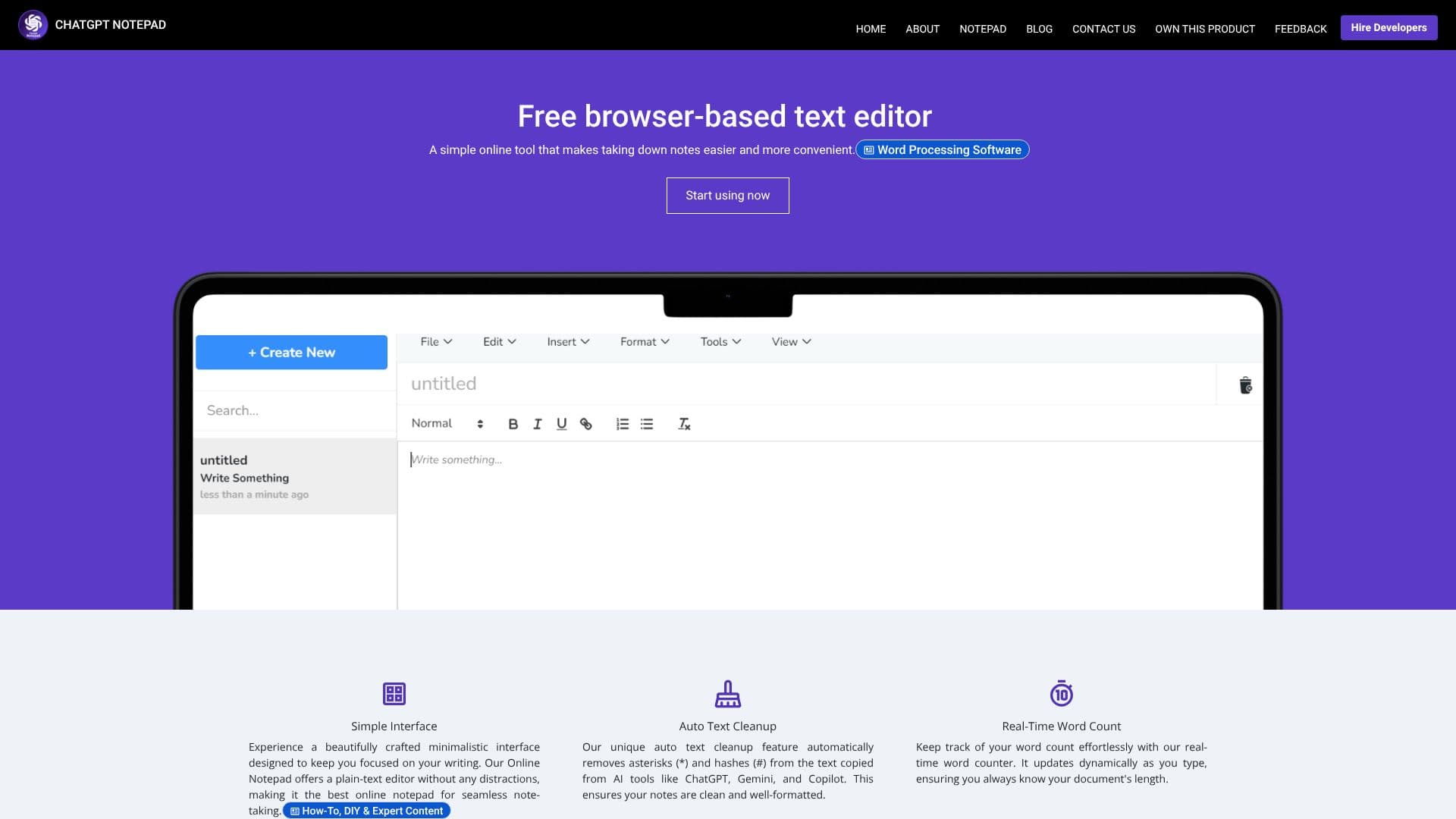
ChatGPT Notepad provides a free, browser-based text editor designed for convenient and efficient note-taking. This online tool offers a simple, minimalistic interface, allowing users to focus entirely on their writing without distractions. It functions as a plain-text editor, making it an ideal digital notepad for jotting down ideas, drafting content, or organizing information.
Read More
One of the standout features is the auto text cleanup, which automatically removes common formatting characters like asterisks and hashes often found in text copied from AI tools such as ChatGPT, Gemini, and Copilot. This ensures that your notes are clean and ready for use. The real-time word count dynamically updates as you type, providing immediate feedback on your document's length. Additionally, the find and replace functionality allows for quick edits and substitutions throughout your text.
Users can leverage their browser's native spell checker to identify and correct spelling errors by simply right-clicking on underlined words. The notepad also supports printing notes directly or saving them as text files to your system, offering flexibility for both digital and physical copies. The tool is compatible with all modern web browsers, including Chrome, Firefox, Safari, Edge, and Opera, ensuring a consistent experience across platforms.
ChatGPT Notepad is perfect for anyone needing a straightforward, no-frills text editor. Whether you're a student taking lecture notes, a writer drafting content, or a professional organizing thoughts, this online notepad offers a seamless writing experience. It requires no registration or login, allowing immediate access to its features. The ability to easily save and print makes it a versatile tool for various writing tasks, from quick memos to more extensive documents.
- CategoryAI Note-Taking Apps
- Pricing ModelFree
- DeploymentCloud
- PlatformsWeb Browser
ChatGPT Notepad's Core Features
Free browser-based text editor
Minimalistic and distraction-free interface
Auto text cleanup for AI-generated content
Real-time word count
Find and Replace functionality
Browser's native spell checker integration
Print and Save to text file options
No registration or login required
Undo and Redo functionality
Font formatting options
Date and time insertion
Emoji list access
Special characters insertion
How to use ChatGPT Notepad?
Access: Open your web browser and navigate to chatgptnotepad.com.
Write: Begin typing your notes or text directly into the editor.
Format: Utilize features like font formatting, spellcheck, and special characters.
Clean Up: Copy text from AI tools and let the auto text cleanup remove unwanted characters.
Track: Monitor your word count in real-time.
Edit: Use Find & Replace to make quick edits.
Save: Click the save button to download your notes as a text file.
Print: Click the print button to get a hard copy of your document.
ChatGPT Notepad's Use Cases
- Quick Note Taking
- AI Content Cleanup
- Drafting Content
- Saving Documents
- Printing Simple Pages
- Browser-Based Editing