
Description
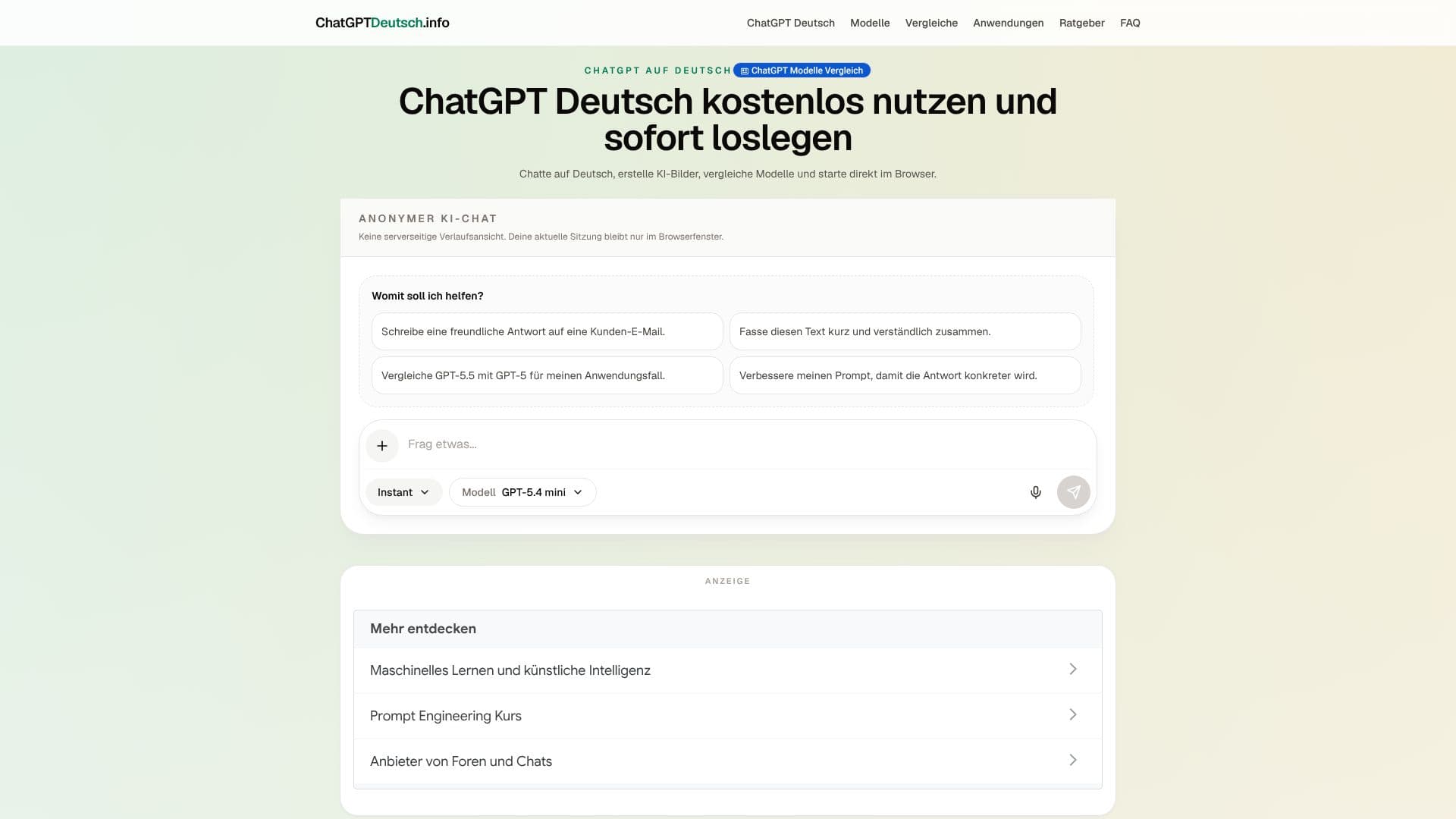
ChatGPT Deutsch is a German-language chat interface that lets people use conversational AI directly in the browser, without signing up first. The site is explicit that it is an independent, German-speaking access point and not an official OpenAI product; it recommends checking facts and consulting specialists for legal, medical or financial questions rather than treating chat answers as authoritative.
Read More
Users can pick between an automatic mode that selects a workflow and model for the task, or set the model manually: GPT-5.4 mini for quick, everyday tasks, GPT-5.5 as the general-purpose model for chat, research and image work, or GPT-5.6 Sol for the most demanding tasks. Response depth is controlled separately through four modes: Auto, Instant (fast answers for everyday use), Thinking (more thorough analysis and structuring), and Pro (maximum capability for complex workflows). While a message is processed, the interface shows a live status such as a running safety check, before the reply appears. A plus menu adds image generation, file and image uploads for context, deep research, and web search, so a conversation can pull in outside information rather than relying only on the model's training.
Beyond the chat tool itself, the site is organized into sections covering model comparisons, applications (worked use cases for the chat tool), a getting-started guide, and an FAQ, alongside the chat interface. The interface stores the current session locally in the browser rather than keeping a server-side chat history tied to an account, and its guide walks through writing a first prompt, switching modes and models, using the tools menu, and revisiting past sessions in full-screen view.
There's no published pricing, since the service is used without an account or subscription. It's aimed at German-speaking users who want a quick, no-signup way to try conversational AI and compare model options, rather than developers needing API access or teams needing account-based history and collaboration.
- CategoryAI Chatbots
- Pricing ModelFreemium
- DeploymentCloud
- PlatformsWeb
ChatGPT Deutsch's Core Features
No-signup chat interface usable directly in the browser
Model choice: GPT-5.4 mini, GPT-5.5 or GPT-5.6 Sol
Four response modes: Auto, Instant, Thinking and Pro
Built-in image generation
Deep research mode for more thorough answers
Web search integrated into chat
File and image upload as context
Local, browser-only session storage instead of an account-based history
How to use ChatGPT Deutsch?
Open the chat: Go to ChatGPT Deutsch and start typing without creating an account.
Ask your question: Enter a task or pick a suggested prompt, then send it.
Choose a mode: Switch between Auto, Instant, Thinking or Pro depending on how much depth you need.
Pick a model: Select GPT-5.4 mini, GPT-5.5 or GPT-5.6 Sol manually, or leave it on Auto.
Use the plus menu: Generate images, upload files or images for context, or turn on deep research or web search.
Review and reuse results: Check answers before relying on them, and revisit earlier chats in full-screen view.
ChatGPT Deutsch's Use Cases
- Quick German-language chat
- AI image generation
- Research with web search
- Working with your own files