Description
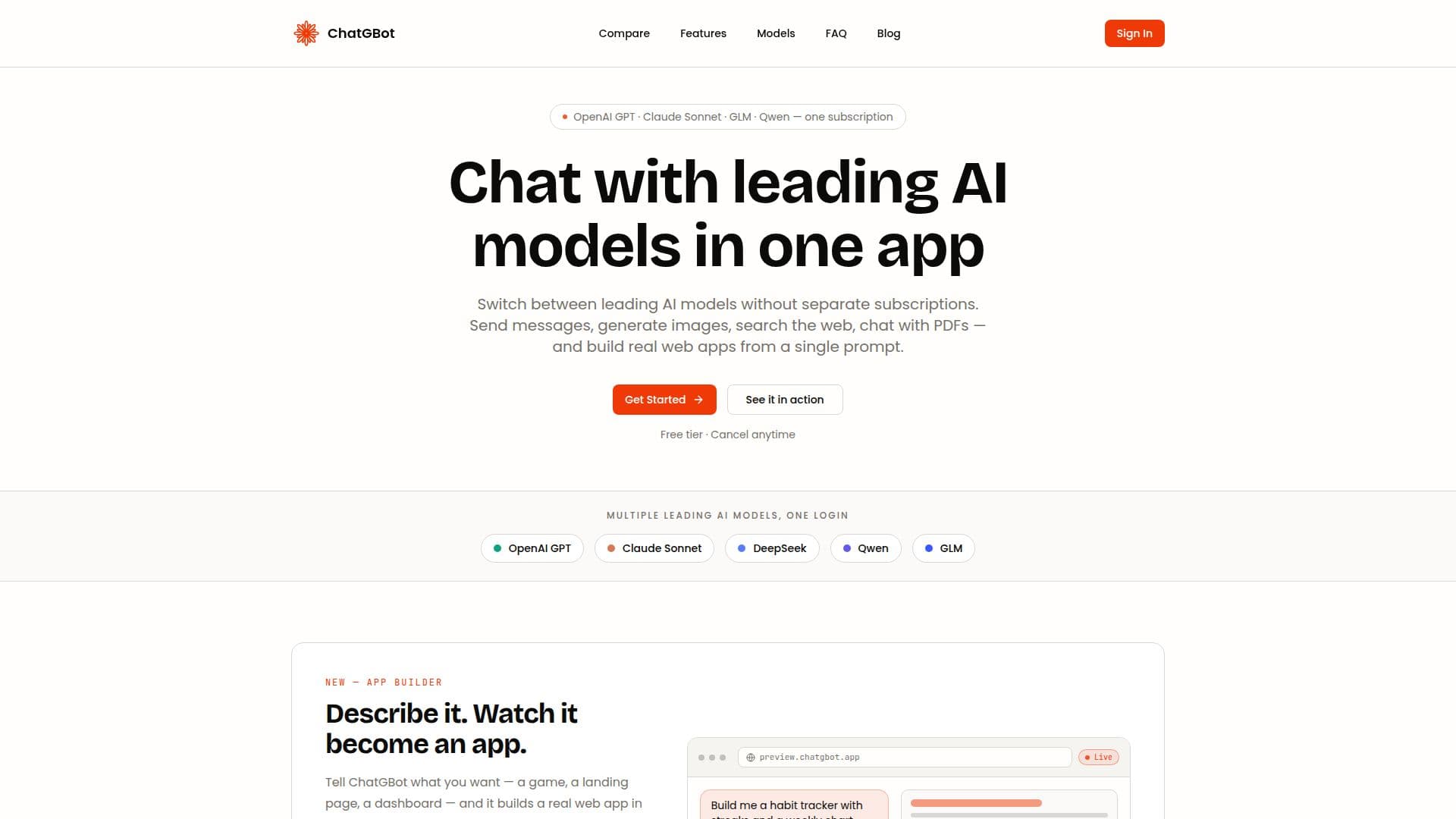
ChatGBot is an innovative AI chatbot platform designed to provide users with access to multiple leading AI models, including OpenAI GPT models, Claude Sonnet, and open-source models such as GLM and Qwen. With a single membership, users can chat with these models seamlessly, generate images, talk to PDFs, and perform web searches.
Read More
The platform is built around a user-friendly interface that allows for real-time interactions with various AI models. Users can switch between models in the same conversation, enabling them to leverage the strengths of each model without the need for separate subscriptions. This flexibility is particularly beneficial for writers, developers, students, and teams who require diverse AI capabilities for their tasks.
ChatGBot offers a range of features that enhance the user experience. The AI App Builder allows users to create web applications from plain-language prompts, providing a live preview of the app as it is being built. Additionally, the Canvas feature enables users to open documents and code in an editable side panel, allowing for real-time editing and export options.
Voice input is supported, making it easy for users to communicate with the chatbot by simply speaking. The platform also prioritizes data security, ensuring that all conversations are encrypted and adhere to industry-standard security practices. With a free plan available, users can explore basic features before opting for the Pro or Ultra Pro plans, which offer access to premium models and additional capabilities.
In summary, ChatGBot is designed for anyone looking to harness the power of AI in a straightforward and efficient manner. Whether you are a writer seeking inspiration, a developer looking to streamline your coding process, or a student wanting to enhance your learning experience, ChatGBot provides the tools necessary to achieve your goals.
- CategoryAI Chatbots
- Pricing ModelFreemium
- DeploymentCloud
- PlatformsWeb
ChatGBot's Core Features
Real-time web search
AI App Builder
Canvas for documents and code
Voice input
Document chat
Image generation
Multilingual support
Seamless model switching
How to use ChatGBot?
Access the platform: Visit chatgbot.ai and create an account.
Choose a model: Select from OpenAI GPT models, Claude Sonnet, or open-source models.
Start chatting: Enter your queries or prompts in the chat interface.
Utilize features: Use the AI App Builder to create web apps or the Canvas for document editing.
ChatGBot's Use Cases
- Content Creation
- Web Development
- Research Assistance
- Data Analysis
- Team Collaboration