Description
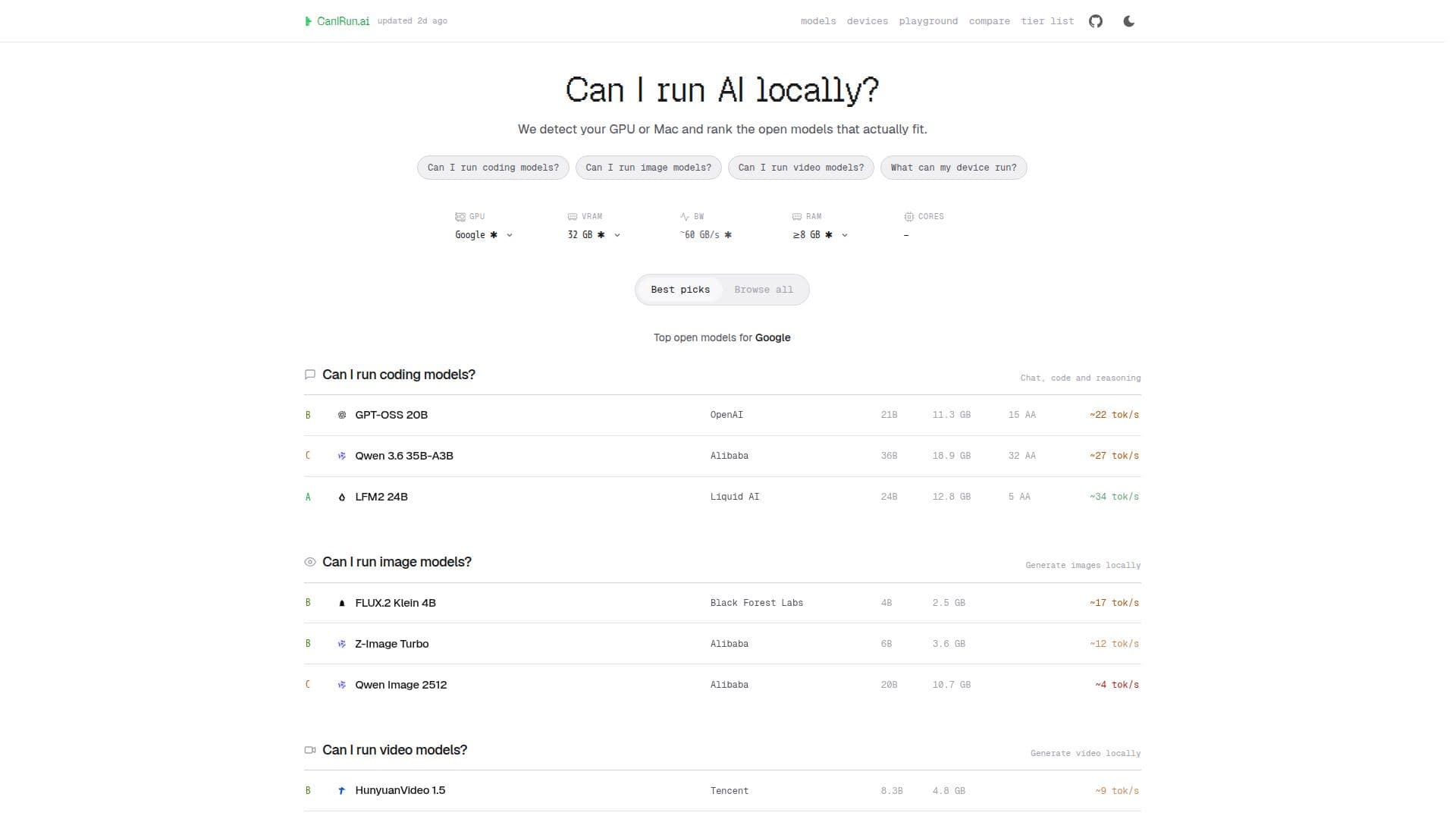
CanIRun.ai is a free web tool that helps you find which open AI models your hardware can run locally. It detects your GPU or Mac and matches your VRAM or unified memory against a hardware database, then scores each open model on estimated speed, memory headroom, and quality, sorting them into models that fit comfortably, tight fits, and ones that are too heavy.
Read More
The tool covers open LLMs, coding models, reasoning models, and local image and video generation models. It reads GPU, RAM, and CPU hints from the browser, or you can skip detection and open a device page for a specific GPU, Apple chip, phone, or Raspberry Pi. No login or sign-up is required.
CanIRun.ai focuses on the open-weight models you can download and run yourself, offering guidance on VRAM requirements, quantization, and how to actually run a recommended model using tools like runai, Ollama, or LM Studio. It emphasizes local, private inference where prompts never leave your device.
- CategoryMachine Learning & Data Science
- Pricing ModelFree
- DeploymentCloud
- PlatformsWeb
CanIRun.ai's Core Features
Automatic GPU and Mac hardware detection in the browser
Matching of your VRAM or unified memory against a model database
Scoring of models by fit, speed, memory headroom, and quality
Coverage of LLMs, coding, image, and video models
Device pages for specific GPUs, Apple chips, phones, and Raspberry Pi
Guidance on VRAM requirements and quantization
Run instructions via runai, Ollama, or LM Studio
No login or sign-up required
How to use CanIRun.ai?
Open the site: Visit CanIRun.ai in your browser.
Detect hardware: Let the tool read your GPU, RAM, and CPU, or pick a specific device.
Review matches: See which open models fit comfortably, are tight, or are too heavy.
Choose a model: Explore LLM, coding, image, or video models suited to your machine.
Run it: Copy the runai command or use Ollama or LM Studio with the same weights.
CanIRun.ai's Use Cases
- Hardware compatibility check
- Local LLM discovery
- Local image and video generation
- Device planning