Description
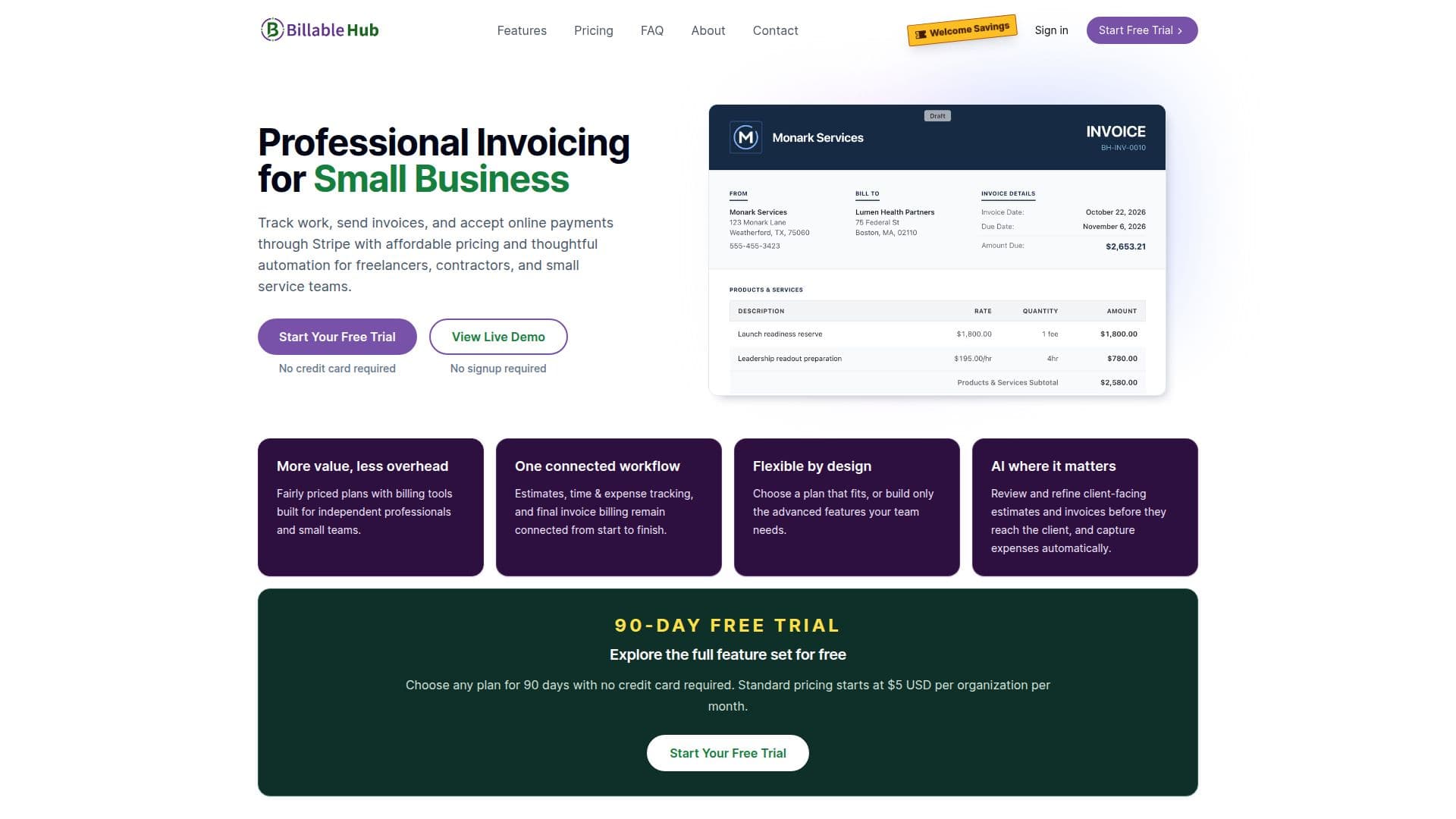
Billable Hub provides comprehensive invoicing and billing software tailored for independent professionals and small service teams, including consultants, software developers, and digital agencies. The platform streamlines the entire billing workflow, from estimate approval to final payment, offering tools to track time and expenses, generate professional invoices, and manage client communications.
Read More
Key capabilities include accepting online credit and debit card payments via Stripe, with Billable Hub adding no extra fees. Users can create invoices from time entries, expenses, services, custom line items, jobs, or accepted estimates. The system supports various billing models, such as hourly, fixed-price, and time and expense. It also features recurring invoices, client ledgers for tracking payments and credits, and robust reporting to monitor billing performance at a glance.
Billable Hub emphasizes a connected workflow, integrating invoice delivery, payments, credits, reminders, and account history into one centralized workspace. It offers flexible design with features like document branding, team permissions, and internal approvals. For enhanced functionality, users can leverage AI assistance for tasks such as refining client-facing text tone with Smart Rewrite, automatically reviewing invoice and estimate text for improper tones with Tone Monitor, and identifying anomalous issues before documents are sent with Smart Review. Expense Automation also uses AI to fill expense details from receipt images.
The platform offers a 90-day free trial without requiring a credit card, allowing users to explore its full feature set. Pricing is structured across Essentials, Growth, and Professional plans, with options for monthly or annual billing. Welcome Savings are available for new subscribers, offering a 50% discount for the first six paid months or the first paid year. While Billable Hub focuses on billing and invoicing, it does not directly sync with external accounting or payroll tools, but it allows data export in JSON ZIP or CSV ZIP formats for integration with other systems.
- CategoryAI Accounting Tools
- Pricing ModelFreemium
- DeploymentCloud
- PlatformsWeb
Billable Hub's Core Features
Track work and expenses
Send professional invoices
Accept online payments via Stripe
Manage client ledgers and account activity
Create estimates and jobs
Automate recurring invoices
Provide client access and collaboration portal
Offer document branding and templates
Implement team permissions and internal approvals
Generate reports, exports, and audit logs
Utilize Smart Timers for time tracking
Enable notifications and billing rules
AI-assisted text tone modification (Smart Rewrite)
AI review for client-facing text tone (Tone Monitor)
AI review for anomalous invoice/estimate issues (Smart Review)
How to use Billable Hub?
Start Trial: Begin a 90-day free trial without a credit card to explore features.
Configure Workspace: Set up your organization, team permissions, and document branding.
Track Work: Use smart timers and expense entry to record billable hours and costs.
Create Estimates: Generate estimates and allow clients to approve, decline, or request revisions.
Generate Invoices: Convert tracked time, expenses, or accepted estimates into professional invoices.
Accept Payments: Connect your Stripe account to accept online credit and debit card payments.
Monitor Performance: Utilize dashboards and reports to view billing performance and receivables.
Automate Billing: Set up recurring invoices and event-based billing automation rules.
Billable Hub's Use Cases
- Freelancer Invoicing
- Consultancy Billing
- Software Developer Billing
- Digital Agency Invoicing
- Service Team Billing
- Online Payment Collection
- Recurring Client Billing
- Expense Reimbursement
- Client Communication Management