Description
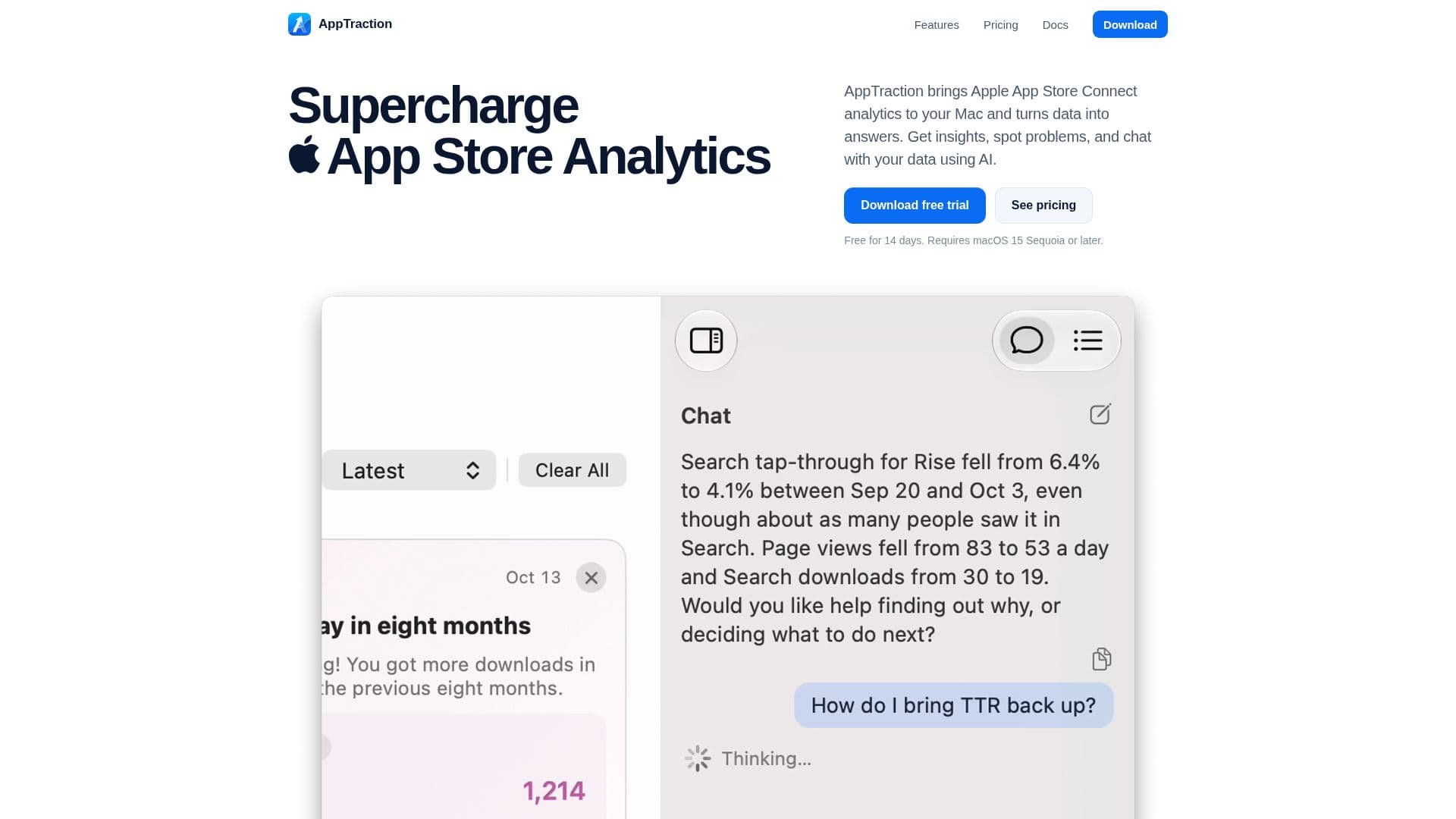
AppTraction is a dedicated macOS application that brings comprehensive Apple App Store Connect analytics directly to your Mac. It transforms raw data into actionable insights, helping developers understand their app's performance, identify problems, and make informed decisions. The application continuously monitors apps in the background, checking for potential issues, trends, and milestones, and offers over 50 types of insights across various categories like Discovery, Conversion, Revenue, and Ratings.
Read More
One of AppTraction's core features is its AI-powered chat interface, which allows users to ask questions about their metrics, releases, and events in natural language. The AI, primed with App Store Optimization knowledge from Apple's WWDC sessions and industry experience, provides useful and actionable answers. This capability extends to optimizing App Store listings, where AppTraction can suggest and apply fixes for issues found in keywords, subtitles, and descriptions directly to App Store Connect.
The tool also streamlines review management, enabling users to read, reply to, and filter every written review from within the app. Its AI can translate reviews, suggest replies, and translate responses back into the reviewer’s language. For reporting, AppTraction can automatically generate weekly, monthly, and yearly reports covering downloads, conversion, ratings, and sales, complete with trend charts and plain-English summaries. These reports can be exported as PDF, Markdown, or plain text.
AppTraction offers a global view of app performance with a color-coded map showing impressions, page views, conversion rates, and sales across different App Store countries. All data is cached locally on the Mac after the initial sync with Apple, ensuring instant loading of tables and graphs and enhancing user privacy. The application does not require an AppTraction account, storing all keys in the user's Keychain and data exclusively on their Mac, with AI requests going directly to the user's chosen provider (Claude Code, Codex, or OpenRouter) without passing through AppTraction's servers.
Available with a 14-day free trial, AppTraction offers flexible pricing plans including monthly, annual, and a one-time lifetime purchase, all providing access to every feature. It requires macOS 15 Sequoia or later and integrates with App Store Connect using API keys. The tool supports multiple apps and accounts, allowing developers to track and manage their entire portfolio efficiently.
- CategoryData & Analytics
- Pricing ModelFreemium
- DeploymentDesktop app
- PlatformsmacOS
AppTraction's Core Features
App Store Connect Analytics on Mac
AI-Powered Data Chat
App Store Listing Optimization
Automated Listing Fixes
Review Management and Translation
AI-Suggested Review Replies
Automated Performance Reports
Global App Performance Map
Local Data Caching for Speed
Privacy-Focused Data Handling
Multi-App and Multi-Account Support
Customizable Insights and Notifications
Timeline Event Tracking
Integration with AI Providers (Claude Code, Codex, OpenRouter)
Export Reports (PDF, Markdown, Plain Text)
How to use AppTraction?
Download & Install: Download AppTraction and move it to your Applications folder on a Mac running macOS 15 Sequoia or later.
Connect App Store Connect: Add your App Store Connect API key (Admin, Sales & Reports, or Marketing) to link your app data.
Set Up AI Provider: Configure your preferred AI provider (Claude Code, Codex, or OpenRouter) in Settings > Agents for chat, reports, and listing suggestions.
Explore Data & Insights: Navigate through Insights, Analytics, Listing, Reviews, and Territories screens to view your app's performance.
Optimize Listing: Use the Listing screen to review, edit, and apply AI-suggested fixes for your app's title, subtitle, keywords, and description.
Manage Reviews: Read and reply to reviews, use AI for reply suggestions, and translate reviews and replies in the Reviews section.
Generate Reports: Access automatically generated weekly, monthly, and yearly reports in Insights, or create custom reports.
Ask Questions: Open a chat anywhere in the app to ask AI questions about your app's data and performance.
AppTraction's Use Cases
- App Performance Monitoring
- App Store Optimization (ASO)
- Review Management
- Data Analysis and Querying
- Automated Reporting
- Competitive Analysis
- International Market Insights
- Privacy-Focused Analytics