
Description
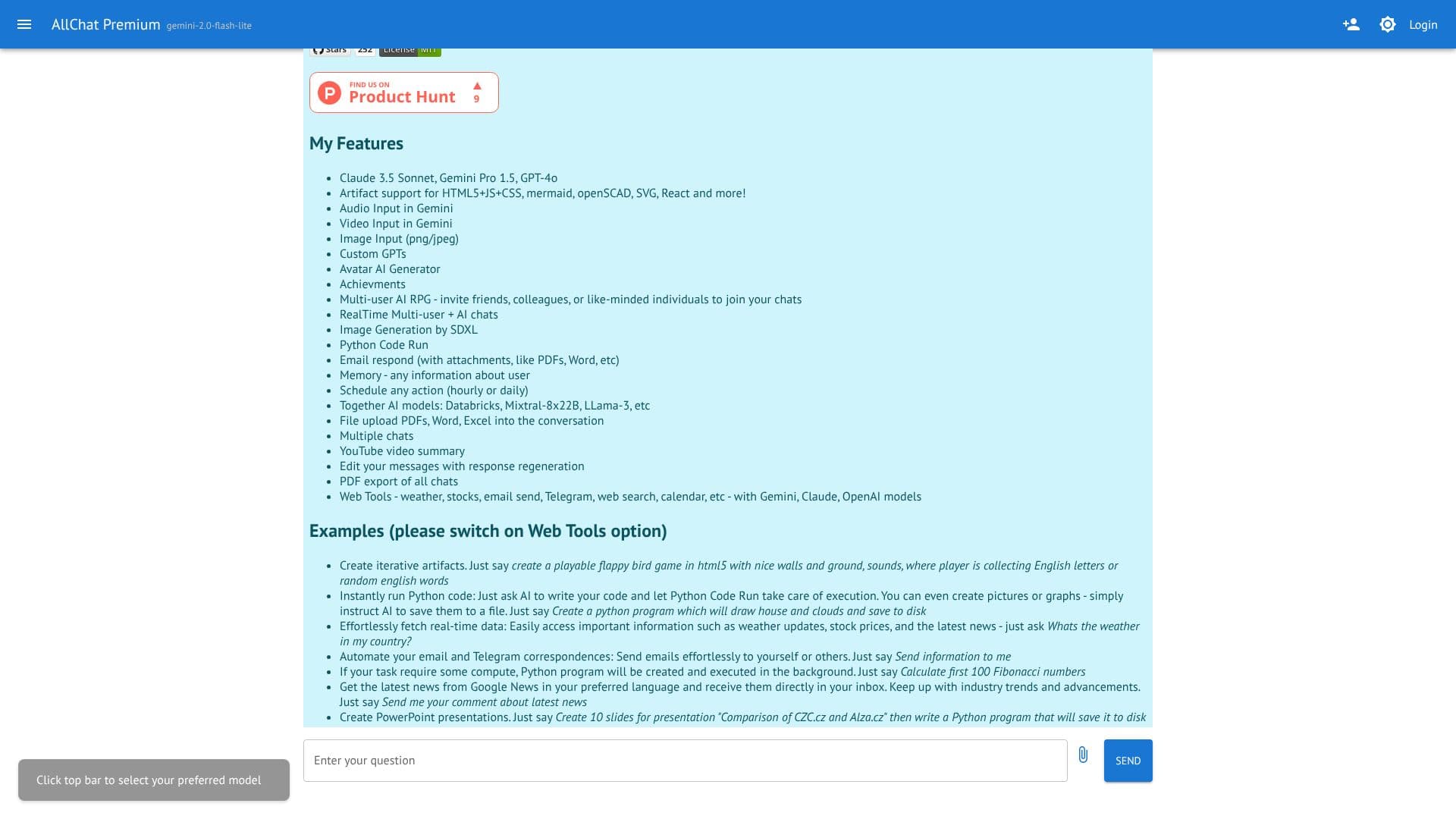
AllChat is an advanced AI assistant application designed to interact with a multitude of major AI models, providing users with a unified platform for diverse conversational and functional needs. It meticulously maintains chat history, enabling users to revisit past interactions. A key capability is its robust image handling, allowing for both generation and recognition of visual content.
Read More
Users can seamlessly upload various document types, including PDFs, Word documents, and Excel spreadsheets, directly into conversations for analysis or reference. AllChat also empowers users with code execution capabilities, allowing for the running of Python scripts and other code directly within the interface. Its support for function calls to AI models further extends its utility, enabling complex task automation.
The application boasts extensive artifact support, encompassing HTML5 with JavaScript and CSS, mermaid diagrams, openSCAD, SVG, and React components, facilitating creative and technical projects. It integrates advanced input methods such as audio and video input via Gemini, alongside image input in PNG and JPEG formats. The platform also offers a Custom GPTs Avatar AI Generator, allowing for personalized AI experiences.
AllChat distinguishes itself with features like Multi-user AI RPGs, enabling collaborative gaming experiences with friends or colleagues. Real-time multi-user chats ensure dynamic group interactions. Image generation is powered by SDXL, and Python code can be executed instantly. The app includes a memory function to retain user-specific information and can schedule actions hourly or daily. It supports a wide array of AI models, including Databricks, Mixtral-8x22B, and LLama-3, among others.
Furthermore, AllChat provides an array of integrated web tools, such as weather updates, stock market data, email sending, Telegram integration, web search, and calendar management, all accessible through models like Gemini, Claude, and OpenAI. This comprehensive suite of features makes AllChat a versatile tool for writing, analysis, coding, creative projects, and everyday information retrieval, aiming to enhance user productivity and engagement.
- CategoryAI Chatbots
- Pricing ModelFreemium
- DeploymentCloud
- PlatformsWeb
AllChat's Core Features
Interacts with all major AI models
Maintains chat history
Generates and recognizes images
Supports PDF, Word, and Excel file uploads
Runs Python code
Enables function calls to AI models
Supports Markdown formatting
Artifact support for HTML5, JS, CSS, mermaid, openSCAD, SVG, React
Audio and Video Input (Gemini)
Image Input (PNG/JPEG)
Custom GPTs Avatar AI Generator
Multi-user AI RPGs
Real-time Multi-user chats
Image Generation by SDXL
Email response with attachments
Memory function for user information
Action scheduling (hourly/daily)
Integration with various AI models (Databricks, Mixtral-8x22B, LLama-3)
YouTube video summarization
Message editing with response regeneration
PDF export of chats
Web Tools (weather, stocks, email, Telegram, web search, calendar)
How to use AllChat?
Select Model: Click the top bar to choose your preferred AI model.
Start Chat: Enter your question or prompt in the input field.
Utilize Features: Enable 'Web Tools' for real-time data or use 'Python Code Run' for execution.
Upload Files: Drag and drop PDFs, Word, or Excel files into the chat.
Generate Content: Instruct the AI to create text, code, images, or artifacts.
Collaborate: Invite others to join multi-user chats or RPGs.
Export Data: Use the 'Export history PDF' option to save your conversations.
AllChat's Use Cases
- Content Creation
- Data Analysis
- Coding Assistance
- Real-time Information
- Collaborative Projects
- Personalized AI
- Automated Communication
- Learning and Research