


Description
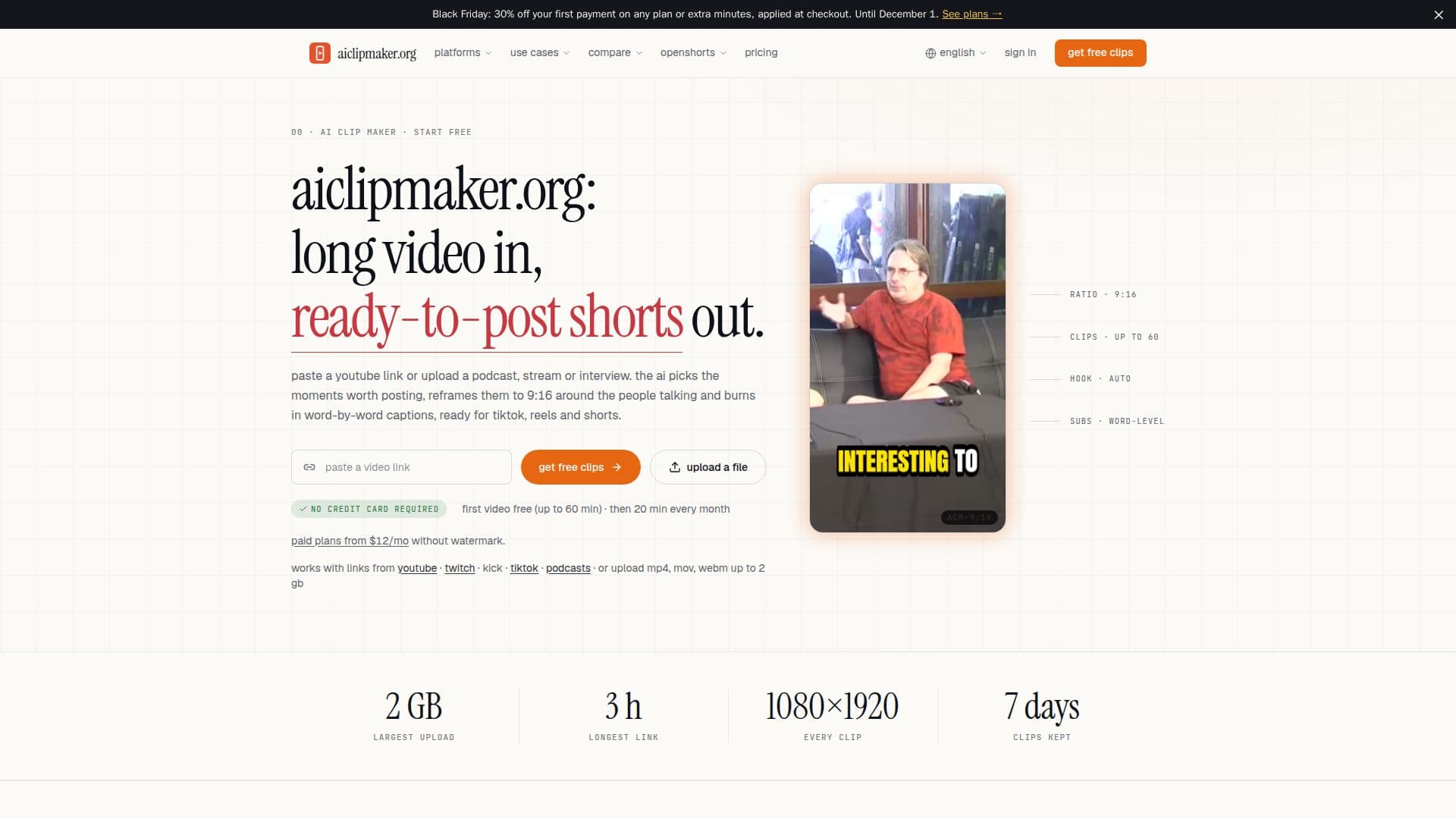
AIClipMaker.org is a specialized online tool designed to simplify the creation of engaging short-form video content from longer source material. It leverages AI to automate the process of identifying compelling moments, reframing video for vertical platforms, and adding dynamic captions, making it ideal for content creators, marketers, and anyone looking to repurpose video efficiently.
Read More
The platform allows users to either paste a link from sources like YouTube, Twitch, Kick, or TikTok, or upload video files (MP4, MOV, WebM) up to 2 GB. Once the video is submitted, the AI engine transcribes the audio, analyzes the content to pinpoint the most impactful segments, and generates a series of short clips, typically ranging from 15 to 60 seconds each. For videos over half an hour, it can produce up to 60 clips.
A core capability of AIClipMaker.org is its intelligent reframing and captioning. The AI automatically crops 16:9 videos to a 9:16 vertical aspect ratio, utilizing speaker-tracking technology to ensure that the main subject remains in frame, even with multiple speakers. Word-by-word captions are burned directly into the video, enhancing accessibility and engagement, especially for viewers watching with sound off. Users can choose from 17 caption styles and edit them after the initial processing, along with adjusting the hook line, reframe, or trim.
AIClipMaker.org supports live stream clipping on paid plans, allowing the tool to monitor a live Twitch, Kick, or YouTube stream for up to 12 hours, automatically clipping strong moments every 15 minutes and emailing users when a clip scores 80 or more. The service is built on the MIT-licensed OpenShorts clipping engine, running on its own servers, and uses Whisper for transcription and Google Gemini for moment selection and title generation.
The platform offers a free plan that includes the first video up to 60 minutes without a watermark, followed by 20 free minutes per month with a small watermark. Paid plans, starting from $12/month, offer more video minutes, remove watermarks, provide access to every generated clip (not just the best 2-4), and prioritize processing. It also includes an API for automation and integration with other workflows. The service does not offer direct posting to social media, AI voice dubbing, or AI avatar videos, and requires video content with people in it.
- CategoryAI Video Generators
- Pricing ModelFreemium
- DeploymentCloud
- PlatformsWeb
AIClipMaker.org's Core Features
AI-powered moment selection for video clips
Automatic 9:16 vertical video reframing
Speaker-tracking for optimal vertical crop
Word-by-word captions burned into clips
Support for YouTube, Twitch, Kick, TikTok links
Video file uploads (MP4, MOV, WebM) up to 2 GB
Live stream clipping (paid plans)
Customizable caption styles (17 options)
Post-processing clip editing (reframe, trim, recut, caption style)
Automatic hook line generation
Captions in video's original language (English, Spanish, Portuguese, Hindi, Arabic, Japanese, Indonesian, Turkish)
1080x1920 MP4 export for Shorts, Reels, TikToks
API keys and OpenShorts-compatible REST API
7-day history and clip downloads
How to use AIClipMaker.org?
Paste Link or Upload Video: Provide a link from YouTube, Twitch, Kick, TikTok, or upload an MP4, MOV, or WebM file up to 2 GB.
AI Picks Moments: The AI transcribes the video, identifies key segments, and generates titles for each potential clip.
Reframed and Captioned: Each selected clip is automatically cropped to 9:16 around the speaker and includes word-by-word captions and a hook line.
Edit, Download, and Post: Customize caption styles, trim, or reframe clips, then download 1080x1920 MP4s ready for social media platforms.
AIClipMaker.org's Use Cases
- Creating YouTube Shorts
- Generating Instagram Reels
- Producing TikTok Videos
- Repurposing Live Streams
- Podcast Video Snippets
- Interview Highlights
- Content Marketing
- Educational Content Snippets