
Description
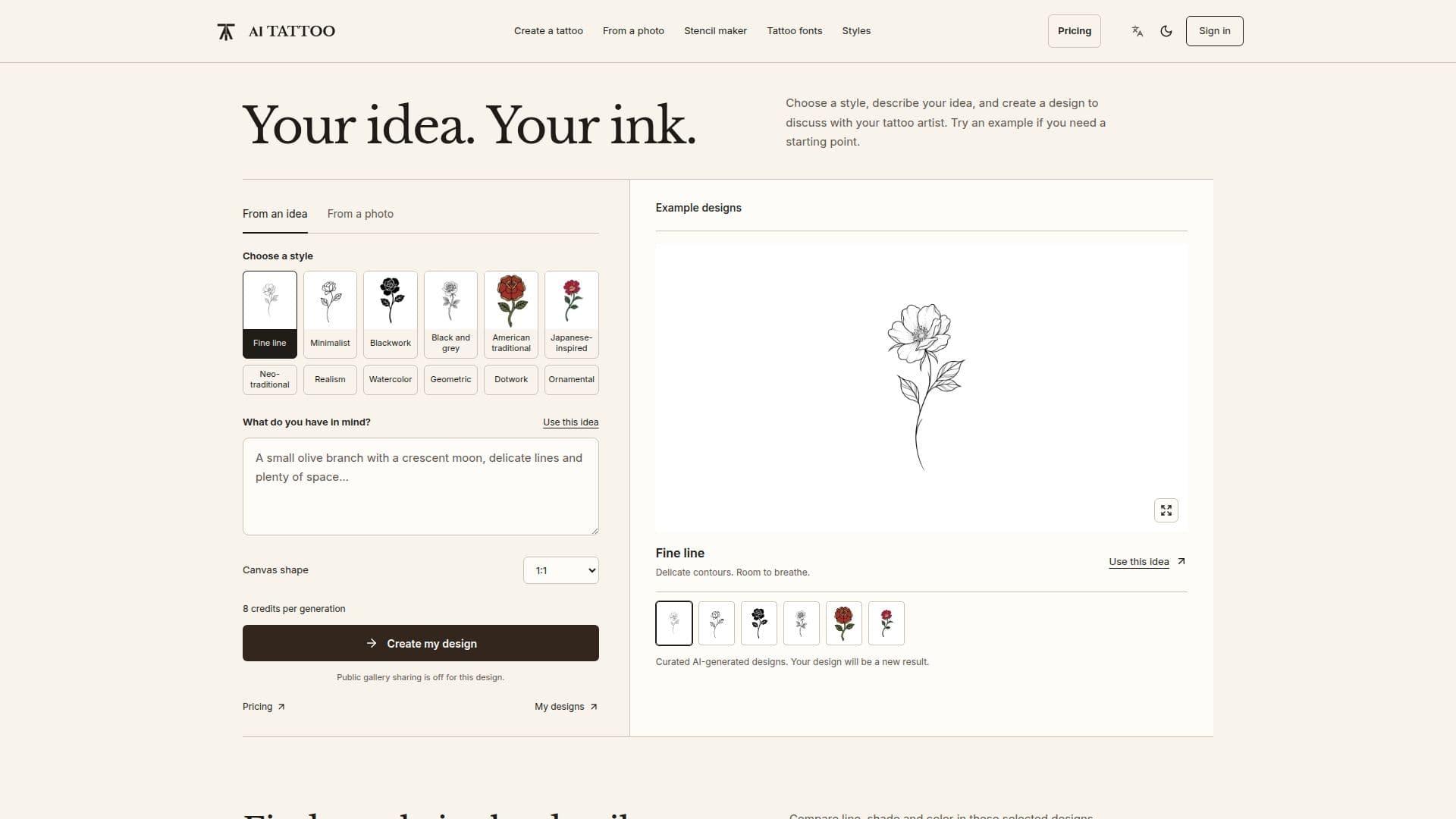
AI Tattoo provides an online platform for generating custom tattoo designs and preparing them for discussion with a professional artist. Users can start by describing a tattoo idea in text or uploading a reference photo. The platform then allows exploration of various tattoo styles, enabling users to refine their design concepts.
Read More
The core functionality involves AI-generated tattoo concepts, which require an account and generation credits. These designs can be created from scratch using a text prompt or by adapting an existing image with the "Photo to Tattoo" feature. The generator shows the credit cost for selected models and resolutions before submission. New accounts receive 40 free signup credits, valid for 7 days.
In addition to AI generation, AI Tattoo offers several free tools that do not require credits or an account. These include a "Tattoo Stencil Maker" to convert local images into linework for printing and a "Tattoo Font Generator" for composing lettering with various font files directly in the browser. Users can also browse an example gallery to find inspiration and compare styles like Fine Line, Minimalist, Blackwork, Black & Grey, American Traditional, Japanese-inspired, Neo-traditional, Realism, Watercolor, Geometric, Dotwork, and Ornamental.
Designs generated are intended as concepts and not ready-to-tattoo artwork. Users are advised to consult a professional tattoo artist to assess the drawing, placement, dimensions, and overall suitability before proceeding with a tattoo. The platform ensures privacy by keeping public gallery sharing off for generated designs, though uploaded photos are sent for AI processing. Credit packs are one-time purchases with no automatic renewal, and credits have a validity period, expiring if unused.
- CategoryAI Image Generators
- Pricing ModelFreemium
- DeploymentCloud
- PlatformsWeb
AI Tattoo's Core Features
Generate tattoo designs from text descriptions
Convert reference photos into tattoo ideas
Explore a wide range of tattoo styles
Refine generated tattoo designs
Download tattoo designs for artist discussion
Free Tattoo Stencil Maker tool
Free Tattoo Font Generator tool
Browse curated example tattoo designs
Account required for AI generation and saving designs
One-time credit packs for AI generation
New accounts receive free signup credits
Credits returned for failed generations
Designs are private; public gallery sharing is off
Supports personal and commercial use of generated outputs
Credit cost displayed before generation submission
How to use AI Tattoo?
Describe Idea or Upload Photo: Input your tattoo concept via text description or by uploading a JPEG, PNG, or WebP reference image.
Explore Styles: Browse various tattoo styles such as Fine Line, Blackwork, or Japanese-inspired to find your preferred aesthetic.
Generate Design: Use generation credits to create a design based on your input and selected style.
Refine and Download: Review the generated design, make any necessary refinements, and download the result.
Consult Artist: Take your downloaded design to a professional tattoo artist for assessment and further discussion before tattooing.
AI Tattoo's Use Cases
- Tattoo Concept Generation
- Style Exploration
- Reference Photo Conversion
- Stencil Creation
- Tattoo Lettering Design
- Artist Consultation Prep
- Commercial Design Projects
- Personal Tattoo Inspiration